https://github.com/yusufss4/book-order-management-system
Book Order Management System that allows you to order books. Made in NetBeans IDE using JFrame with the Java language.
https://github.com/yusufss4/book-order-management-system
book-management-system java jframe
Last synced: 11 months ago
JSON representation
Book Order Management System that allows you to order books. Made in NetBeans IDE using JFrame with the Java language.
- Host: GitHub
- URL: https://github.com/yusufss4/book-order-management-system
- Owner: Yusufss4
- Created: 2021-06-29T10:28:35.000Z (about 5 years ago)
- Default Branch: main
- Last Pushed: 2021-07-02T11:08:49.000Z (about 5 years ago)
- Last Synced: 2025-03-02T01:31:01.508Z (over 1 year ago)
- Topics: book-management-system, java, jframe
- Language: Java
- Homepage:
- Size: 12.5 MB
- Stars: 0
- Watchers: 1
- Forks: 1
- Open Issues: 0
-
Metadata Files:
- Readme: README.md
Awesome Lists containing this project
README
# 📚 Book Order Management System
Book Order Management System made for CSE2062.1 Object-Oriented Programming course in Marmara University as a final project. Made in NetBeans IDE using JFrame with the Java language.
## Explanation Video
[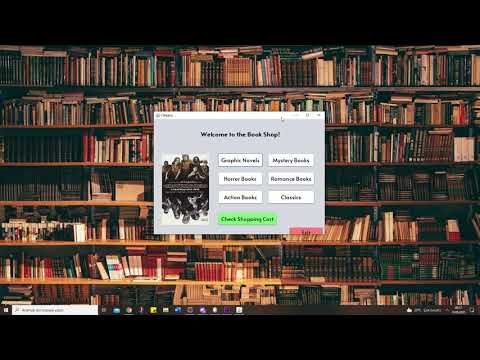](http://www.youtube.com/watch?v=pK7_TmLFsKM "Watch Video")
## Interface


## How To Install and Run
1- Install these:
- [Java SE Development Kit 8 (JDK 8)](http://www.oracle.com/technetwork/java/javase/downloads/jdk8-downloads-2133151.html)
- After installing JDK 8, install [NetBeans IDE](https://netbeans.org/downloads/)
2- Open NetBeans IDE. Click on File -> Open Project and browse to the downloaded folder named "Project" and select it. It will load the NetBeans project. Now you can easily run it.
## To Do List
- Currently Register and Login page is just only for demonstration. It does not register your account and you can not use login with that account. The user is predefined in the code. Register and Login Page should be implemented.
- Price is fixed for each category and does not special to the book. Price property should be added to the book.