https://github.com/yviscool/chatoutline
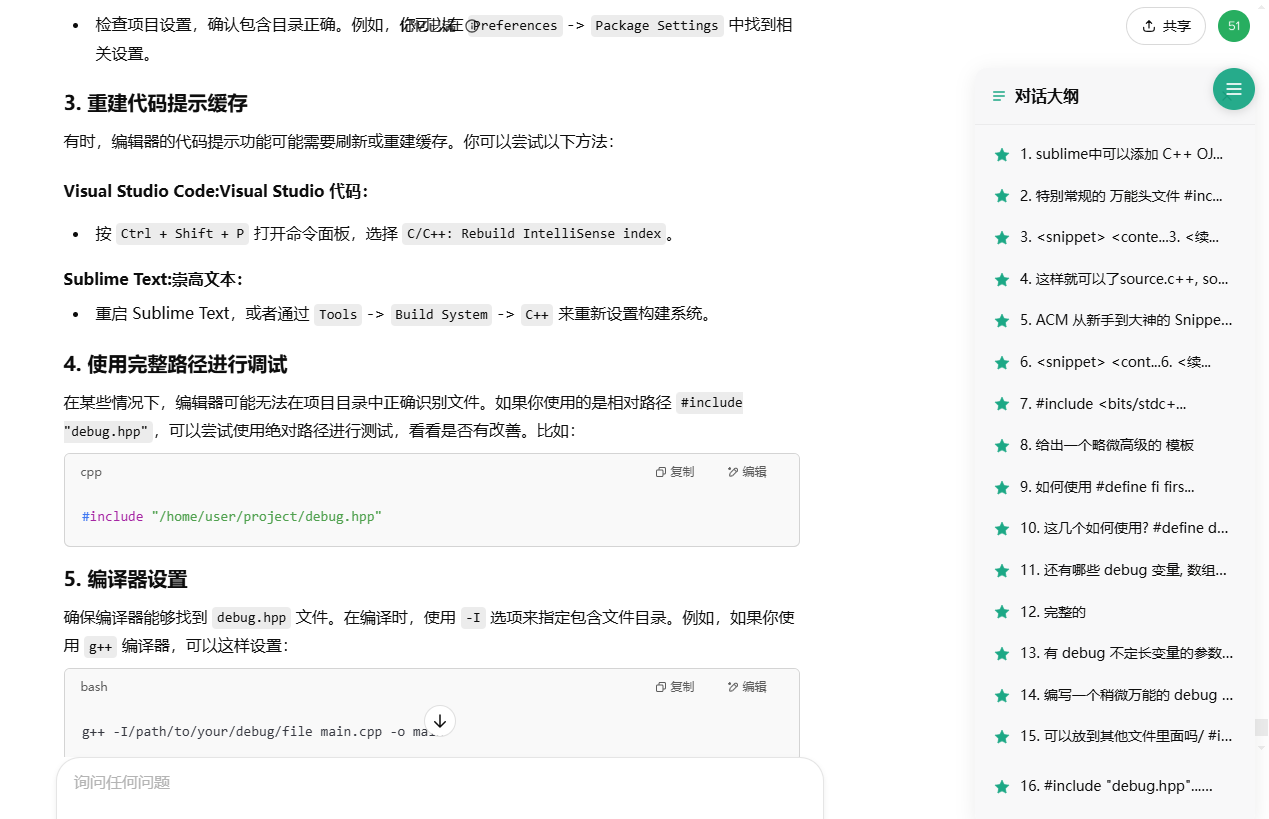
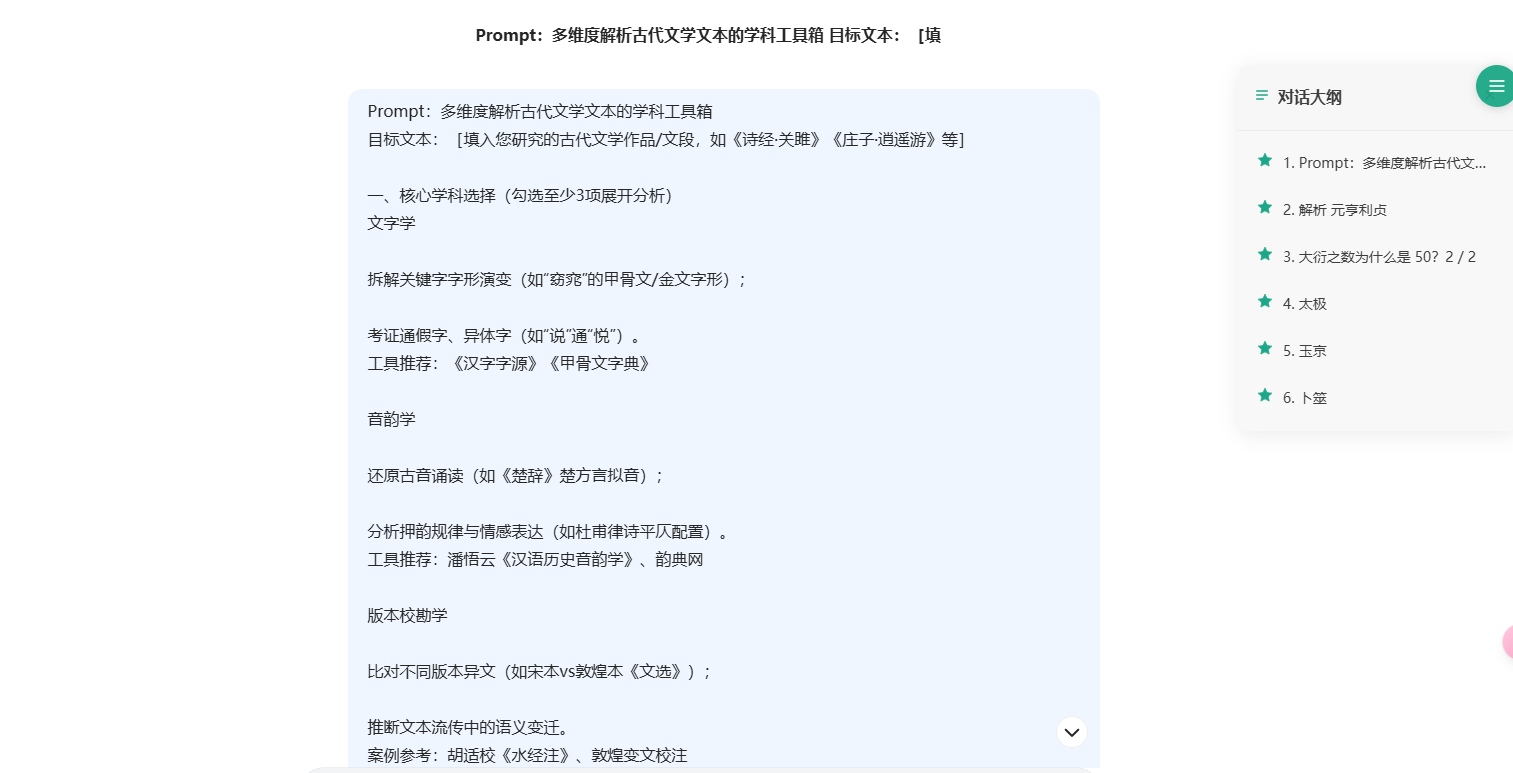
ChatOutline 是一个浏览器用户脚本,为主流 AI 聊天平台(如 ChatGPT、Gemini、DeepSeek、百川 AI 和 Kimi)提供便捷的对话大纲导航功能
https://github.com/yviscool/chatoutline
Last synced: about 1 year ago
JSON representation
ChatOutline 是一个浏览器用户脚本,为主流 AI 聊天平台(如 ChatGPT、Gemini、DeepSeek、百川 AI 和 Kimi)提供便捷的对话大纲导航功能
- Host: GitHub
- URL: https://github.com/yviscool/chatoutline
- Owner: yviscool
- License: mit
- Created: 2025-03-18T14:02:36.000Z (about 1 year ago)
- Default Branch: main
- Last Pushed: 2025-03-31T14:19:01.000Z (about 1 year ago)
- Last Synced: 2025-03-31T15:52:54.335Z (about 1 year ago)
- Language: JavaScript
- Homepage:
- Size: 226 KB
- Stars: 0
- Watchers: 1
- Forks: 0
- Open Issues: 0
-
Metadata Files:
- Readme: README.md
- License: LICENSE
Awesome Lists containing this project
README
# ChatOutline


ChatOutline 是一个浏览器用户脚本,为主流 AI 聊天平台(如 ChatGPT、Gemini、DeepSeek、百川 AI 和 Kimi)提供便捷的对话大纲导航功能。
## ✨ 功能特点
- 🧭 **智能导航**:自动提取对话中的问题,生成可点击的大纲
- 🎯 **快速定位**:点击大纲项可立即跳转到对应的对话位置
- 🌓 **暗色模式**:自动适配各平台的明/暗色主题
- 🔄 **实时更新**:当有新消息时自动更新大纲
- 📱 **响应式设计**:在不同屏幕尺寸下自动调整
- 🔌 **多平台支持**:
- ChatGPT (https://chatgpt.com)
- Gemini (https://gemini.google.com)
- DeepSeek (https://chat.deepseek.com)
- 百川 AI (https://ying.baichuan-ai.com/chat)
- Kimi (https://kimi.moonshot.cn/chat)
## 📥 安装方法
1. 首先安装用户脚本管理器:
- [Tampermonkey](https://www.tampermonkey.net/) (推荐)
- [Violentmonkey](https://violentmonkey.github.io/)
- [Greasemonkey](https://www.greasespot.net/)
2. 点击下面的安装链接安装脚本:
- [安装 ChatOutline](https://greasyfork.org/zh-CN/scripts/529962-gpt-%E5%A4%A7%E7%BA%B2%E7%94%9F%E6%88%90%E5%99%A8)
3. 访问支持的 AI 聊天平台,右上角会出现大纲按钮
## 🖱️ 使用方法
- 点击右上角的大纲按钮打开/关闭大纲面板
- 大纲面板会自动提取对话中的问题作为导航项
- 点击任意大纲项可快速跳转到对应的对话位置
- 滚动页面时,当前可见的对话会在大纲中高亮显示