https://github.com/yvoronoy/magento2-bash-completion
Magento2 Bash Completion
https://github.com/yvoronoy/magento2-bash-completion
bash-completion magento2 magento2-extension
Last synced: 6 months ago
JSON representation
Magento2 Bash Completion
- Host: GitHub
- URL: https://github.com/yvoronoy/magento2-bash-completion
- Owner: yvoronoy
- License: mit
- Created: 2016-06-10T22:09:08.000Z (about 10 years ago)
- Default Branch: master
- Last Pushed: 2019-10-23T15:18:24.000Z (over 6 years ago)
- Last Synced: 2024-04-09T09:19:17.014Z (about 2 years ago)
- Topics: bash-completion, magento2, magento2-extension
- Language: PHP
- Homepage:
- Size: 44.9 KB
- Stars: 138
- Watchers: 11
- Forks: 29
- Open Issues: 6
-
Metadata Files:
- Readme: README.md
- License: LICENSE
Awesome Lists containing this project
README
# Magento2 Bash Completion [](https://travis-ci.org/yvoronoy/magento2-bash-completion)
This plugin adds autocompletion for Magento 2 CLI Sub Commands and their Options.
## Example
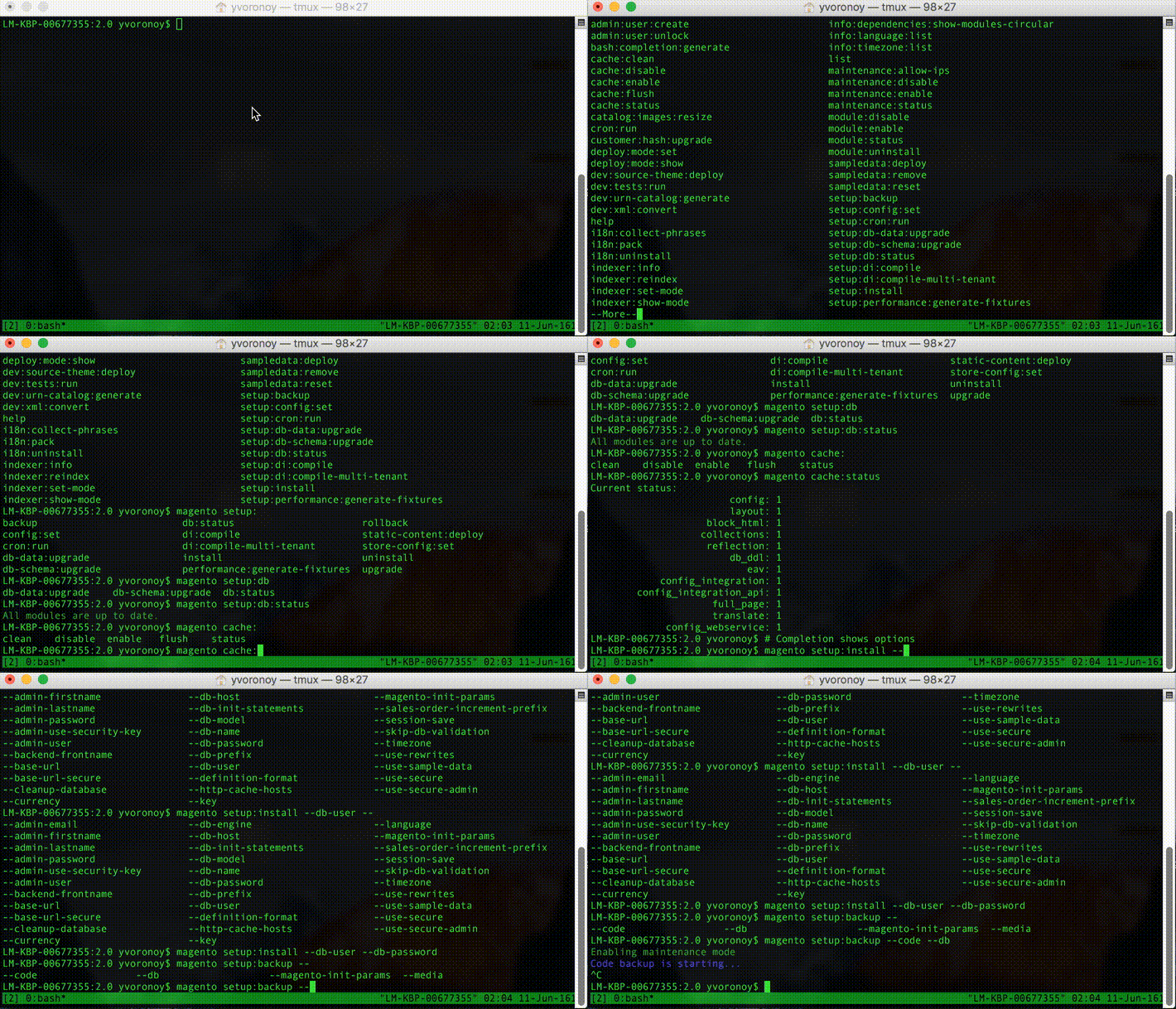
```
user@host:~$ bin/magento[TAB][TAB]
admin:user:create info:dependencies:show-modules-circular
admin:user:unlock info:language:list
bash:completion:generate info:timezone:list
...
```
```
user@host:~$ bin/magento setup:install --[TAB][TAB]
--admin-email --db-password
--admin-firstname --db-prefix
--admin-lastname --db-user
```
## Prerequisities
To use magento2 bash completion you should have installed Bash Completion.
If you don't have installed bash-completion follow guides:
* [How to install bash-completion in Debian](https://www.howtoforge.com/how-to-add-bash-completion-in-debian)
* [How to install bash-completion in MacOSX](http://davidalger.com/development/bash-completion-on-os-x-with-brew)
## Installation Bash Completion
New completion commands may be placed inside the directory /etc/bash_completion.d or inside /usr/local/etc/bash_completion.d/magento2-bash-completion on MacOSX.
Mac OSX
```
curl -o /usr/local/etc/bash_completion.d/magento2-bash-completion https://raw.githubusercontent.com/yvoronoy/magento2-bash-completion/master/magento2-bash-completion
```
Linux
```
sudo curl -o /etc/bash_completion.d/magento2-bash-completion https://raw.githubusercontent.com/yvoronoy/magento2-bash-completion/master/magento2-bash-completion
```
Don't forget reload shell or you can load new complition by next command: `user@host:~$ . /etc/bash_completion.d/magento2-bash-completion`
## Installation Magento2 Bash Completion Extension
Magento2 Bash Completion Extension allows you generate your own bash completion list. It collects all available commands and generates a bash completion.
You can install the extension by the composer
```
composer require yvoronoy/magento2-bash-completion
```