https://github.com/yyaadet/llmsurf
An AI agent that can perform tasks on your macOS. It can open applications, search the web, and more.
https://github.com/yyaadet/llmsurf
agent ai deep-research deepseek-r1 macos ollama websearch-agent
Last synced: 5 months ago
JSON representation
An AI agent that can perform tasks on your macOS. It can open applications, search the web, and more.
- Host: GitHub
- URL: https://github.com/yyaadet/llmsurf
- Owner: yyaadet
- License: mit
- Created: 2025-02-07T08:13:05.000Z (over 1 year ago)
- Default Branch: main
- Last Pushed: 2025-03-05T02:26:39.000Z (over 1 year ago)
- Last Synced: 2025-03-05T03:25:28.887Z (over 1 year ago)
- Topics: agent, ai, deep-research, deepseek-r1, macos, ollama, websearch-agent
- Language: HTML
- Homepage: https://yyaadet.github.io/llmsurf/
- Size: 3.68 MB
- Stars: 3
- Watchers: 1
- Forks: 0
- Open Issues: 0
-
Metadata Files:
- Readme: docs/README.md
- License: LICENSE
Awesome Lists containing this project
README
# LLMSurf - Mining AI Agent For macOS

A Mining AI agent that can perform information mining on your macOS. It can search the Google, X, Reddit, Baidu freely etc, response with AI LLM, and check the LLM answer factually.
## Cases
- Super Researcher
- Native search engine
- Native knowledge library
- Native R calculations
- Customer Discovery
- Data Mining
## Features
- Search freely
- Factually check LLM answer
- Embedded R runtime
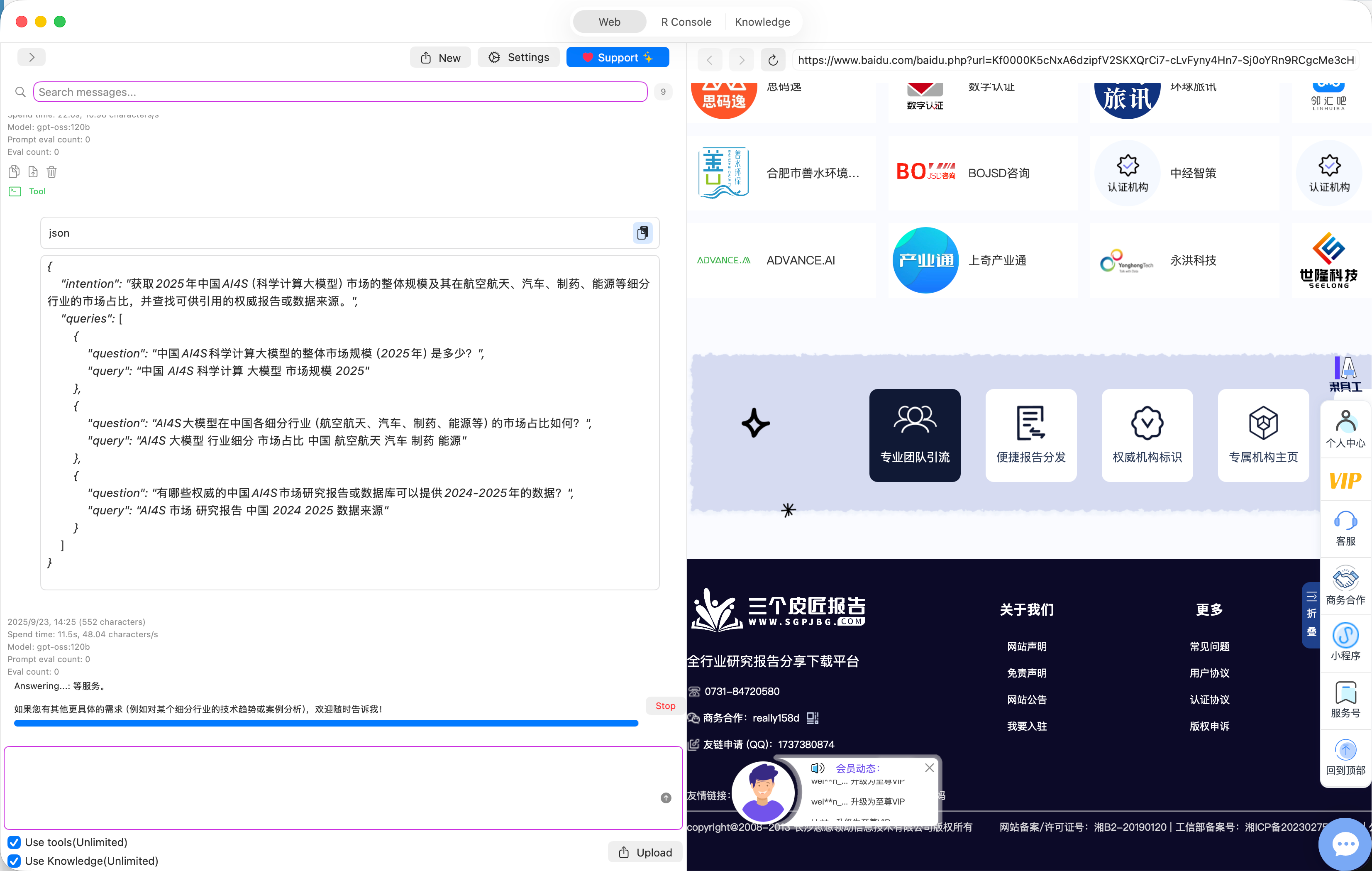
- Search the twitter(X), rednote(xiaohongshu.com), Reddit, Baidu, Weixin MP and Google etc
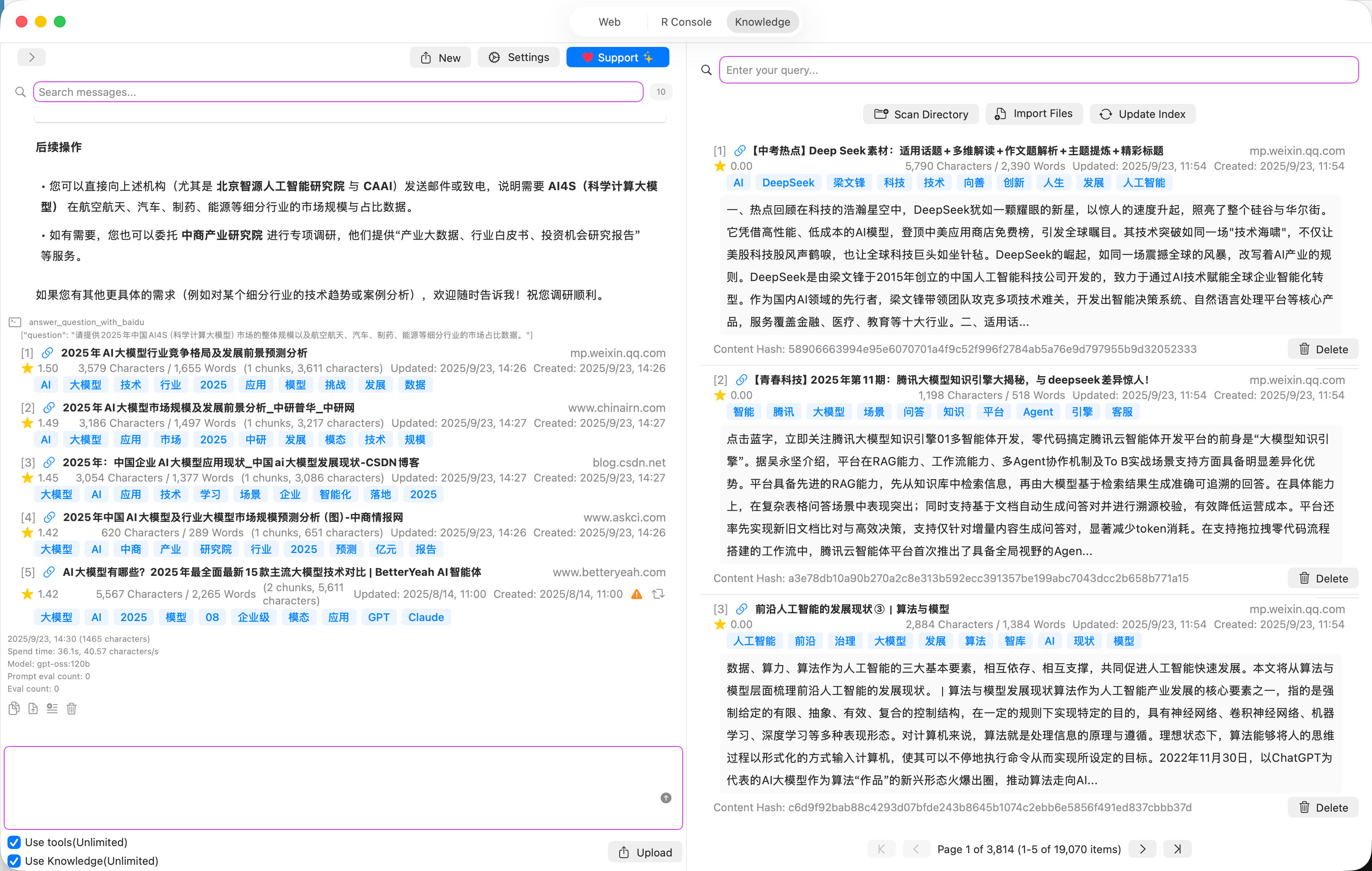
- Answer questions with search results or local knowledges
- Transform conversation to task. You can run the task with one click.
- Support local native LLM models and cloud openai like models.
- Prevent duplicated knowledges
- Manage knowledges, delete knowledges, auto update knowledge, open knowledge in the local desktop and more
## Installation
### Install ollama
1. Drag Ollama.app to /Applications
2. Run Ollama
### Install App
1. Drag LLMSurf-v-xxx.app to /Applications
2. Run LLMSurf
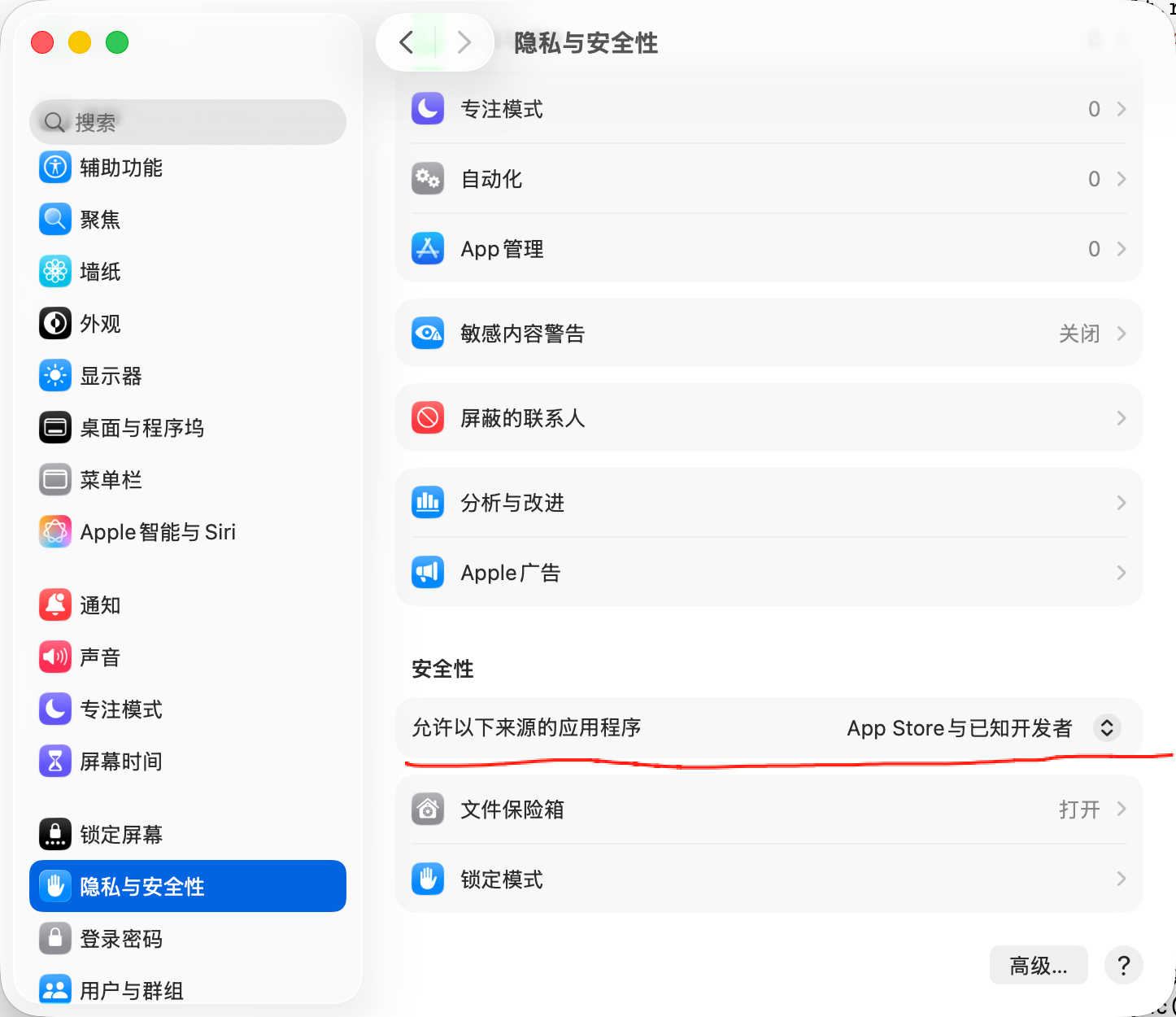
Solve macOS App Opening Issue in One Minute! Fix the error: "Apple cannot verify that 'App Cleaner & Uninstaller' does not contain malware that may harm your Mac or compromise your privacy."
1. Open Terminal (press Command+Space and search for Terminal)
2. Enter these two commands:
```shell
sudo spctl --master-disable
#(navigate to the applications folder)
cd /Applications
# (use Tab key to auto-complete)
sudo xattr -rd com.apple.quarantine /Applications/LLMSurf.app
```
3. Enter your user password
4. Open Settings -> Security & Privacy -> Security -> Allow Any developers
5. Open LLMSurf
Done!
### Install models
If the app downloads models failed or the models are not in the App resources folder, we can download them and install them manually.
You can try download SentenceBERT model manually from [https://github.com/yyaadet/llmsurf/releases/download/v1.0.0/SentenceBERT.mlmodelc.zip].
1. Unzip it. You can see a file named `SentenceBERT.mlmodelc`.
2. Open the Terminal app. If your downloads are in the folder `~/Downloads`, you should run the command: `cd ~/Downloads`
3. Run command in the terminal: `mkdir -p ~/Library/Application\ Support/LLMSurf/Models/SentenceBERT`
4. Run command in the terminal: `cp -rf SentenceBERT.mlmodelc ~/Library/Application\ Support/LLMSurf/Models/SentenceBERT`
Download rerank model from [https://github.com/yyaadet/llmsurf/releases/download/v3.0.0/BGEReranker.mlmodelc.zip] .
1. Unzip it. You can see a file named `BGEReranker.mlmodelc.zip`.
2. Open the Terminal app. If your downloads are in the folder `~/Downloads`, you should run the command: `cd ~/Downloads`
3. Run command in the terminal: `mkdir -p ~/Library/Application\ Support/LLMSurf/Models/BGEReranker`
4. Run command in the terminal: `cp -rf BGEReranker.mlmodelc ~/Library/Application\ Support/LLMSurf/Models/BGEReranker`
Of course, you can operate in GUI.
**Or download from baidu disk**:
链接: https://pan.baidu.com/s/1L2rWKGX0eDA_WeG_Mu19eA?pwd=t6jv 提取码: t6jv
## Screenshots
# LLM Response Check Factually
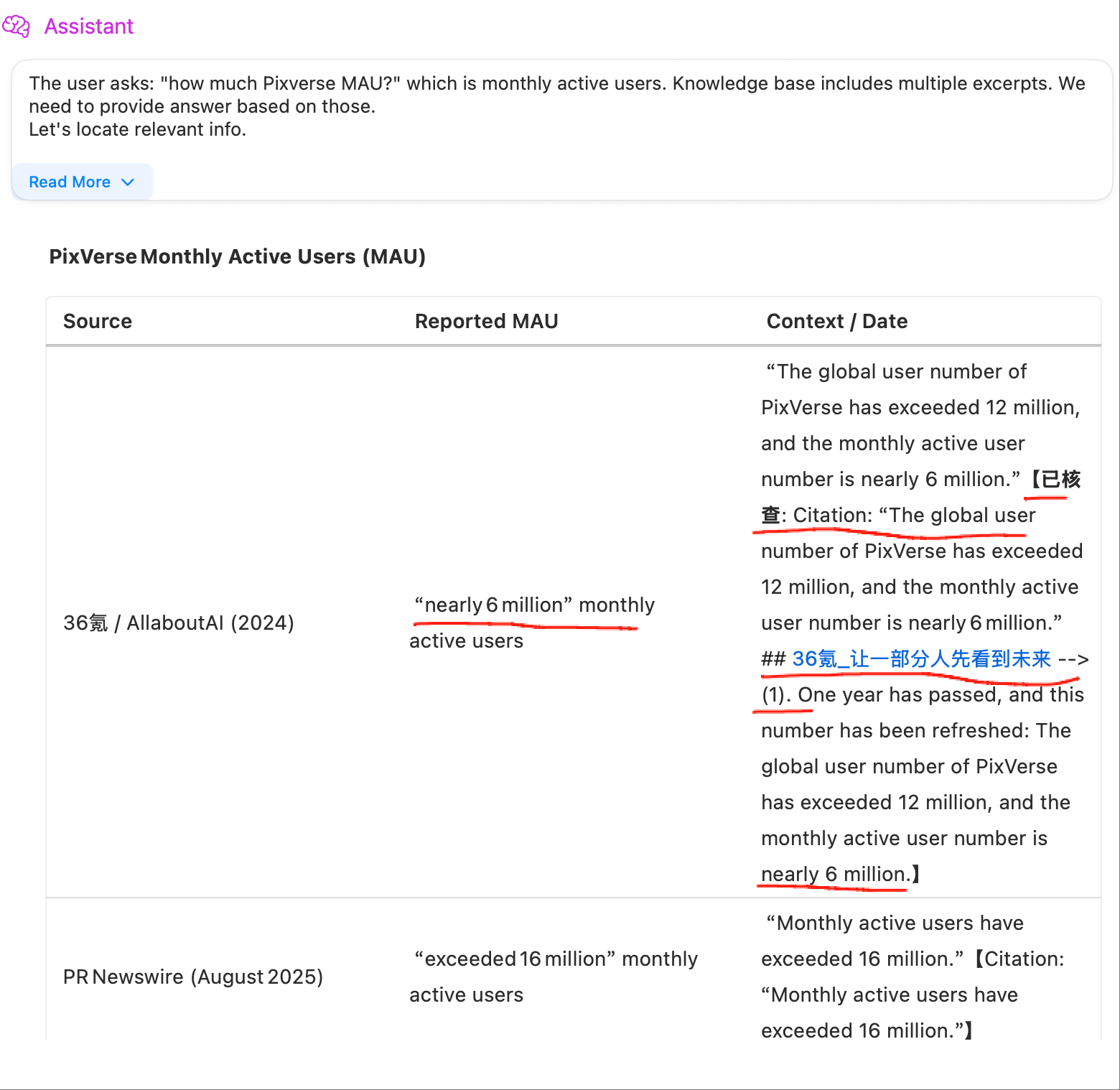
LLMSurf can check the AI LLM response factually.
1. We will show information citation in the LLM response.
2. We will check the information citation factually.
3. The numbers or claims in the LLM response will be checked factually.
## Contact US
- Email: yyaadet@qq.com
- Twitter: [yyaadet](https://twitter.com/yyaadet)
- Wechat: yyaadet2002
- GitHub: [yyaadet](https://github.com/yyaadet)
## Recommendation
- [AutoSRT](https://github.com/yyaadet/autosrt_page) is an macOS app that automatically generates dual language subtitles from video files.