https://github.com/zackiles/cursor-workbench
https://github.com/zackiles/cursor-workbench
Last synced: 11 months ago
JSON representation
- Host: GitHub
- URL: https://github.com/zackiles/cursor-workbench
- Owner: zackiles
- License: mit
- Created: 2025-06-08T05:07:37.000Z (12 months ago)
- Default Branch: main
- Last Pushed: 2025-06-23T05:40:52.000Z (11 months ago)
- Last Synced: 2025-06-30T23:03:04.131Z (11 months ago)
- Language: TypeScript
- Size: 1.68 MB
- Stars: 1
- Watchers: 0
- Forks: 1
- Open Issues: 0
-
Metadata Files:
- Readme: README.md
- Changelog: CHANGELOG.md
- License: LICENSE
Awesome Lists containing this project
README
# Cursor Workbench - Rule Editor Extension
Cursor rules for teams and power users. Load, share, edit, version, and manage team and user rules across projects seamlessly without committing rules to your repo.
## 🎯 Features
- 🎨 **Powerful Rule Editor** - Custom rule editor unlocks functionality not available in Cursor. Version, tag, add usage notes, and organize your rules directly within the editor
- 🤝 **Rule Registry** - Synchronize team and user rules across projects using rule registries
- 💾 **Real-time Sync** - Update remote rule resgistries locally right within your editor
## 📦 Installation
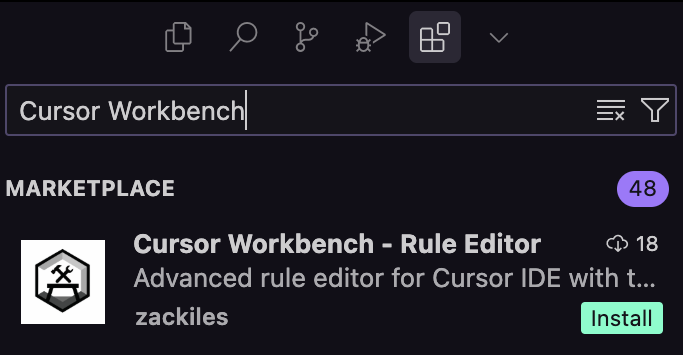
Go to Extensions in Cursor(`Ctrl/Cmd+Shift+X`) and search for **"Cursor Workbench"** or **"@zackiles/cursor-workbench"** -> Click Install.
## 🎮 Usage
### Adding a Registry
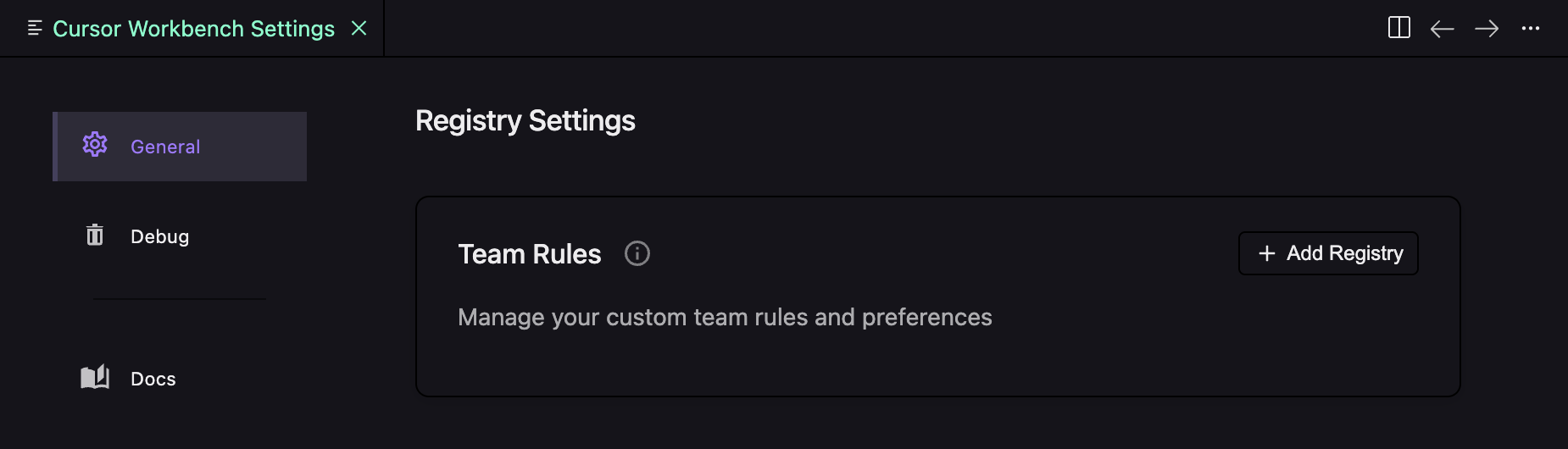
Create a public or private GitHub repository with a `.cursor/rules` folder that contains your rules, and add it in the Cursor Workbench Settings menu (found in the Command Palette or by clicking the gear icon in the rule editor).
### Basic Rule Editing
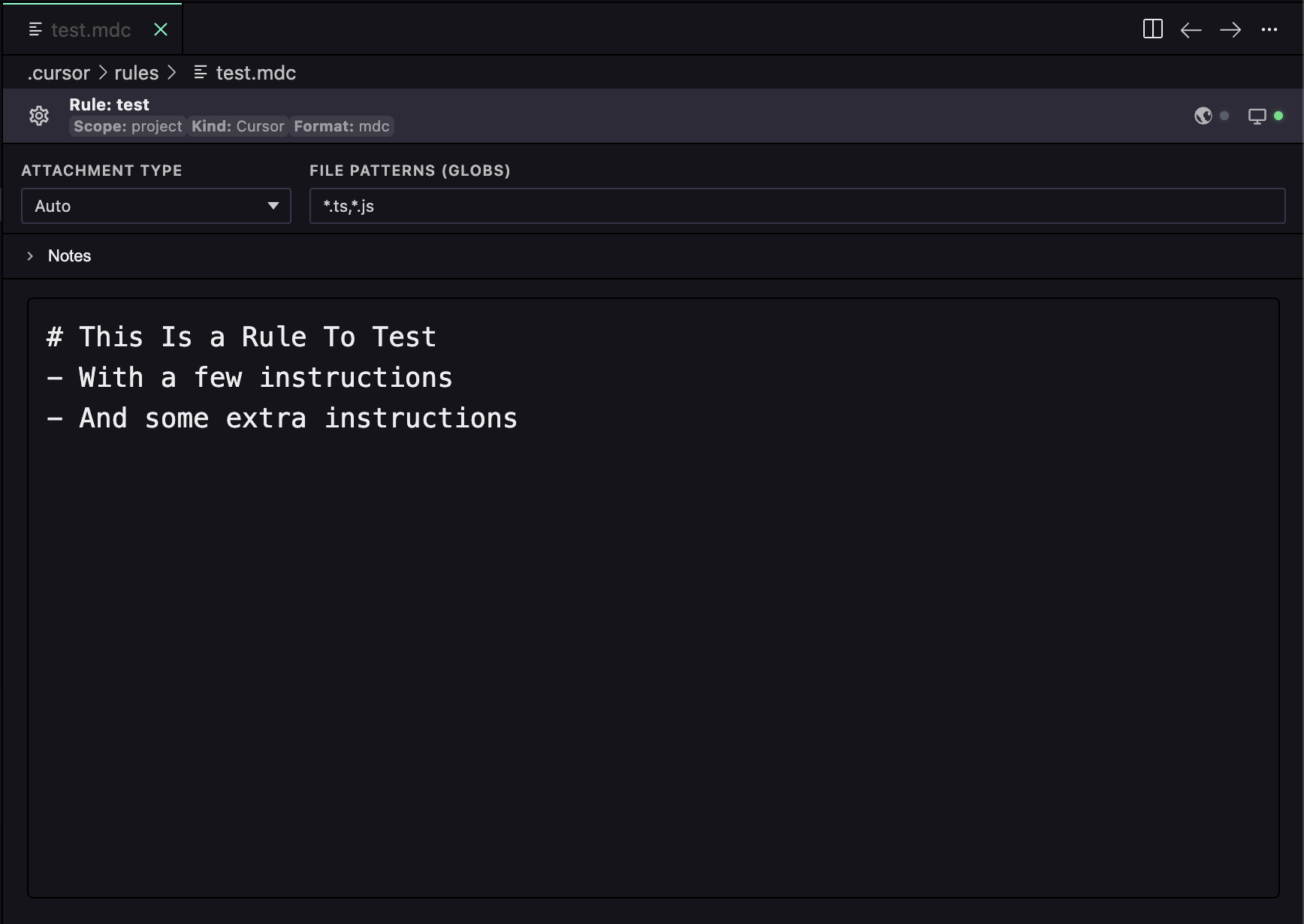
Rule files ending in `.mdc` will open in Cursor Workbench automatically instead of the regular Cursor editor. Rules added from a registry will shown their status in the top right of the editor if your local copy of a rule is out of date or can be synchronized with the remote registry. Remote rules can be edited individually locally and pushed to the remote registry at your own leisure by clicking the globe icon in the top right.
### Rule Status
- **Green Dot**: Rule is up-to-date with remote
- **Yellow Dot**: Rule has local or remote changes that can be synchronized
- **Red Dot**: Uncommitted local changes OR conflicts need resolution
- **Gray Dot**: No remote repository configured
Click any status indicator to see available actions (commit, push, pull, rebase).
## 🔧 Configuration
### Attachment Types
- **Always**: Rule is always attached to conversations (alwaysApply: true)
- **Auto**: Rule is attached based on file patterns (requires globs)
- **Agent**: Rule is attached when AI determines relevance (requires description)
- **Manual**: Rule is manually attached by user
## 🔗 Quick Links
- 📋 [Latest Release](../../releases/latest)
- 🌐 [Open VSX Registry](https://open-vsx.org/extension/zackiles/cursor-workbench)
- 📖 [Cursor IDE Documentation](https://docs.cursor.sh/)
- 🤝 [Contributing Guide](./CONTRIBUTING.md)
- 🏷️ [Changelog](./CHANGELOG.md)
- 🐛 [Report Issues](../../issues)