https://github.com/zarvis-ai/agentd
Terminal for fleet of agents, designed for hackers
https://github.com/zarvis-ai/agentd
agent coding-agent harness harness-engineering opensource-agents
Last synced: 19 days ago
JSON representation
Terminal for fleet of agents, designed for hackers
- Host: GitHub
- URL: https://github.com/zarvis-ai/agentd
- Owner: zarvis-ai
- License: mit
- Created: 2026-05-16T19:12:47.000Z (about 1 month ago)
- Default Branch: main
- Last Pushed: 2026-05-27T04:47:38.000Z (24 days ago)
- Last Synced: 2026-05-27T06:26:04.471Z (23 days ago)
- Topics: agent, coding-agent, harness, harness-engineering, opensource-agents
- Language: Rust
- Homepage:
- Size: 17.7 MB
- Stars: 0
- Watchers: 0
- Forks: 0
- Open Issues: 17
-
Metadata Files:
- Readme: README.md
- License: LICENSE
- Agents: AGENTS.md
Awesome Lists containing this project
README
# agentd
**Command a fleet of agents, designed for hackers cracking the matrix.**
Create Codex, Claude Code, Antigravity, and Zarvis sessions all in one place. Or
let your agent coordinate them in a terminal crafted for hardcore hackers like
you. Remote control from your phone when you're in motion.
## Why agentd?
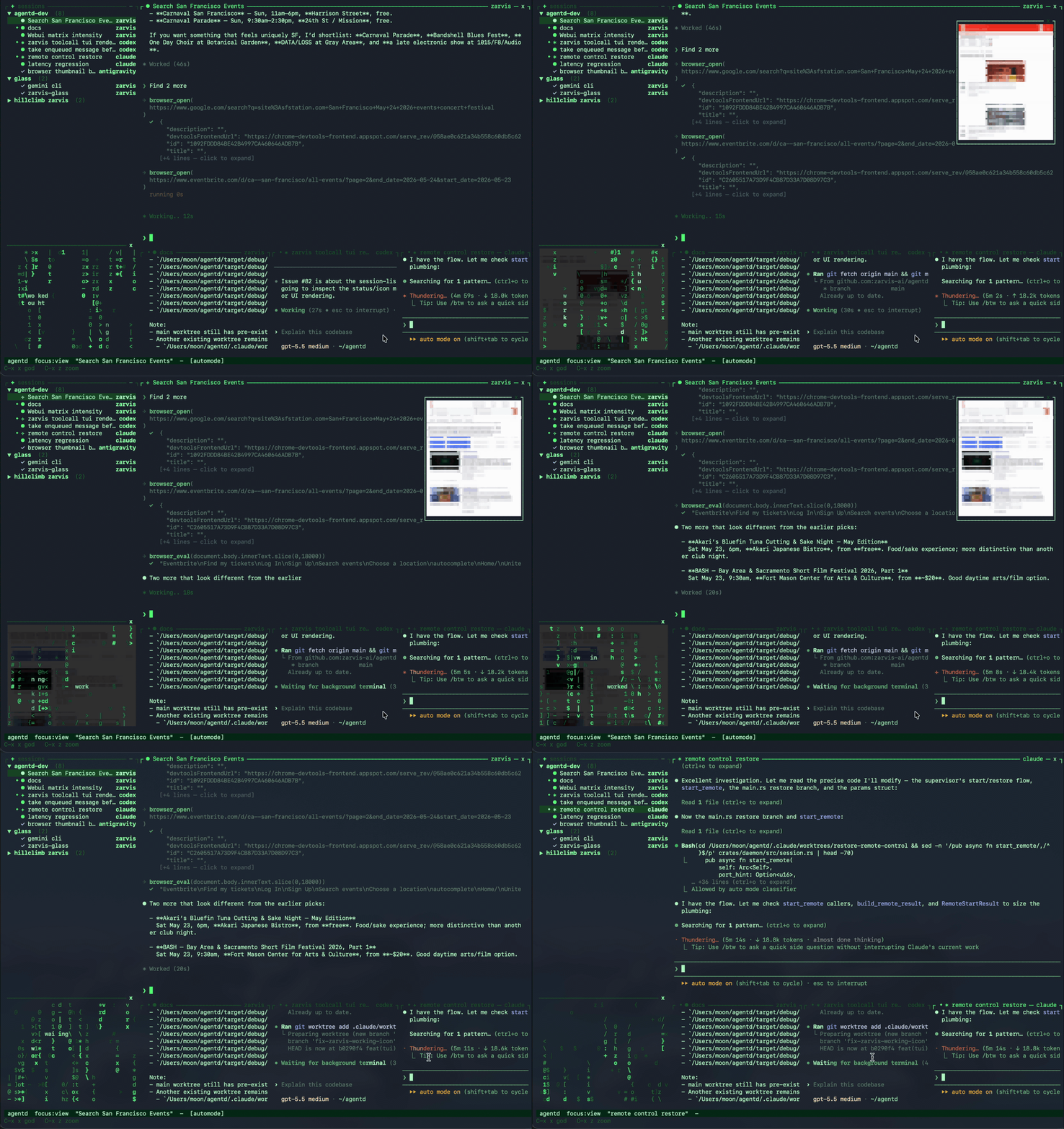
- **One cockpit for every agent** — attach to Claude Code, Codex, Antigravity,
Zarvis, or a shell process from one focused workspace that rewards attention.
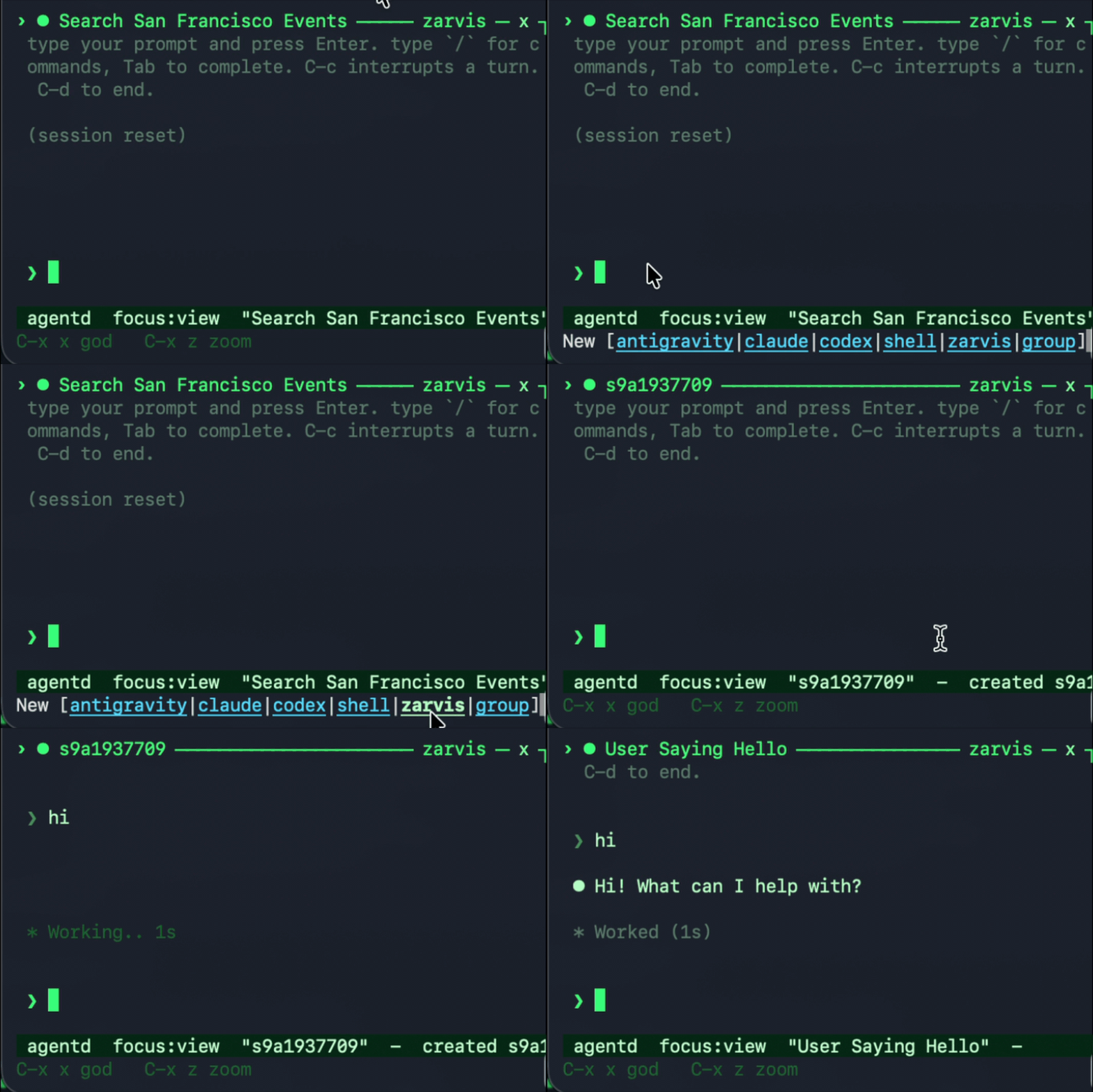
- **A delightful way to manage multiple Claude Code and Codex sessions** —
switch sessions instantly, pin multiple sessions to monitor, or let an agent
observe all your sessions across different harnesses.
- **Agent-to-agent orchestration** — MCP tools let an agent list sessions, read
output, spawn helpers, send input, inspect diffs, and drive Chrome.
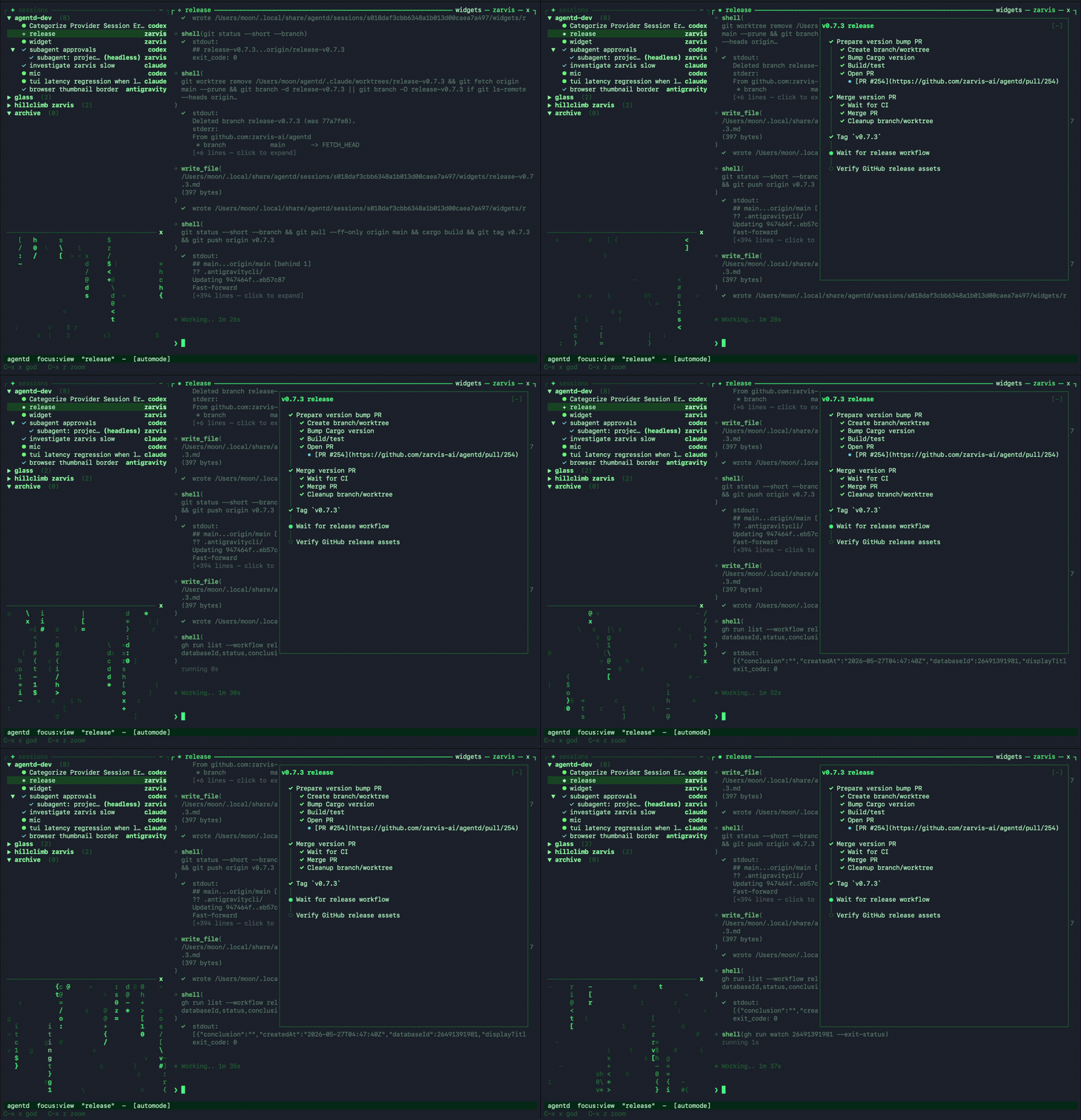
- **Generative widgets** — agentd generates and updates widgets for your task,
so you can track progress, review outputs, and take action without leaving
the TUI or web client.
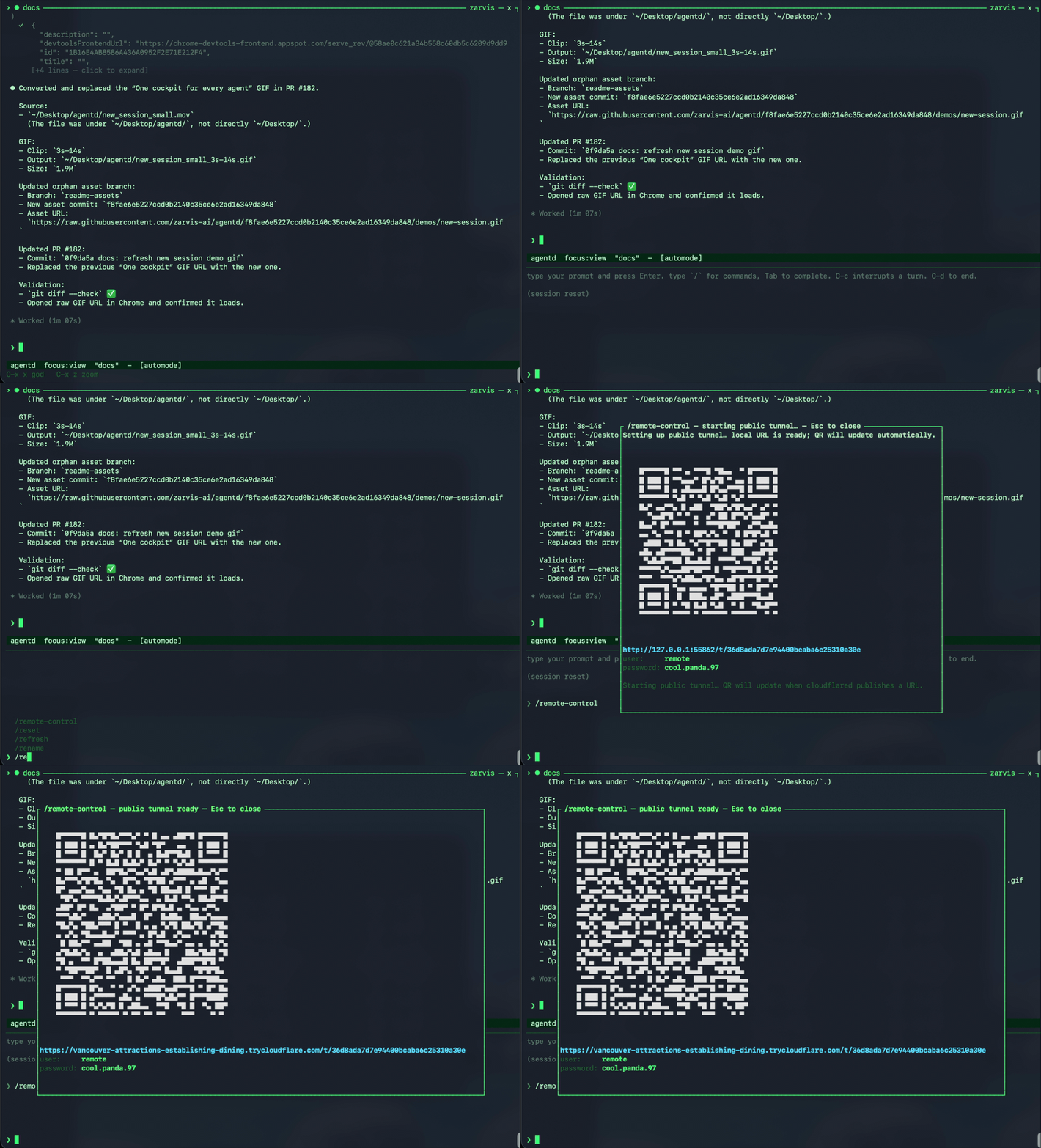
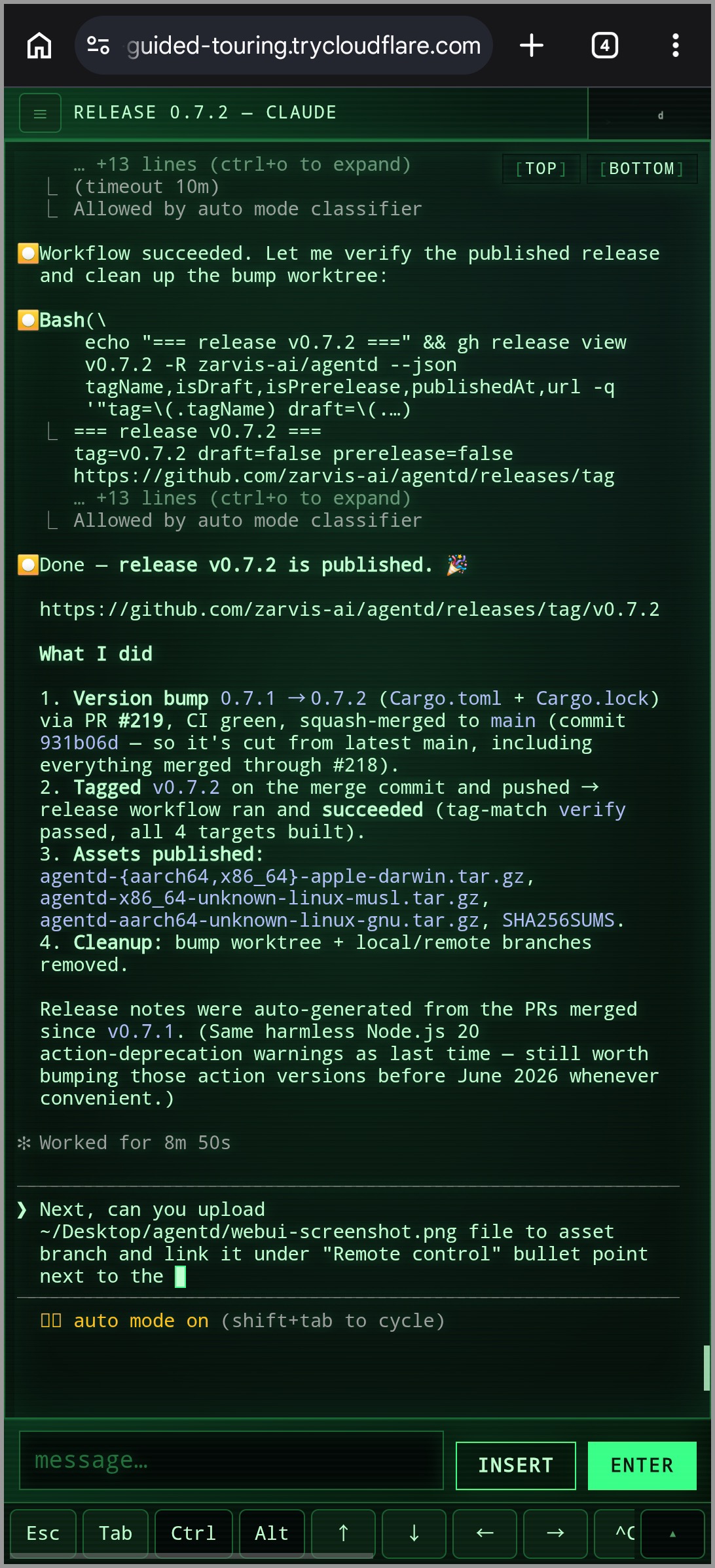
- **[Remote control](docs/remote-control.md) when you step away** — `/remote-control`
opens a browser-accessible web client with a QR code. Connect from your phone,
no service signup, no setup required.
 →
→ 
- **Extensible harness protocol** — adapters are separate processes speaking
JSON-RPC over stdio, so new tools can plug in without changing the daemon.
## Getting started
### 1. Requirements
Bring the agents you want to run. `agentd` wraps the CLIs already on your
machine, so install whichever harnesses you use, keep them on `PATH`, and log in
first:
- **Codex** — install the `codex` CLI and complete its OAuth login.
- **Claude Code** — install the `claude` CLI and complete its OAuth login.
- **Antigravity** — install the `agy` CLI and complete its OAuth login.
- **Zarvis** — built in to agentd. Today it uses Codex CLI OAuth for OpenAI GPT
models, or a local Ollama install for local models.
Once those CLIs are available and authenticated, `agentd` can create and resume
their sessions from the fleet TUI.
### 2. Install
The installer downloads the right prebuilt binary for your platform, verifies its
SHA-256 checksum, and drops every binary into one directory on your PATH:
```sh
curl -fsSL https://raw.githubusercontent.com/zarvis-ai/agentd/main/install.sh | sh
```
Pin a version or change the directory with `AGENTD_VERSION=v0.2.0` /
`AGENTD_BIN_DIR=/usr/local/bin`.
### 3. Start the daemon
```sh
agentd
```
Leave this running. It owns sessions, persists state, and exposes the local IPC
socket used by clients.
### 4. Open the fleet TUI
In a second shell:
```sh
agent
```
Use `?` for help and `M-x` for the command palette. From the TUI you can create
sessions, switch between agents, send input, inspect diffs, and interrupt or stop
work without leaving the flow.
### 5. Start crack the matrix
Happy hacking. Chase the dream idea from your terminal: ask Codex, Claude Code,
Antigravity, and [Zarvis](docs/zarvis.md) to dive into the hard parts, then keep
steering from your phone when you're in motion.
## Upgrading
```sh
agent upgrade # install the latest release (atomic in-place replace)
agent upgrade --check # just compare your version against the latest
agent upgrade --restart # upgrade, then restart a running daemon to apply
```
`agent upgrade` re-runs the installer for you (pin a release with
`--version vX.Y.Z`); re-running the install one-liner does the same thing. A
running daemon keeps the old code until it restarts — pass `--restart`, or run
`/agentd restart` in the TUI, to pick up the upgrade without losing sessions.
The TUI also surfaces a one-line notice when a newer release is available
(disable with `AGENTD_NO_UPDATE_CHECK=1`).
## Building from source
```sh
git clone https://github.com/zarvis-ai/agentd.git
cd agentd
cargo build --workspace
```
Debug binaries land in `target/debug/`:
- `target/debug/agentd` — daemon / session supervisor
- `target/debug/agent` — TUI and control CLI
- `target/debug/agentd-mcp` — MCP bridge for agents
- `target/debug/agentd-adapter-*` — harness adapters
For an optimized build, use `cargo build --workspace --release` and replace
`target/debug` with `target/release`.
## Documentation
- [Architecture](docs/architecture.md) — daemon/client split, crates, and the
Agent Harness Protocol (AHP).
- [Harnesses and session modes](docs/harnesses.md) — supported adapters,
interactive vs. headless modes, worktree isolation, and resume behavior.
- [Zarvis built-in agent](docs/zarvis.md) — providers, model selection, tools,
approvals, automode, and hooks.
- [Unified tool layer](docs/unified-tool-layer.md) — MCP servers and shared tools for
fleet control, browser automation, and agent coordination.
- [Generative widgets](docs/generative-widgets.md) — agent-generated Markdown UI
for compact session-scoped task state, timelines, and action links.
- [Memory](docs/memory.md) — durable Markdown context for project workflows,
decisions, preferences, and pitfalls.
- [Configuration](docs/configuration.md) — XDG paths, `AGENTD_*` overrides, and
TUI theme customization.
- [Remote control](docs/remote-control.md) — phone/browser access, QR setup,
credentials, and local debug mode.
## License
MIT — see [LICENSE](LICENSE).