https://github.com/zdenham/flickster
https://github.com/zdenham/flickster
Last synced: about 1 year ago
JSON representation
- Host: GitHub
- URL: https://github.com/zdenham/flickster
- Owner: zdenham
- Created: 2016-08-02T05:00:24.000Z (almost 10 years ago)
- Default Branch: master
- Last Pushed: 2016-08-02T23:30:11.000Z (almost 10 years ago)
- Last Synced: 2024-10-18T12:17:49.991Z (over 1 year ago)
- Language: Java
- Size: 3.22 MB
- Stars: 0
- Watchers: 1
- Forks: 0
- Open Issues: 1
-
Metadata Files:
- Readme: README.md
Awesome Lists containing this project
README
# Project 1 - *Flickster*
**flickster** shows the latest movies currently playing in theaters. The app utilizes the Movie Database API to display images and basic information about these movies to the user.
Time spent: **7** hours spent in total
## User Stories
The following **required** functionality is completed:
* [x] User can **scroll through current movies** from the Movie Database API
The following **optional** features are implemented:
* [ ] For each movie displayed, user can see the following details:
* [x] Title, Poster Image, Overview (Portrait mode)
* [x] Title, Backdrop Image, Overview (Landscape mode)
* [ ] Layout is optimized with the [ViewHolder](http://guides.codepath.com/android/Using-an-ArrayAdapter-with-ListView#improving-performance-with-the-viewholder-pattern) pattern.
* [x] Display a nice default [placeholder graphic](http://guides.codepath.com/android/Displaying-Images-with-the-Picasso-Library#configuring-picasso) for each image during loading.
* [x] Allow user to view details of the movie including ratings and popularity within a separate activity or dialog fragment (note: not in video tutorial).
* [x] Improved the user interface by experimenting with styling and coloring.
* [x] Apply rounded corners for the poster or background images using [Picasso transformations](https://guides.codepath.com/android/Displaying-Images-with-the-Picasso-Library#other-transformations)
* [ ] Apply the popular [Butterknife annotation library](http://guides.codepath.com/android/Reducing-View-Boilerplate-with-Butterknife) to reduce boilerplate code.
* [x] Allow video trailers to be played in full-screen using the YouTubePlayerView from the details screen.
The following **additional** features are implemented:
* [ ] List anything else that you can get done to improve the app functionality!
## Video Walkthrough
Here's a walkthrough of implemented user stories:
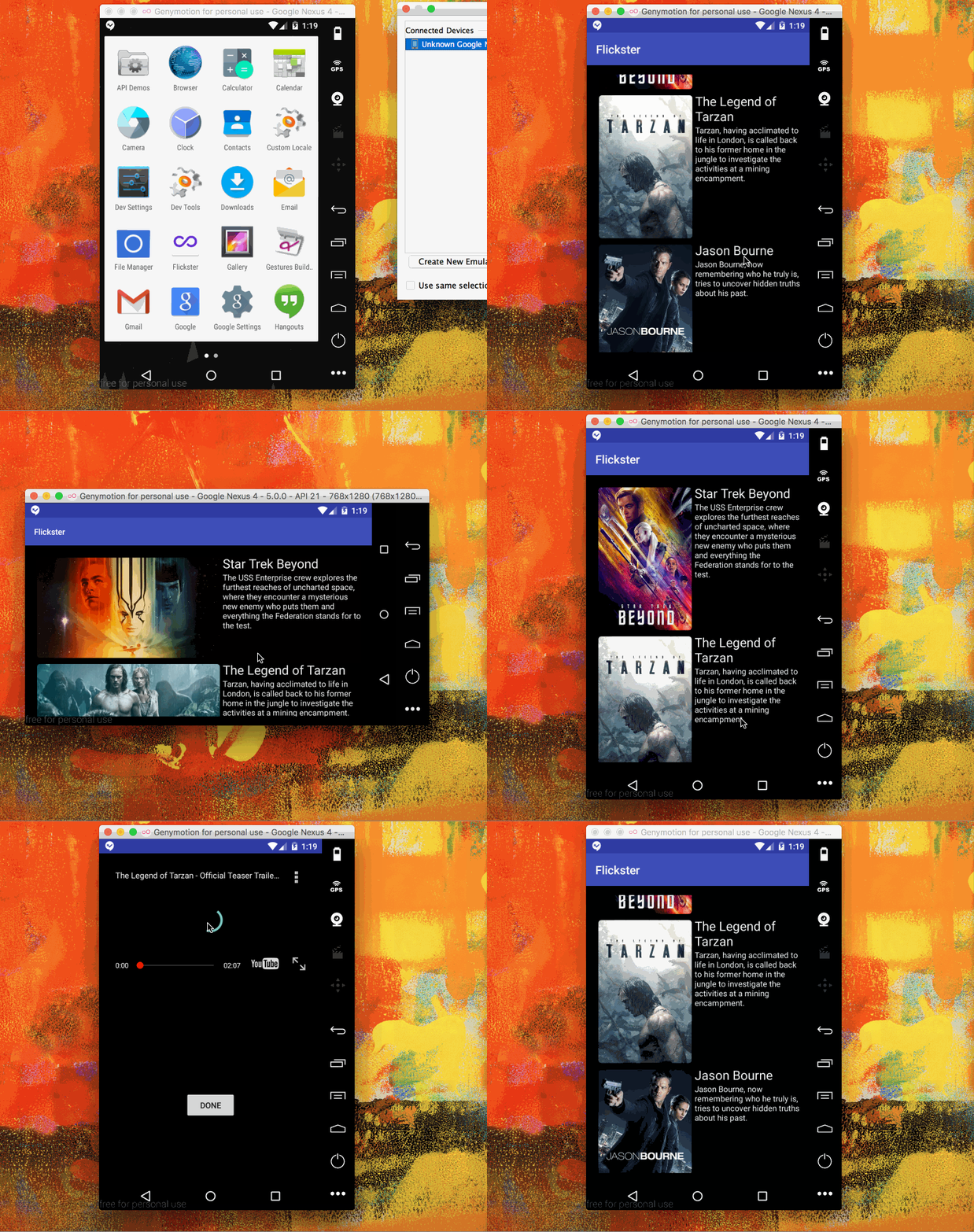
GIF created with [LiceCap](http://www.cockos.com/licecap/).
## Notes
Describe any challenges encountered while building the app.
## Open-source libraries used
- [Android Async HTTP](https://github.com/loopj/android-async-http) - Simple asynchronous HTTP requests with JSON parsing
- [Picasso](http://square.github.io/picasso/) - Image loading and caching library for Android
## License
Copyright [yyyy] [name of copyright owner]
Licensed under the Apache License, Version 2.0 (the "License");
you may not use this file except in compliance with the License.
You may obtain a copy of the License at
http://www.apache.org/licenses/LICENSE-2.0
Unless required by applicable law or agreed to in writing, software
distributed under the License is distributed on an "AS IS" BASIS,
WITHOUT WARRANTIES OR CONDITIONS OF ANY KIND, either express or implied.
See the License for the specific language governing permissions and
limitations under the License.