https://github.com/zeabdelkhalek/tilawati-app
Tilawati Mobile App
https://github.com/zeabdelkhalek/tilawati-app
material-design react-native react-redux redux
Last synced: 9 months ago
JSON representation
Tilawati Mobile App
- Host: GitHub
- URL: https://github.com/zeabdelkhalek/tilawati-app
- Owner: zeabdelkhalek
- Created: 2019-05-20T22:21:46.000Z (about 7 years ago)
- Default Branch: master
- Last Pushed: 2023-01-03T23:15:09.000Z (over 3 years ago)
- Last Synced: 2025-06-03T21:00:58.144Z (about 1 year ago)
- Topics: material-design, react-native, react-redux, redux
- Language: JavaScript
- Homepage:
- Size: 7.58 MB
- Stars: 6
- Watchers: 1
- Forks: 0
- Open Issues: 19
-
Metadata Files:
- Readme: README.md
Awesome Lists containing this project
README
# Tilawati-App
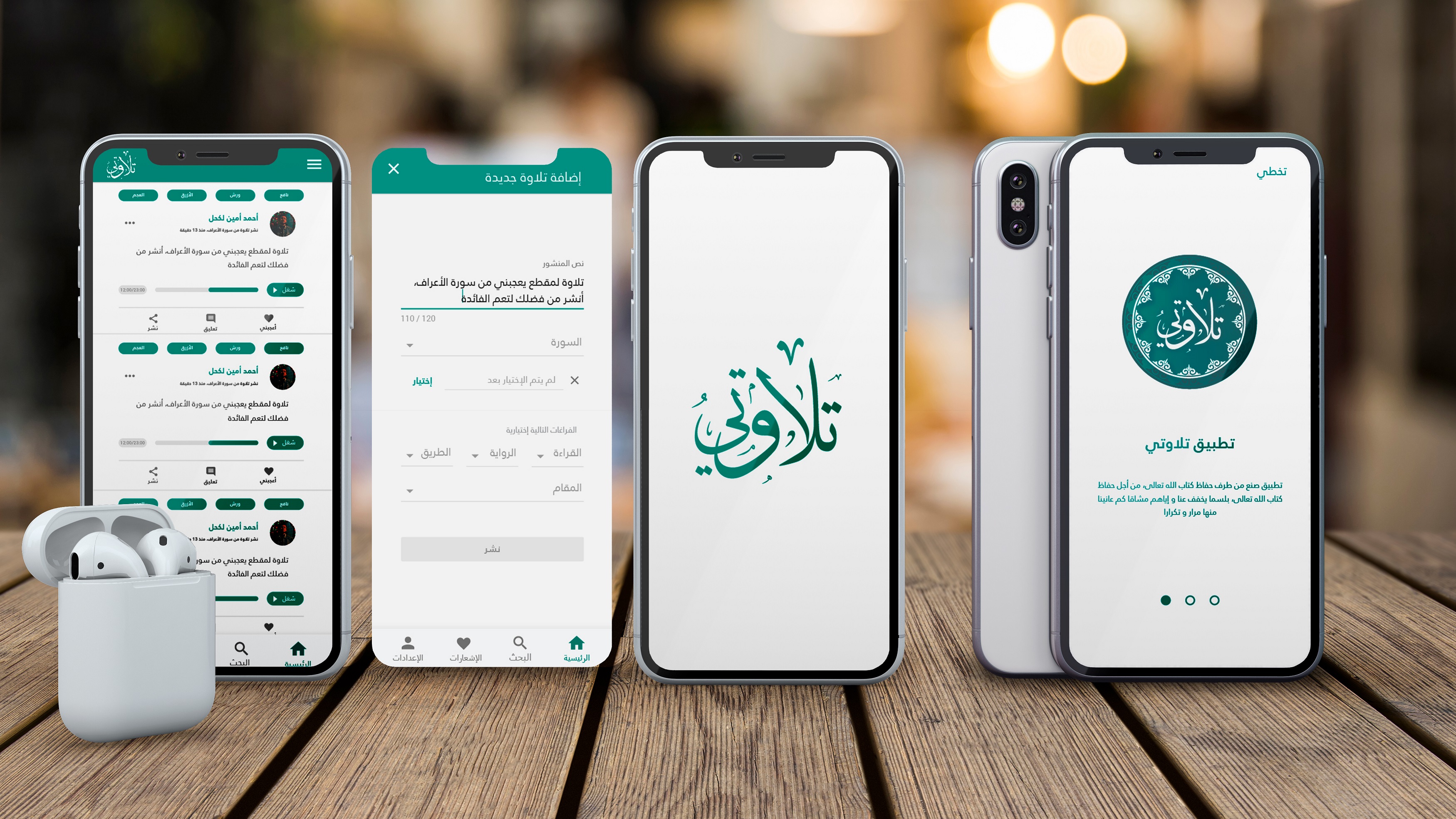
# Getting started
1 - Install React Native as described at [React Native Website](https://facebook.github.io/react-native/docs/getting-started.html#content)
**React Native CLI Quickstart section**
2 - Clone this repository
3 - Run `npm install` , all required components will be installed automatically
4 - Configure your Android SDK and Android Virtual Device
5 - Run the project : use `react-native run-android` to run your project on Android.
# Folder Structure
The Tilawati-App structure will look similar to this:
```
Tilawati-App
├── App
│ ├── Components
│ ├── Screens
│ ├── Images
│ ├── Navigation
│ ├── Services
│ ├── Themes
├── README.md
├── android
│ ├── app
│ ├── build.gradle
│ ├── gradle
│ ├── gradle.properties
│ ├── gradlew
│ ├── gradlew.bat
│ ├── keystores
│ └── settings.gradle
├── index.js
└── package.json
```
## App directory
The inside of the App directory looks similar to the following:
```
App
├── Components
│ └── Styles
├── Screens
│ └── Styles
├── Images
├── Navigation
│ └── Styles
├── Services
├── Themes
```
**Components** : These components are often used inside a "Screen Component". Screen components are described in more detail further on.
**Components ── Styles** : We separate component styles from component functionality. Use this folder to create and store style files that match the naming of your components. For example, a component `AlertMessage.js` would have a matching styles file called `AlertMessageStyles.js` .
**Screens** :
Main applciations screens & Containers
**Images** :
Static images used in your project are stored here.
**Navigation** :
App Navigation like TabsNavigation , Drawer , StackNavigation ....
**Services** :
API calls to external services.
**Themes** :
A place to contain styles shared across your project (fonts, colors, etc.).