https://github.com/zeezide/svgwebview
A SwiftUI View to display SVGs using WKWebView
https://github.com/zeezide/svgwebview
svg swift swiftpackage swiftui swiftui-components
Last synced: 10 months ago
JSON representation
A SwiftUI View to display SVGs using WKWebView
- Host: GitHub
- URL: https://github.com/zeezide/svgwebview
- Owner: ZeeZide
- License: mit
- Created: 2021-05-09T14:02:04.000Z (about 5 years ago)
- Default Branch: main
- Last Pushed: 2022-11-17T10:33:11.000Z (over 3 years ago)
- Last Synced: 2025-09-16T06:35:43.547Z (10 months ago)
- Topics: svg, swift, swiftpackage, swiftui, swiftui-components
- Language: Swift
- Homepage:
- Size: 14.6 KB
- Stars: 15
- Watchers: 2
- Forks: 4
- Open Issues: 1
-
Metadata Files:
- Readme: README.md
- License: LICENSE
Awesome Lists containing this project
README
SVGWebView



[](https://github.com/ZeeZide/SVGWebView/actions/workflows/swift.yml)
A [SwiftUI](https://developer.apple.com/xcode/swiftui/)
View to display
[SVGs](https://en.wikipedia.org/wiki/Scalable_Vector_Graphics)
(Scalable Vector Graphics)
using a
[WKWebView](https://developer.apple.com/documentation/webkit/wkwebview).
Example usage in
[SVG Shaper for SwiftUI](https://zeezide.de/en/products/svgshaper/)
(it is the View displaying the SVG in the upper left):
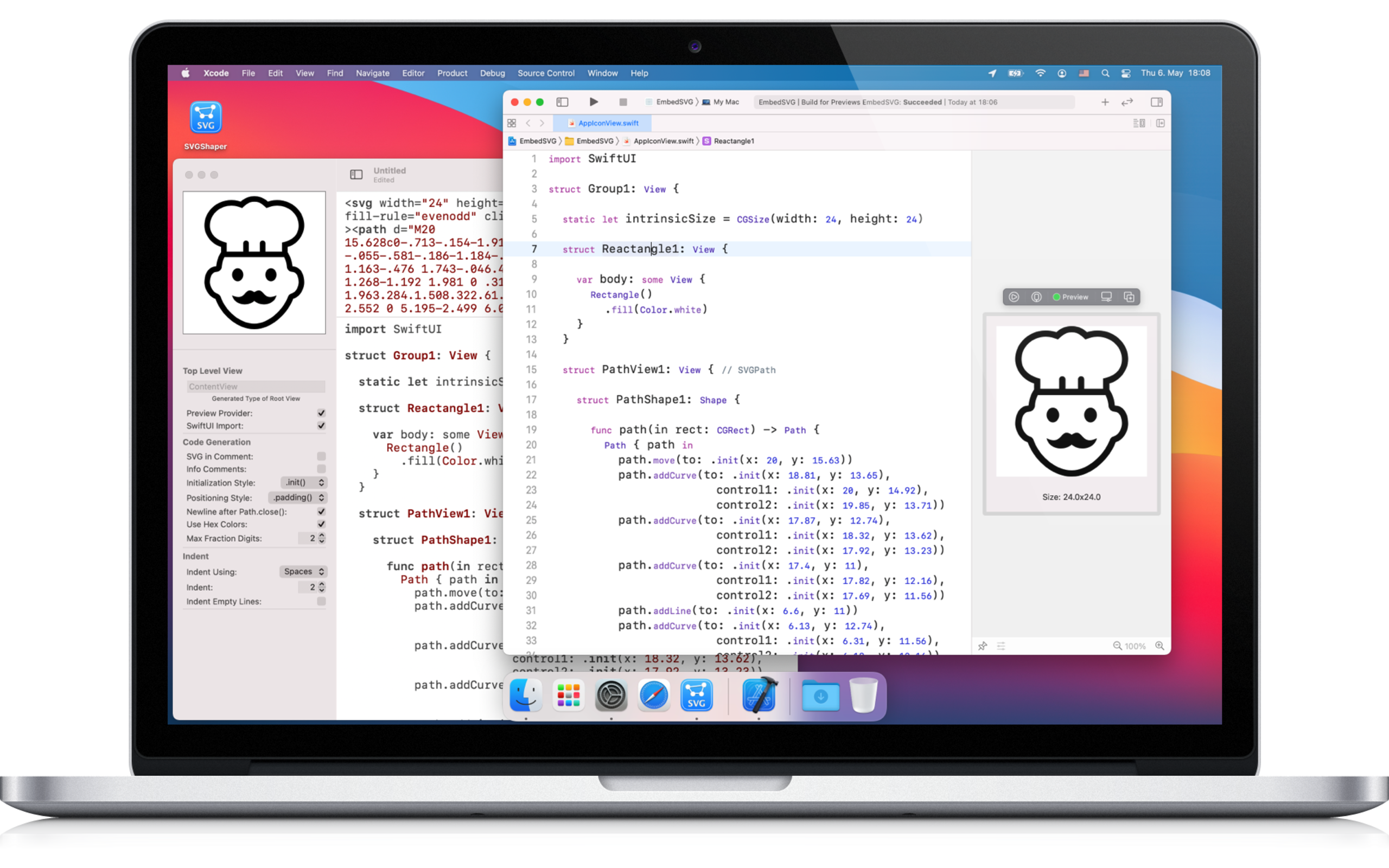
Note: [SVG Shaper](https://zeezide.de/en/products/svgshaper/)
is for converting SVGs to SwiftUI _source code_ (which then gets compiled).
`SVGWebView` is for displaying SVG resources (e.g. loaded from a
bundle or the web) at _runtime_. They serve different purposes.
## Usage
This is just a single file, the
[`SVGWebView.swift`](Sources/SVGWebView/SVGWebView.swift)
is small enough for just copying it to your project.
But it can also be embedded as a SwiftPM package.
*IMPORTANT*:
On macOS `WKWebView` requires the "Outgoing Connections" (client)
entitlement to operate, w/o it'll show up blank. iOS doesn't seem to require
anything extra.
With iOS Xcode Previews do not work quite right, best to test in a real
simulator.
### Adding the Package
The package URL is: `https://github.com/ZeeZide/SVGWebView.git`
### Using it in a SwiftUI App
Simply pass the SVG string to the View. For example:
```swift
import SwiftUI
import SVGWebView
struct ContentView: View {
var body: some View {
SVGWebView(svg:
"""
"""
)
.frame(width: 300, height: 200)
}
}
struct ContentView_Previews: PreviewProvider {
static var previews: some View {
ContentView()
}
}
```
### Who
SVGWebView is brought to you by [ZeeZide](https://zeezide.de).
We like feedback, GitHub stars, cool contract work,
presumably any form of praise you can think of.