https://github.com/zen-cronic/scope-logger
Trace a variable through function calls
https://github.com/zen-cronic/scope-logger
log scope trace variables
Last synced: 5 months ago
JSON representation
Trace a variable through function calls
- Host: GitHub
- URL: https://github.com/zen-cronic/scope-logger
- Owner: Zen-cronic
- License: mit
- Created: 2024-02-23T20:59:04.000Z (over 2 years ago)
- Default Branch: main
- Last Pushed: 2025-01-06T04:54:37.000Z (over 1 year ago)
- Last Synced: 2025-05-31T13:12:07.060Z (about 1 year ago)
- Topics: log, scope, trace, variables
- Language: TypeScript
- Homepage: https://www.npmjs.com/package/scope-logger
- Size: 413 KB
- Stars: 0
- Watchers: 1
- Forks: 0
- Open Issues: 0
-
Metadata Files:
- Readme: README.md
- Changelog: CHANGELOG.md
- License: LICENSE
Awesome Lists containing this project
README
# scope-logger
# What it does
Logs a variable and a sequence of scopes through which it's accessed. It automatically logs the name of the variable. A NodeJs logger. Inspired by the debug library.
# Why??
Too lazy to write `console.log("variableName %o", variableValue)` :))
The same effect can be achieved with `console.log({variable})` => `$ variableName: variableValue`
But this logger shows the **sequence of scopes**(i.e., functions) from the variable is logged, a feature that I wished I had when I was logging many different variables.
# Example
```javascript
function outerFn() {
function innerFn() {
const logger = new Logger("lazy-log");
const foofoo = "barbar";
logger.log({ foofoo });
}
innerFn();
}
outerFn();
```
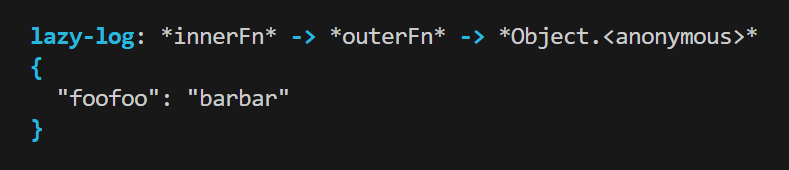
Output:
# Installation
`$ npm install scope-logger`
# Usage
1. Create an instance of `Logger`. Namespace and options are optional args for constructor.
2. Pass the variable you want to log to the `log` method inside **curly brackets** `{}`!
# Additional Control
- `disableAll()`
Toggle to disable all the logging of a logger/namespace. A much more efficient approach than commenting every `console.log()` line (and deleting them) before pushing the code to production. Can be used to get rid of a logger instance's logs in the terminal.
For _instance_:
```javascript
const logger = new Logger("Log tester").disableAll();
//or
logger.disableAll();
const foo = "bar";
logger.log({ foo });
```
Output: nothing!
`$ `
# Configuration Options
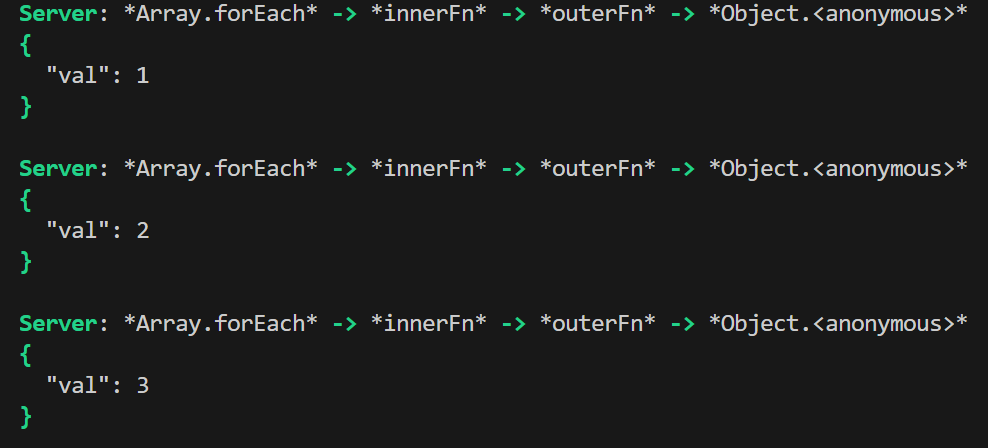
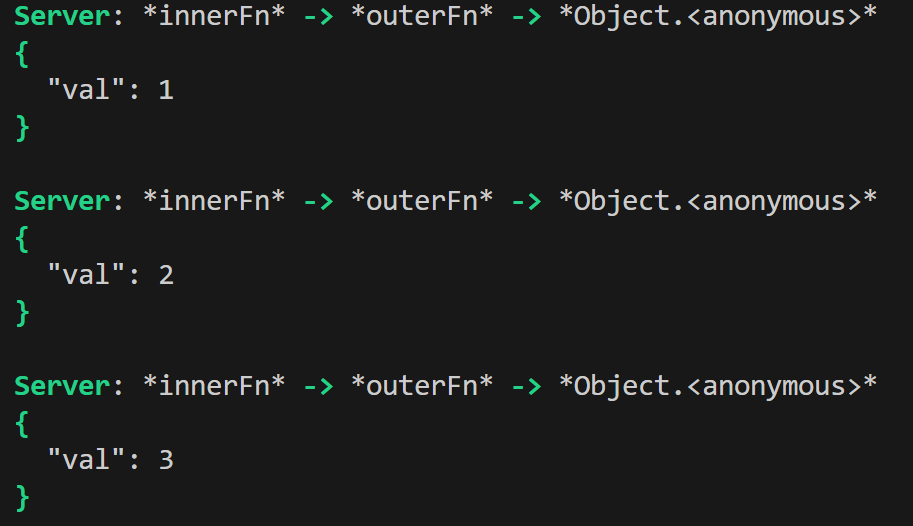
1. **ignoreIterators** (boolean): set `true` to omit the native iterator calls (e.g., Array.forEach) in the scope log statement. This applies to all types of array-like iterators available in JS and NodeJs such as Map, Set, Array, Int8Array, and so on.
```javascript
function outerFn() {
function innerFn() {
const logger = new Logger("Server");
const testArr = [1, 2, 3];
testArr.forEach((val) => {
logger.log({ val });
});
}
innerFn();
}
outerFn();
```
_Default output:_
```javascript
testArr.forEach((val) => {
logger.log({ val }, { ignoreIterators: true });
});
```
_Configured output: `Array.forEach` is omitted_
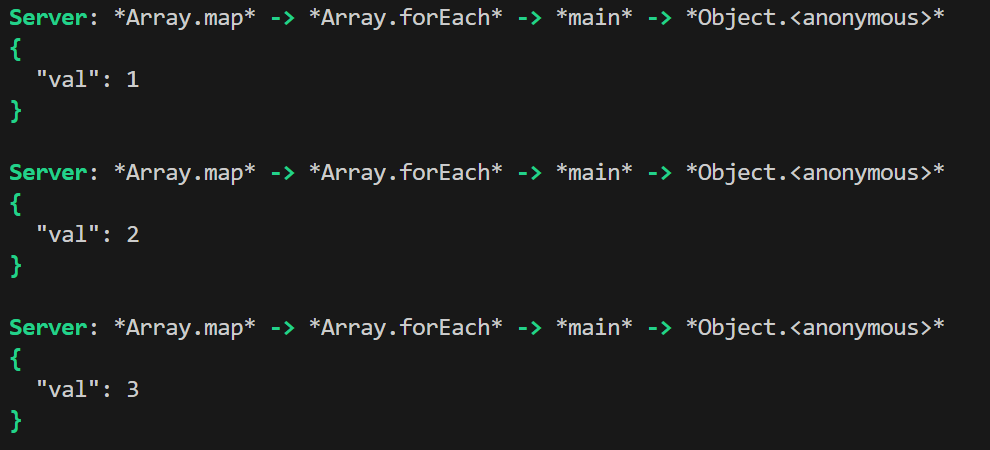
2. **onlyFirstElem** (boolean): set to `true` to log only the first element in an iterator call. This is useful in scenarios where you only care about the scope journey of a variable in the iterator call, but **not** about the value of each variable.
All the elements would have the same scope signature, therefore it's redundant to print all those logs. The non-first variables are not logged. This applies recursively for nested iterator calls.
```javascript
function main() {
const outerArr = [1, 2, 3];
const innerArr = [1, 2, 3];
outerArr.forEach(() => {
innerArr.map((val) => {
logger.log({ val });
});
});
}
main();
```
_Default output: The following 3 lines x 3 = 9 logs in total_
```javascript
outerArr.forEach(() => {
innerArr.map((val) => {
logger.log({ val }, { onlyFirstElem: true });
});
});
```
_Configured output: Only the first element is logged_

_The default configuration:_
```javascript
{
ignoreIterators: false,
onlyFirstElem: false
}
```
---
# Limitations
1. Cannot pass a property of an object. Because the library is based on JS object destructing (`console.log({foo})` outputs the same as `console.log({foo: })`).
- Where `foo.name = "bar"` Cannot type `logger.log({foo.name})`. This will throw a syntax error.
# Test
`$ npm run test`