https://github.com/zerodevx/zero-list-hero
DEPRECATED - It's hero time! A Polymer 1.1+ web component that hero-animates and layouts a sequence of elements.
https://github.com/zerodevx/zero-list-hero
Last synced: over 1 year ago
JSON representation
DEPRECATED - It's hero time! A Polymer 1.1+ web component that hero-animates and layouts a sequence of elements.
- Host: GitHub
- URL: https://github.com/zerodevx/zero-list-hero
- Owner: zerodevx
- License: mit
- Created: 2015-08-18T09:37:02.000Z (almost 11 years ago)
- Default Branch: master
- Last Pushed: 2018-04-10T06:52:28.000Z (over 8 years ago)
- Last Synced: 2025-03-27T22:48:35.664Z (over 1 year ago)
- Language: HTML
- Homepage: https://zerodevx.github.io/zero-list-hero/
- Size: 6.63 MB
- Stars: 15
- Watchers: 5
- Forks: 2
- Open Issues: 2
-
Metadata Files:
- Readme: README.md
- License: LICENSE.txt
Awesome Lists containing this project
README
v0.2.1
# ``
It's hero time! A Polymer 1.1+ web component that hero-animates and layouts a
sequence of elements. I do this so you don't have to.
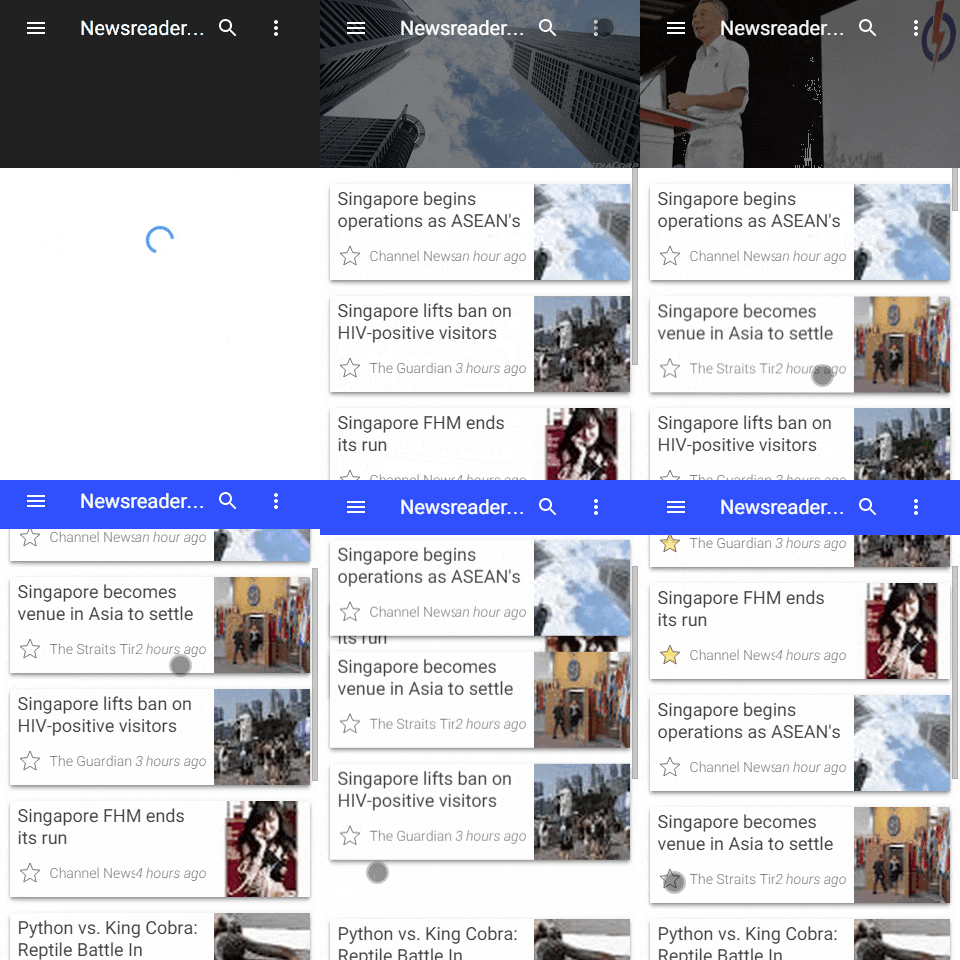
Featuring:
* Automatic transitions.
* NEW! Automatic responsive layout - masonry using first-fit algorithm à la
Pinterest.
* Bespoke cascaded entry-exit effects à la Google Play Newsstand App.
* Built-in debouncer.
* Configurable animations.
* Almost entirely declarative - works by itself!
### Let's get this money
1. Import `web-components-lite` polyfill.
```html
```
2. Import `zero-list-hero` web component.
```html
```
3. Profit!
**Basic usage:**
```html
...
I'm Tom
I'm Mary
I'm John
...
```
**With Polymer's `dom-repeat`:**
```html
```
**Using built-in responsive masonry layout:**
```html
```
### Implementation notes
1. Assign a unique `hero-id` for every display element that is wrapped inside
the `...` tags.
2. If you're using Polymer's data-binding (eg. inside a `dom-repeat` template),
set your target attributes annotatively via the ***`$=`*** syntax.
3. Transitions are automatic - create, update and remove operations on any
`hero` element is detected, consolidated and debounced with a default delay of
500ms (optionally change delay timing using `debounce-delay` attribute).
4. Note that automatic transitions **do not work** under native shadow DOM
behaviour.
### Layout
`` now handles the layout of children hero elements
responsively. To enable this feature, set the `layout` (and optionally the
`layoutOptions`) attribute declaratively in your HTML.
**Included layouts**
Currently, only *Masonry* layout is shipped. ``'s definition
of this is a *left-to-right* display of a sequence of *fixed width*, *variable
height* elements:
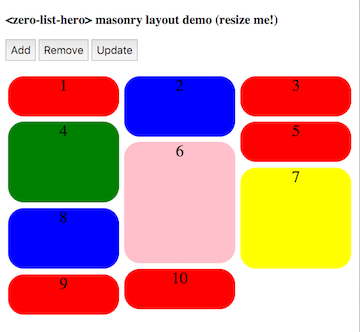
Layout is responsive; bin-packing is based on a first-fit algorithm where the
next element is placed into the shortest column.
**Layout attributes**
| Attribute | Type | Values | Description |
|---------------|----------|----------------|-------------|
| layout | String | masonry | A *left-to-right* display of a sequence of *fixed width*, *variable height* hero elements. |
| layoutOptions | Object | "breakpoint" | *Number* in px (default is 300) for the breakpoint multiple (ie. max-width of each column) before `` attempts to repack the display elements again. |
Note that `layoutOptions` takes in a JSON object; it must be properly formatted
valid JSON. This means that properties (and *String* values if applicable) must
be wrapped with *double-quotes* ***""***.
**Example of Masonry layout, breakpoint of 100px**
```html
...
Red
Blue
Green
...
```
### Styling
If you're using Polymer, follow the Polymer-pattern and style hero elements
using the exposed custom CSS mixin `--zero-list-hero-item-mixin`. The mixin
will be applied on every hero element that is displayed.
**Example styling using Polymer's custom CSS**
```html
...
:host {
--zero-list-hero-item-mixin: {
background-color: blue;
font-size: 24px;
height: 96px;
};
}
Item 1
Item 2
Item 3
...
```
If you are using `` as an individual component, it runs by
default under *Shady DOM*, so you can simply style your hero elements directly.
**Example styling using simple CSS**
```html
.my-element {
background-color: blue;
font-size: 24px;
height: 96px;
}
Item 1
Item 2
Item 3
...
```
### Shady vs Shadow
Essentially, changes to contents inside the `` tag are observed
through the *MutationObservers* API - when change is detected, the `animate()`
method is automatically called to start the transition.
Unfortunately, *mutation observers* are currently unable to detect changes to
distributed nodes under native shadow behavior. Ongoing spec discussions can be
found [here](https://groups.google.com/forum/#!msg/polymer-dev/GMYzuuqlQ7k/2-gxqwJdNpcJ)
and [here](https://bugzilla.mozilla.org/show_bug.cgi?id=1026236).
Therefore, if you are using `` natively, detect changes
*outside* the component and manually call the `animate()` method. Asserting
the `manual` attribute disables *MutationObservers* usage entirely.
So unless you plan to stick with shady DOM for the forever, future-proof your
app by disabling automatic transitions and wire up your change observers
manually. As a recommended pattern (that works under BOTH ***Shady*** and
***Shadow DOM***):
`parent-element.html`
```html
...
...
Polymer({
is: "parent-element",
properties: {
list: { type: Array, value: function () { return []; } }
},
observers: [
"listChanged(list.*)"
],
listChanged: function (changeRecord) {
this.$.myhero.animate();
}
...
});
```
**UPDATE: 2015-10-07**
BREAKING CHANGE - what is previously known as `shadow` attribute has now been
**renamed** to `manual` attribute.
### Other issues
1. Polymer has an ongoing issue retrieving distributed content nodes through
`Polymer.dom(content).getDistributedNodes()`. The bug has been filed
[here](https://github.com/Polymer/polymer/issues/2283). As a workaround,
`` will first try retrieving nodes via vanilla js (which works
under ***Shady*** behavior), and will silently fall back to Polymer's `domAPI`
should ***Shadow*** behavior be detected.
**UPDATE: 2015-10-07**
The bug has been [fixed](https://github.com/Polymer/polymer/issues/2283).
Retrieval of content nodes will from v0.2.0 onwards will use the normalised
`domAPI.getDistributedNodes()` method.
### Demos
**Simple demo**
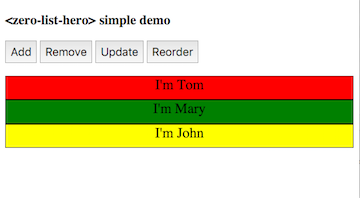
https://zerodevx.github.io/zero-list-hero/simple-demo.html
**Demo using `dom-repeat`**
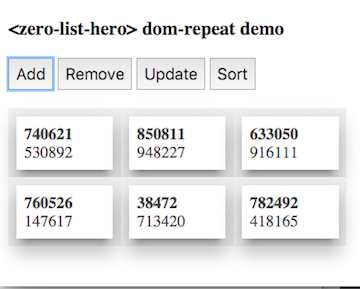
https://zerodevx.github.io/zero-list-hero/dom-repeat-demo.html
**Demo under native shadow-dom behavior**
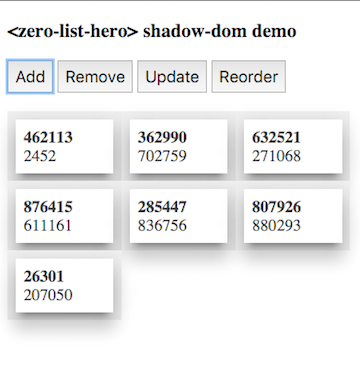
https://zerodevx.github.io/zero-list-hero/shadow-demo.html
**Use in-built masonry layout**

https://zerodevx.github.io/zero-list-hero/masonry-demo.html
**Go crazy with Material Design - a demo Newsreader App**
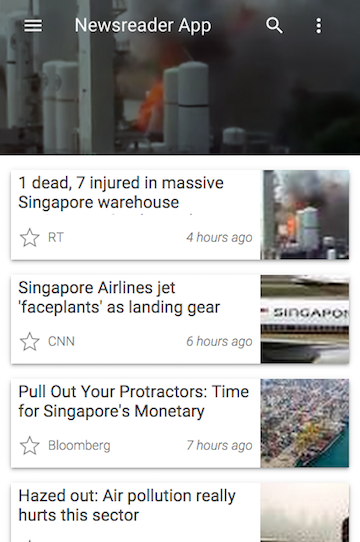
https://zerodevx.github.io/zero-list-hero/newsreader-demo.html
### Published properties
| Property | Type | Description |
|-----------------|---------|-------------|
| debounceDelay | Number | Debounce delay between consolidating changes to `hero` elements and actually starting the transition; defaults to 500ms. |
| cascadeDelay | Number | Animation delay between multiple additions or removals of `hero` elements; defaults to 50ms. |
| addAnimation | String | [Animation](https://github.com/PolymerElements/neon-animation/tree/master/animations) to use when `hero` elements are **added** into view; if unspecified, a special `zero-entry-animation` custom animation is used. |
| removeAnimation | String | [Animation](https://github.com/PolymerElements/neon-animation/tree/master/animations) to use when `hero` elements are **removed** from view; if unspecified, a special `zero-exit-animation` custom animation is used. |
| manual | Boolean | If `true`, disables *MutationObserver* usage. Manually call the `animate()` method to trigger the transitions. |
| inTransit | Boolean | Read-only convenience property; switches to `true` whenever a transition is ongoing. |
| layout | String | Allowed values: ["masonry"]. Use `` to handle element layout. At the moment, only 'masonry' layout is shipped.
| layoutOptions | Object | Allowed values: [ { "breakpoint": *Number* } ]. Under 'masonry' layout mechanism, sets the "width" of each column in px before an attempt to add/remove a column is made. Defaults to 300. |
### Public methods
| Method | Parameters | Description |
|-----------|------------|-------------|
| animate() | *none* | Starts the transition process. Under ***shady*** dom behavior, this method is automatically called whenever changes are detected by the *MutationObserver* API. |
### Exposed CSS mixins
| Name | Description |
|-----------------------------|-------------|
| --zero-list-hero-item-mixin | Basket of CSS style rules to be applied to every `.zero-list-hero-item`. |
### Installation
Install through bower.
bower install --save zerodevx/zero-list-hero#^0.2.1
Alternatively, download the project as a ZIP file and unpack into your
components directory. `` uses the following:
* `Polymer`:
https://github.com/Polymer/polymer
* Polymer Elements' ``:
https://github.com/PolymerElements/neon-animation
* Polymer Elements' `` for viewport change detection
(and to play nicely with other Googly components):
https://github.com/PolymerElements/iron-resizable-behavior
* zerodevx's `` for `iron-flex-layout` style module
(because `/deep/` and other shadow-piercing combinators are deprecated):
https://github.com/zerodevx/polymer-style-modules
* as well as their related dependencies.
Source provided as-is - no assumptions are made on your production build
workflow.
### License
MIT, though I'll greatly appreciate a note if you find this useful.
### Version history
1. 2015-08-19: v0.1.0
* Initial commit.
2. 2015-10-07: v0.2.0
* BREAKING: `shadow` attribute renamed to `manual`.
* Add automatic layout layer (included layout: Masonry).
* Remove shadow dom detection workaround for content nodes retrieval.
* Use ``'s in-built animatable wrapper instead.
* Improve async dom write timing resolutions.
* Other performance improvements.
3. 2015-10-12: v0.2.1
* Updated README.md.
* Cleaned up stray comments in `zero-list-hero.html`.