https://github.com/zingchart/zingchart-svelte
Component for integrating ZingChart into a Svelte application
https://github.com/zingchart/zingchart-svelte
Last synced: 7 months ago
JSON representation
Component for integrating ZingChart into a Svelte application
- Host: GitHub
- URL: https://github.com/zingchart/zingchart-svelte
- Owner: zingchart
- License: mit
- Created: 2021-12-11T00:11:14.000Z (over 4 years ago)
- Default Branch: main
- Last Pushed: 2023-12-21T22:03:09.000Z (over 2 years ago)
- Last Synced: 2025-01-27T22:16:55.253Z (over 1 year ago)
- Language: Svelte
- Size: 1.89 MB
- Stars: 0
- Watchers: 6
- Forks: 0
- Open Issues: 0
-
Metadata Files:
- Readme: README.md
- License: LICENSE
Awesome Lists containing this project
README




[](http://commitizen.github.io/cz-cli/)
[](https://codesandbox.io/s/zingchart-svelte-wrapper-example-dxfc9)
## Quickstart Guide
Quickly add charts to your Svelte application with our ZingChart component
This guide assumes some basic working knowledge of Svelte.
## 1. Install
Install the `@zingsoft/zingchart-svelte` package as a dev dependency via `npm`:
`npm install -D @zingsoft/zingchart-svelte`
or via `yarn`:
`yarn add -D @zingsoft/zingchart-svelte`
## 2. Include the component in your project
You should include the `zingchart-svelte` component to your project via modules:
```js
import ZingChart from '@zingsoft/zingchart-svelte';
```
### `zingchart` Global Object
The `zingchart` module is a direct dependency of `zingchart-svelte` so, normally,
you don't need to explicitly import it. If you do want to import it, import
the `ES6` version via:
```js
import 'zingchart/es6';
```
This will create the global `zingchart` object. Again, this is already handled
by importing the `ZingChart` Svelte component, but you may want to access the
`zingchart` global outside of a component in order to configure it, set the
license, etc.:
```js
// zingchart object used to set performance flags
zingchart.DEV.KEEPSOURCE = 0; // prevents lib from storing the original data package
zingchart.DEV.COPYDATA = 0; // prevents lib from creating a copy of the data package
// ZC object used to set license key
zingchart.LICENSE = ['abcdefghijklmnopqrstuvwxy'];
```
### Optional Modules
You will need to import optional ZingChart modules if you intend to
use them. For example, if you want to draw a USA map, you would add the maps
and USA maps modules via:
```js
import "zingchart/modules-es6/zingchart-maps.min.js";
import "zingchart/modules-es6/zingchart-maps-usa.min.js";
```
## Usage
Here's an example of using the `ZingChart` component in one of your Svelte components:
```svelte
import ZingChart from '@zingsoft/zingchart-svelte';
const config = {
type: 'bar',
series: [
{ values: [4,5,3,4,5,3,5,4,11] }
]
}
<script>
<ZingChart data={config} />
```
## Properties
The properties, or parameters, you can pass to the `<ZingChart>` component:
### data [object]
```js
const myData = {
type: 'line',
series: [
{ values: [1,2,4,5,6] }
]
};
<ZingChart data={myData} />
```
### `id` [string] (optional)
The id for the DOM element for ZingChart to attach to. If no id is specified, the id
will be autogenerated in the form of `zingchart-svelte-#`.
### `series` [array] (optional)
Accepts an array of series objects, and overrides a series if it was supplied into the
config object. Varies according to the chart type used, refer to the ZingChart documentation for more details.
```js
const myData = {
type: 'line',
};
const mySeries = [
{ values: [1,2,4,5,6] }
];
<ZingChart data={myData} series={mySeries} />
```
### `width` [string or number] (optional)
The width of the chart. **Defaults to 100%**.
### `height` [string or number] (optional)
The height of the chart. **Defaults to 480px**.
### `theme` [object] (optional)
The theme or 'defaults' object defined by ZingChart. More information available here: https://www.zingchart.com/docs/api/themes
### modules [string] (optional)
The modules object to load additional modules. More information available here: https://www.zingchart.com/docs/api/zingchart-modules#modules-list
### `output` [string] (optional)
The render type of the chart. **The default is `svg`** but you can also pass the string `canvas` to render the charts in canvas.
Note: All other properties that are added to your `ZingChart` component will be added
to the `zingchart` render object. This allows for settings such as 'customprogresslogo',
or any other setting listed in the ZingChart documentation,
to be set. Any unrecognized properties will be ignored.
## Events
All zingchart events are readily available on the component to listen to. For example, to listen for the 'complete' event when the chart is finished rendering:
```svelte
<script>
import ZingChart from '@zingsoft/zingchart-svelte';
const config = {
type: 'line',
series: [
{ values: [4,5,3,4,5,3,5,4,11] }
]
}
function chartDone(event) {
console.log('Event "Complete" - The chart is rendered\n');
}
```
For a list of all the events that you can listen to, refer to the complete
documentation at https://www.zingchart.com/docs/api/events
### Methods
All `zingchart` methods can be invoked on a `ZingChart` component via the `exec()`
method. Just bind a Svelte reference to the component and use it to call `exec()`,
using the same method name and argument parameters as specified in the ZingChart
documentation (the chart `id` will be inserted for you). For example, to add
new plot data to an existing chart:
```svelte
import ZingChart from '@zingsoft/zingchart-svelte';
let chart // chart reference
const config = {
type: 'bar',
series: [
{ values: [4,5,3,4,5,3,5,4,11] }
]
}
function addData() {
chart.exec('addplot', {
data: {
values: [5,3,3,5,6,4,3,4,6]
}
});
}
<script>
<div>
<button on:click={addData}>Add data</button>
<ZingChart bind:this={chart} data={config} />
</div>
```
For a list of all the methods that you can call and the parameters each method can take,
refer to the complete documentation at https://www.zingchart.com/docs/api/methods
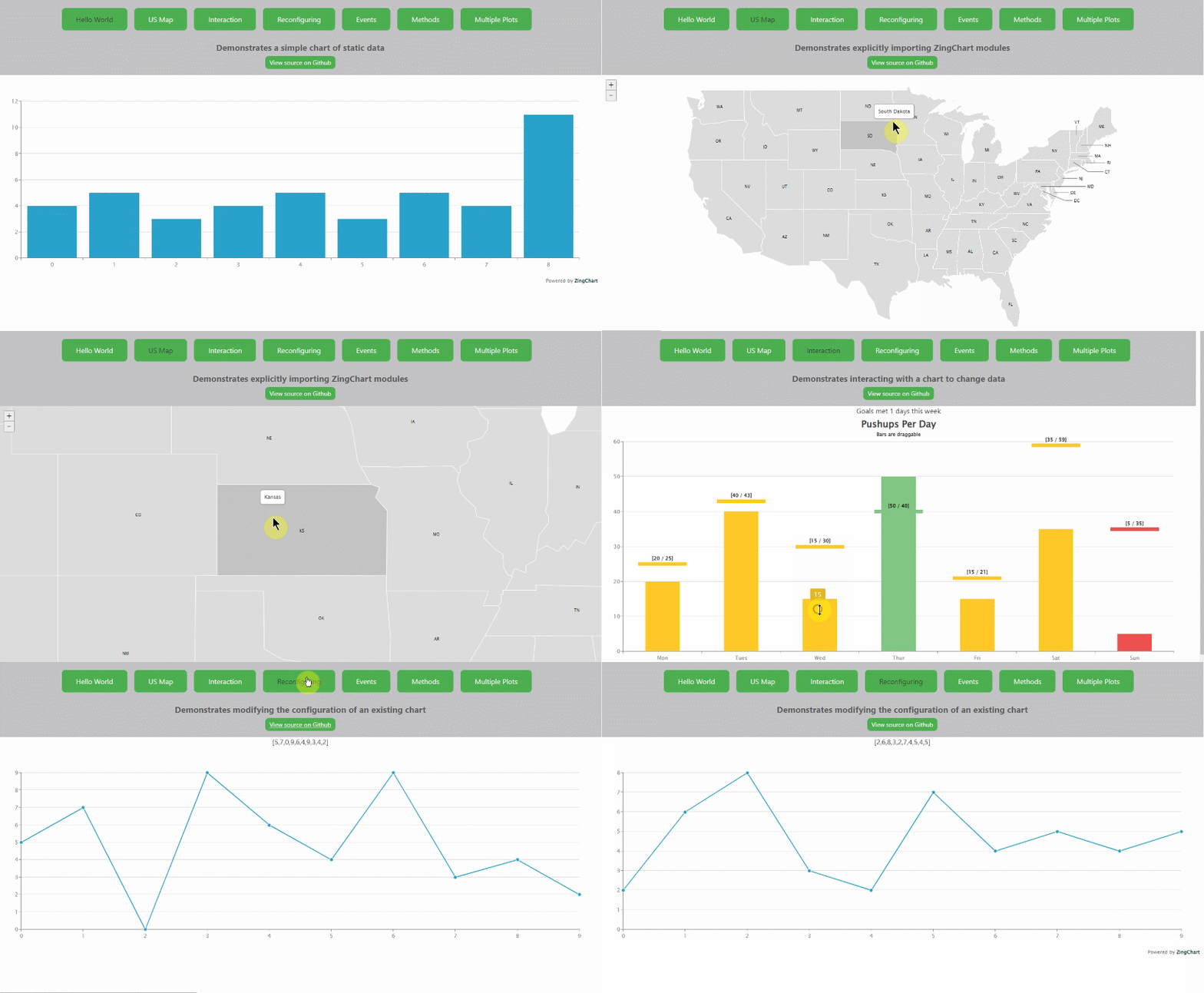
## Working Example
See https://github.com/zingchart-demos/zingchart-svelte-demo for a demo that shows this component in action.