https://github.com/zkemail/zk-email-sdk-js
Javascript SDK for the Blueprint Registry
https://github.com/zkemail/zk-email-sdk-js
zk-email zkemail
Last synced: over 1 year ago
JSON representation
Javascript SDK for the Blueprint Registry
- Host: GitHub
- URL: https://github.com/zkemail/zk-email-sdk-js
- Owner: zkemail
- Created: 2024-09-24T00:24:31.000Z (almost 2 years ago)
- Default Branch: main
- Last Pushed: 2025-04-14T04:08:09.000Z (over 1 year ago)
- Last Synced: 2025-04-14T18:16:20.626Z (over 1 year ago)
- Topics: zk-email, zkemail
- Language: TypeScript
- Homepage: https://docs.zk.email/zk-email-sdk/
- Size: 1.25 MB
- Stars: 4
- Watchers: 1
- Forks: 1
- Open Issues: 2
-
Metadata Files:
- Readme: README.md
Awesome Lists containing this project
README
# ZKEmail SDK
With the ZKEmail SDK you can create proofs about emails using blueprints. You can create blueprints with this
SDK (documentation pending), or using our [registry](https://registry.zk.email).
## Install
The SDK works for all JavaScript environments. You can find
examples for server-side (Node, Deno, Bun) and client-side (Vite, Next.js) usage [here](https://github.com/zkemail/sdk-ts-demo).
To install run:
```bash
npm i @zk-email/sdk
```
## Create a blueprint
Go to our [registry](https://registry.zk.email) and create a blueprint there. You can also create one with the SDK,
we will provide the documentation for this shortly.
## Generate a proof
Initialize the SDK:
```ts
import zkeSdk from "@zk-email/sdk";
const sdk = zkSdk();
```
Next, obtain the slug of the blueprint you want to create a proof for from our [registry](https://registry.zk.email).
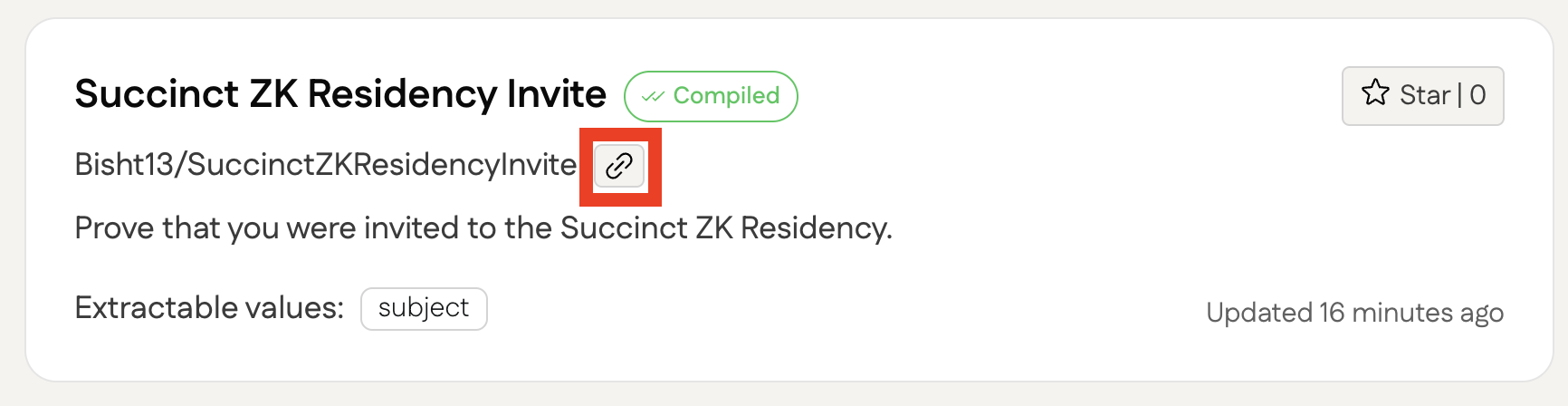
Use the slug to get the blueprint:
```ts
const blueprint = await sdk.getBlueprint("Bisht13/SuccinctZKResidencyInvite@v2");
```
You can optionally test first if the email can be used with the blueprint.
You can check out our [Next.js example](https://github.com/zkemail/sdk-ts-demo/tree/main/nextjs) to see how
a user can locally upload an email file.
```ts
const isValid = await blueprint.validateEmail(emailStr);
```
Create a prover. Here you can define whether the proof should be generated remotely (faster)
or in the browser (slower but private).
Set `isLocal` to `true` for proving in the browser.
```ts
const prover = blueprint.createProver({ isLocal: true });
```
Now pass the email as a `string` to the prover to generate a proof.
If your blueprint requires external inputs, pass them as a second argument.
```ts
// 2. argument, externalInputs is only required if defined in the blueprint
const proof = await prover.generateProof(emailStr, [
{ name: "email", value: "a@b.de", maxLength: 50 },
]);
console.log("Proof data: ", proof.props.proofData);
console.log("Public data: ", proof.props.publicData);
```
## Verify a proof
### Locally
You can verify a proof direclty using a instance of Proof.
`verifyProof` will be true if the proof is valid and false if it is invalid.
```ts
const verified = await blueprint.verifyProof(proof);
console.log("Proof is valid: ", verified);
```
If you only have the proof data, you can verify the proof like this:
```ts
const verified = await blueprint.verifyProofData(
JSON.stringify(proof.props.publicOutputs),
JSON.stringify(proof.props.proofData)
);
console.log("Proof is valid: ", verified);
```
### On chain
We currently use a contract deployed to Base Sepolia for this.
```ts
const isVerified = await blueprint.verifyProofOnChain(proof);
```
## Fetch emails with Gmail
You can use the sdks' `Gmail` utility class to fetch users emails according to the blueprints query.
**NOTE:** This will only work if you approved your domain with us.
```ts
import zkeSdk, { Gmail } from "@zk-email/sdk";
const gmail = new Gmail();
const sdk = zkeSdk();
// optional - manually start Login with Google flow and authorize before fetching emails
await gmail.authorize();
// Will start Login with Google flow if not already autorized
// Fetches emails using the email queries given in the blueprints
const emails = await gmail.fetchEmails([blueprint]);
// Will return an empty array if there are no more emails matching the blueprints query
const moreEmails = await gmail.fetchMore();
// You can validate if an email is valid according to a blueprint
const isValid = await blueprint.validateEmail(emails[0].decodedContents);
console.log("isValid: ", isValid);
```