https://github.com/znielsen/nvim-blockformatter
A small block formatting plugin for Neovim
https://github.com/znielsen/nvim-blockformatter
hacktober2022 hacktoberfest lua neovim
Last synced: 12 months ago
JSON representation
A small block formatting plugin for Neovim
- Host: GitHub
- URL: https://github.com/znielsen/nvim-blockformatter
- Owner: ZNielsen
- License: mit
- Created: 2021-12-17T17:11:31.000Z (over 4 years ago)
- Default Branch: main
- Last Pushed: 2024-11-01T14:22:14.000Z (over 1 year ago)
- Last Synced: 2025-04-02T07:04:40.187Z (over 1 year ago)
- Topics: hacktober2022, hacktoberfest, lua, neovim
- Language: Lua
- Homepage:
- Size: 38.2 MB
- Stars: 5
- Watchers: 1
- Forks: 0
- Open Issues: 1
-
Metadata Files:
- Readme: README.md
- License: LICENSE
Awesome Lists containing this project
README
# nvim-blockformatter
A small block formatting plugin for Neovim
| Command | Description |
|--------------------------------------|-----------------------------------------------------------------------------|
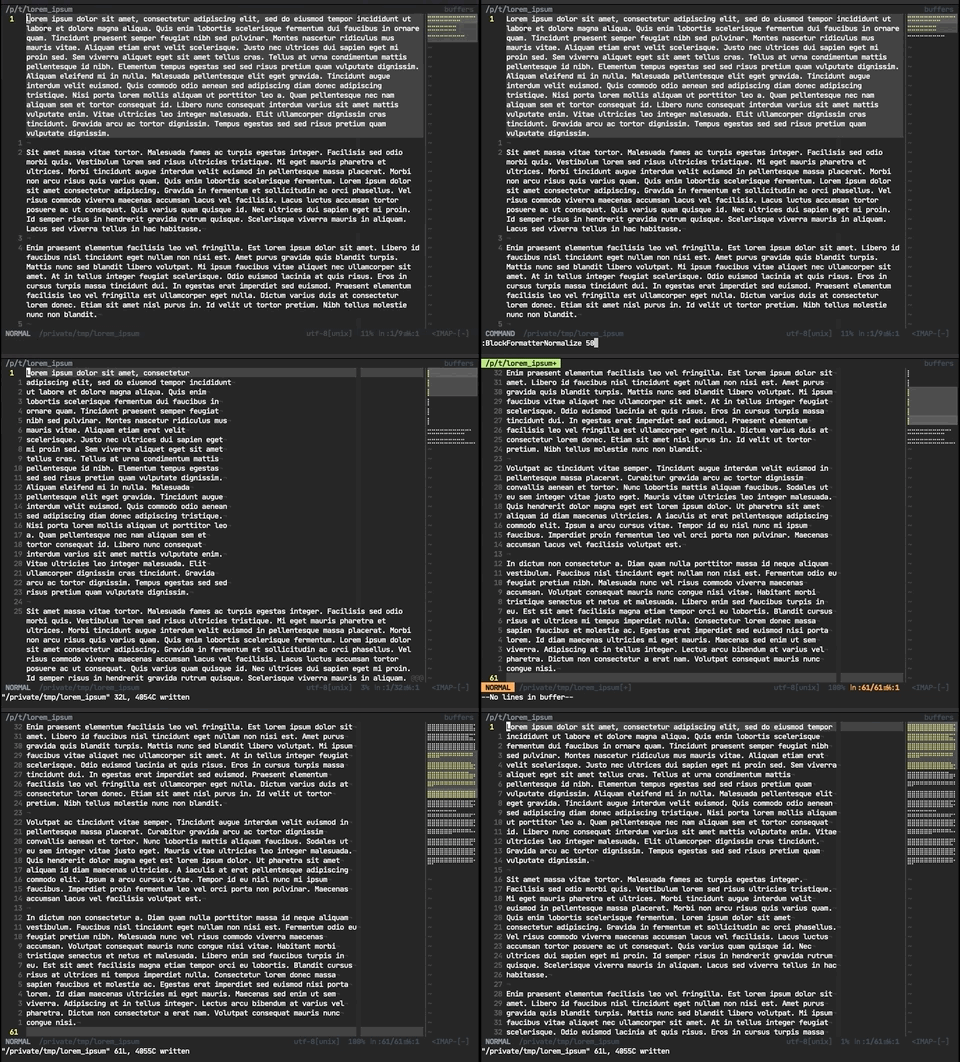
| `BlockFormatterNormalize ` | Formats a block of text to wrap at the specified column. |
| `BlockFormatterNormalizeRange ` | Formats a visual range of text to wrap at the specified column. |
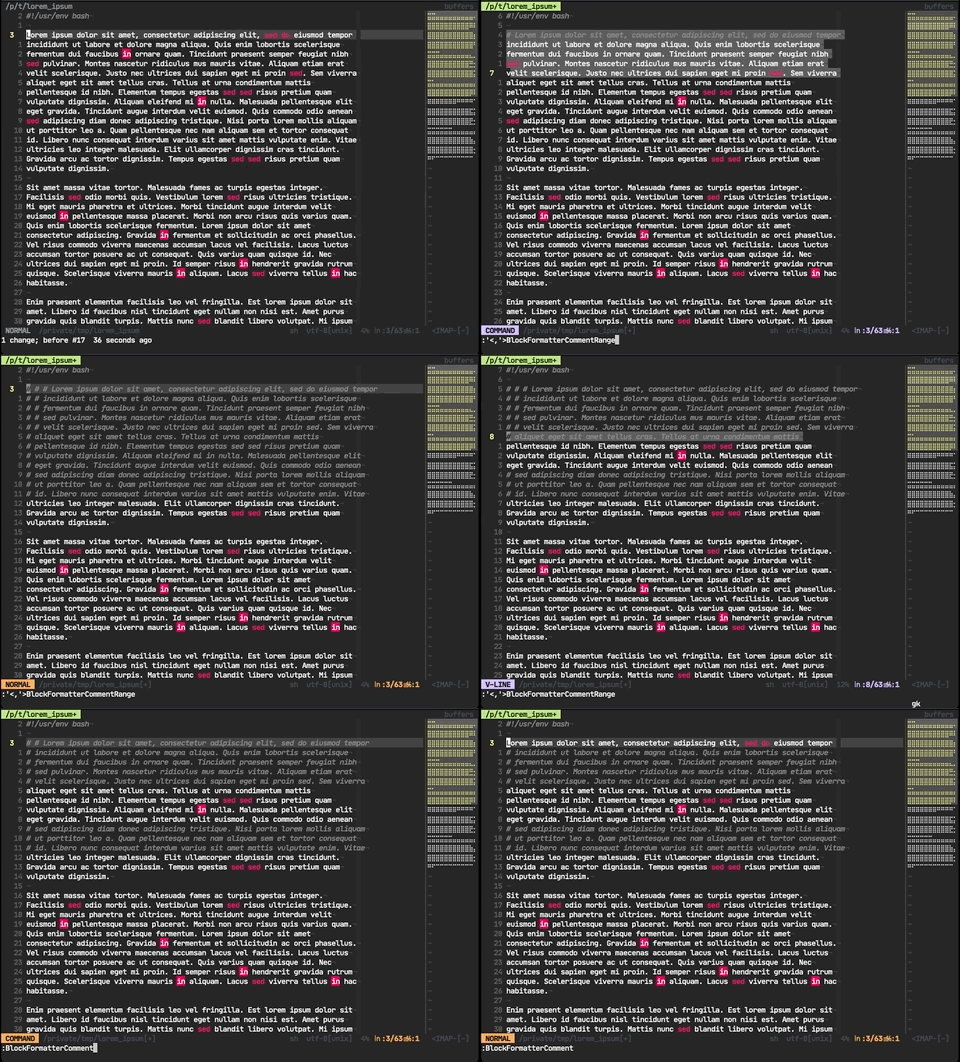
| `BlockFormatterComment` | Toggles a leading comment for the line. May take a leading count argument. |
| `BlockFormatterCommentRange` | Toggles a leading comment for a visual range. |
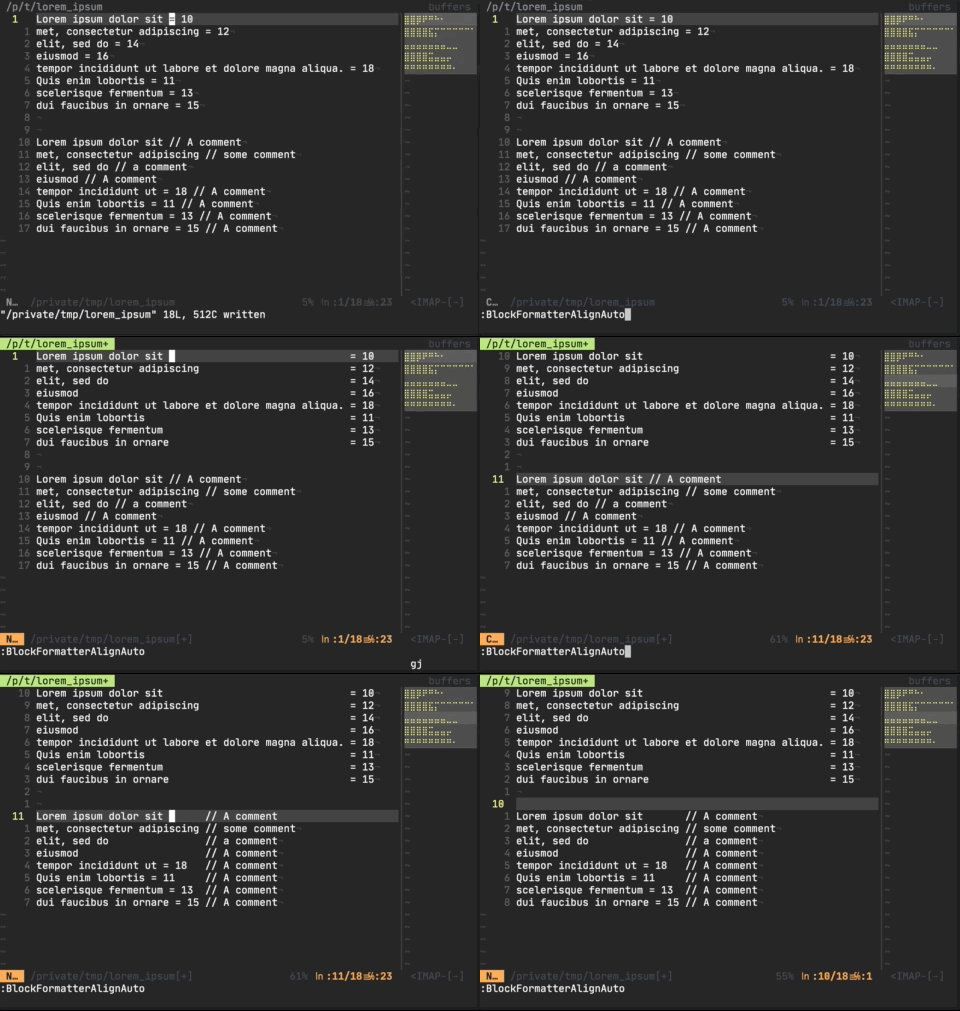
| `BlockFormatterAlign` | Format trailing content to be in the same column. Takes leading count arg. |
| `BlockFormatterAlignRange` | Format trailing content to be in the same column. Uses visual range. |
| `BlockFormatterAlignAuto` | Format trailing content to be in the same column. See helpfile. |
To use, just `Plug 'ZNielsen/nvim-blockformatter'` or similar. Mappings are recommended, as the command names are a bit verbose. Suggestions are below.
The minimap in the examples is [minimap.vim](https://github.com/wfxr/minimap.vim).
## Examples
### Block Normalization
#### Example Maps
```
nnoremap bn100 :silent lua require("blockformatter.block_normalize").normalize_block_normal(vim.v.count1, 100)
nnoremap bn80 :silent lua require("blockformatter.block_normalize").normalize_block_normal(vim.v.count1, 80)
vnoremap bn100 :silent lua require("blockformatter.block_normalize").normalize_block_visual(100)
vnoremap bn80 :silent lua require("blockformatter.block_normalize").normalize_block_visual(80)
```
### Block Commenting
#### Settings
- `g:prefer_wrapping_comments` (default 0) - For filetypes that support both line comments and wrapping comments, set to true to prefer wrap-style comments
- Example: C has `//` and `/* */`. Set to `0` (default) would yield `// `. Set to `1` would yield `/* */`.
#### Example Maps
```
nnoremap \\ :silent lua require('blockformatter.block_comment').toggle_comment_normal(vim.v.count1)
vnoremap \\ :silent lua require('blockformatter.block_comment').toggle_comment_visual()
```
#### Supported filetypes
- Javascript
- Dockerfile
- sshconfig
- Markdown
- groovy
- Python
- golang
- Rust
- Ruby
- Bash
- Yaml
- Toml
- HTML
- Lua
- Cpp
- CSS
- Zig
- Vim
- sh
- C
### Block Alignment
#### Example Maps
```
nnoremap ba :silent lua require("blockformatter.block_align").token_align_auto()
vnoremap ba :silent lua require("blockformatter.block_align").token_align_visual()
```