https://github.com/zoom/meetingsdk-web
Embed the Zoom meeting and webinar experience
https://github.com/zoom/meetingsdk-web
npm-package
Last synced: 5 months ago
JSON representation
Embed the Zoom meeting and webinar experience
- Host: GitHub
- URL: https://github.com/zoom/meetingsdk-web
- Owner: zoom
- License: other
- Created: 2019-02-11T07:51:19.000Z (over 7 years ago)
- Default Branch: master
- Last Pushed: 2024-05-10T18:21:23.000Z (about 2 years ago)
- Last Synced: 2024-05-11T18:54:15.196Z (about 2 years ago)
- Topics: npm-package
- Language: HTML
- Homepage: https://www.npmjs.com/package/@zoomus/websdk
- Size: 157 MB
- Stars: 282
- Watchers: 35
- Forks: 98
- Open Issues: 8
-
Metadata Files:
- Readme: README.md
- Changelog: CHANGELOG.md
- Contributing: CONTRIBUTING.md
- License: LICENSE.md
Awesome Lists containing this project
README
# Zoom Meeting SDK for Web
Use of this SDK is subject to our [Terms of Use](https://zoom.us/docs/en-us/zoom_api_license_and_tou.html)
The [Zoom Meeting SDK](https://developers.zoom.us/docs/meeting-sdk/web/) embeds the Zoom Meeting and Webinar experience in a website through a highly optimized WebAssembly module.
## 🚀 Quick Start
### Installation
In your frontend project, install the Meeting SDK:
```bash
npm install @zoom/meetingsdk --save
```
### Integration Options
There are two views to choose from, [Client View](#-usage---client-view) and [Component View](#-usage---component-view).
- **Client View**: Full-page meeting experience identical to Zoom Web Client
- **Component View**: Flexible, embeddable meeting components for custom UI/UX
## 📱 Usage - Client View
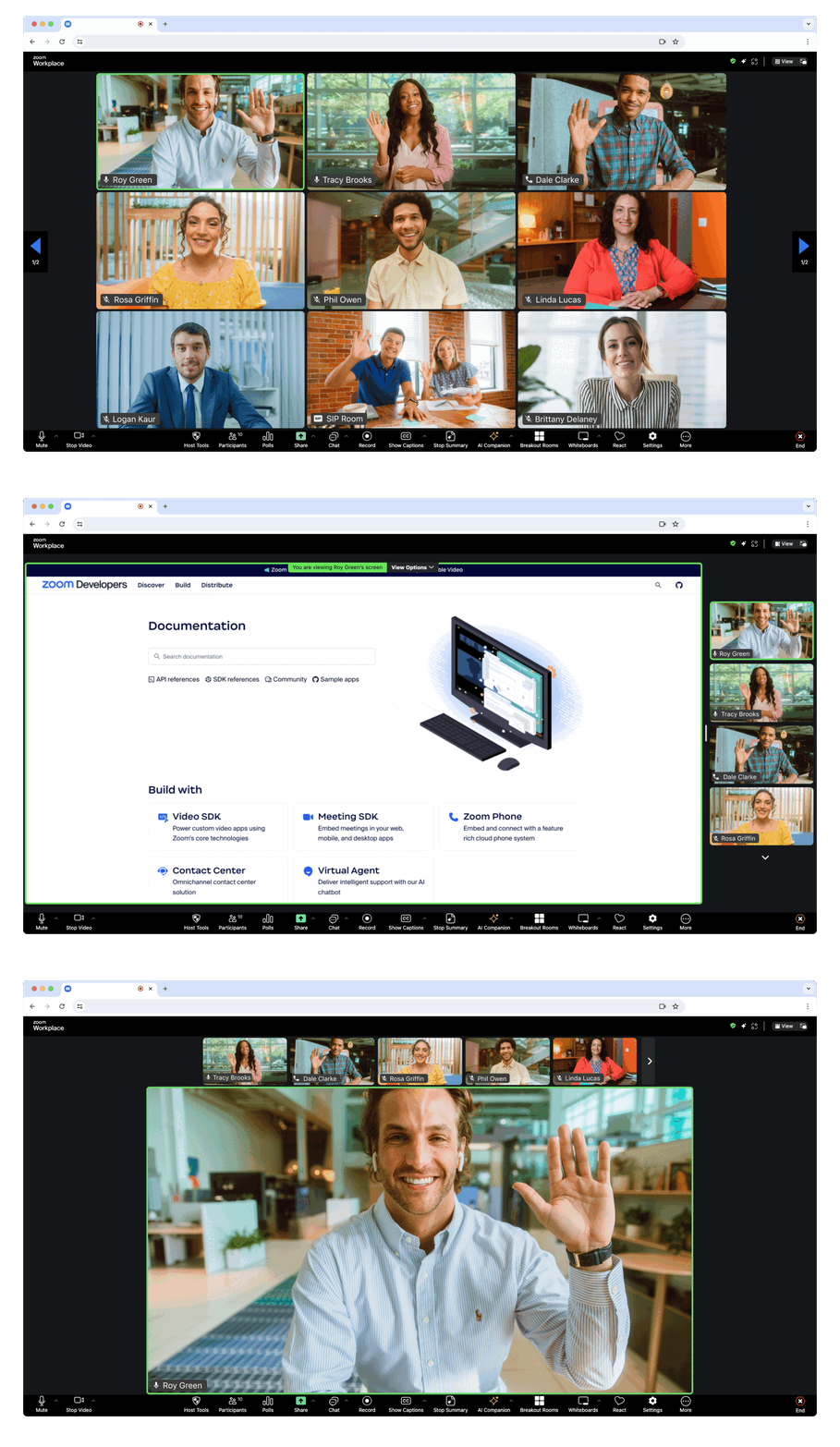
> **What is Client View?**
> The Client View provides a full-page meeting experience identical to the [Zoom Web Client](https://support.zoom.us/hc/en-us/articles/214629443-Zoom-Web-Client), seamlessly integrated into your web page.
### Step 1: Import and Initialize
Import `ZoomMtg` and prepare the SDK:
```js
import { ZoomMtg } from '@zoom/meetingsdk'
ZoomMtg.preLoadWasm()
ZoomMtg.prepareWebSDK()
```
> **Note:** The Meeting SDK adds DOM elements for overlays and accessibility. [Learn more about managing these elements](https://developers.zoom.us/docs/meeting-sdk/web/client-view/import/#appended-dom-elements).
### Step 2: Configuration Parameters
#### `ZoomMtg.init()` Parameters
| Parameter | Description |
|-----------|-------------|
| `leaveUrl` | **Required** - URL where participants are redirected when leaving the meeting |
#### `ZoomMtg.join()` Parameters
Get meeting details from the [Zoom APIs](https://developers.zoom.us/docs/meeting-sdk/web/client-view/meetings/).
| Parameter | Description |
|-----------|-------------|
| `signature` | **Required** - Your [SDK JWT](https://developers.zoom.us/docs/meeting-sdk/auth/) |
| `meetingNumber` | **Required** - The Zoom Meeting or Webinar Number |
| `userName` | **Required** - Name of the user joining the meeting |
| `passWord` | **Required** - Meeting password (empty string if only waiting room required) |
| `userEmail` | **Required for Webinars** - User email (also required for registration) |
| `tk` | **Required for Registration** - [Registrant's token](https://support.zoom.us/hc/en-us/articles/360054446052-Managing-meeting-and-webinar-registration) |
| `zak` | **Required for Starting** - Host's [Zoom Access Key (ZAK)](https://developers.zoom.us/docs/meeting-sdk/auth/#start-meetings-and-webinars-with-a-zoom-users-zak-token) |
### Step 3: Join Meeting
```js
ZoomMtg.init({
leaveUrl: 'https://yourapp.com/meeting-ended',
patchJsMedia: true,
success: (success) => {
console.log('SDK initialized successfully')
ZoomMtg.join({
signature: signature,
meetingNumber: meetingNumber,
userName: userName,
userEmail: userEmail,
passWord: passWord,
success: (success) => {
console.log('Joined meeting successfully')
},
error: (error) => {
console.error('Failed to join meeting:', error)
}
})
},
error: (error) => {
console.error('Failed to initialize SDK:', error)
}
})
```
For the full list of features and event listeners, as well as additional guides, see our [Meeting SDK docs](https://developers.zoom.us/docs/meeting-sdk/web/client-view/).
## 🧩 Usage - Component View
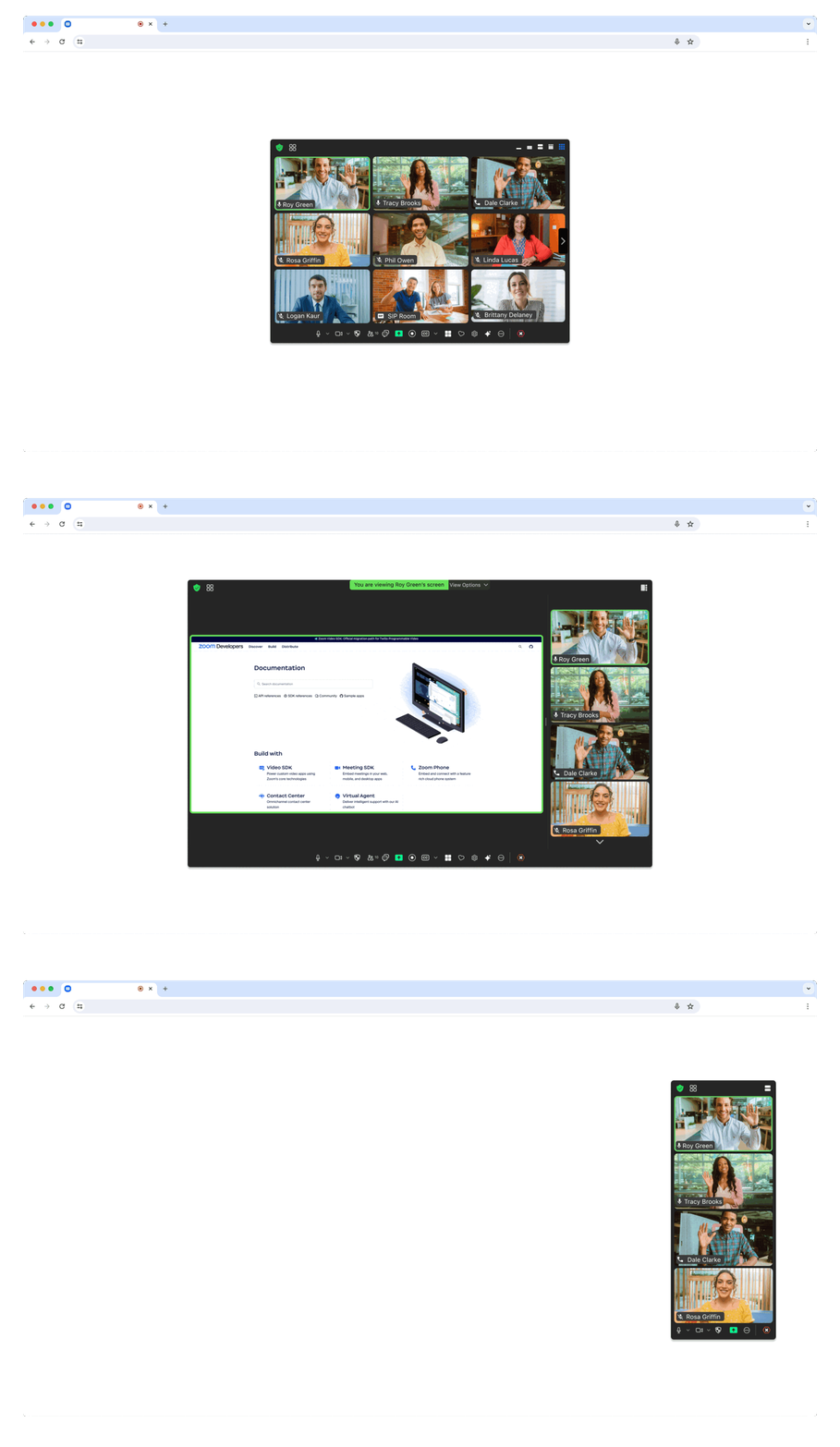
> **What is Component View?**
> The Component View provides flexible, embeddable meeting components that can be styled and positioned within your existing UI design.
### Step 1: Import and Setup
Import `ZoomMtgEmbedded` and create the client:
```js
import ZoomMtgEmbedded from "@zoom/meetingsdk/embedded"
const client = ZoomMtgEmbedded.createClient()
```
### Step 2: HTML Container
Create a container element where the Meeting SDK will render:
```html
```
> **Note:** The container remains hidden until you join a meeting or webinar.
### Step 3: Configuration Parameters
Get meeting details from the [Zoom APIs](https://developers.zoom.us/docs/meeting-sdk/web/component-view/).
| Parameter | Description |
|-----------|-------------|
| `signature` | **Required** - Your [SDK JWT](https://developers.zoom.us/docs/meeting-sdk/auth/) |
| `meetingNumber` | **Required** - The Zoom Meeting or Webinar Number |
| `userName` | **Required** - Name of the user joining the meeting |
| `password` | **Required** - Meeting password (empty string if only waiting room required) |
| `userEmail` | **Required for Webinars** - User email (also required for registration) |
| `tk` | **Required for Registration** - [Registrant's token](https://support.zoom.us/hc/en-us/articles/360054446052-Managing-meeting-and-webinar-registration) |
| `zak` | **Required for Starting** - Host's [Zoom Access Key (ZAK)](https://developers.zoom.us/docs/meeting-sdk/auth/#start-meetings-and-webinars-with-a-zoom-users-zak-token) |
### Step 4: Initialize and Join
```js
const meetingSDKElement = document.getElementById('meetingSDKElement')
client.init({
zoomAppRoot: meetingSDKElement,
language: 'en-US',
patchJsMedia: true
}).then(() => {
console.log('SDK initialized successfully')
client.join({
signature: signature,
meetingNumber: meetingNumber,
password: password,
userName: userName,
userEmail: userEmail
}).then(() => {
console.log('Joined meeting successfully')
}).catch((error) => {
console.error('Failed to join meeting:', error)
})
}).catch((error) => {
console.error('Failed to initialize SDK:', error)
})
```
For the full list of features and event listeners, as well as additional guides, see our [Meeting SDK docs](https://developers.zoom.us/docs/meeting-sdk/web/component-view/).
## 🏛️ Zoom for Government (ZFG)
To use Zoom for Government, you need to apply for a new SDK key at [ZFG Marketplace](https://marketplace.zoomgov.com/).
### Option 1: Use ZFG-Specific Version
Update your `package.json` to use the ZFG version:
```json
{
"dependencies": {
"@zoom/meetingsdk": "4.0.7-zfg"
}
}
```
### Option 2: Configure ZFG Endpoints
#### Client View
```js
ZoomMtg.setZoomJSLib("https://source.zoomgov.com/{VERSION}/lib", "/av")
ZoomMtg.init({
webEndpoint: "www.zoomgov.com",
// ... other options
})
```
#### Component View
```js
const client = ZoomMtgEmbedded.createClient()
client.init({
assetPath: 'https://source.zoomgov.com/{VERSION}/lib/av',
webEndpoint: "www.zoomgov.com",
// ... other options
})
```
📖 **Documentation**: [Client View](https://marketplacefront.zoom.us/sdk/meeting/web/functions/ZoomMtg.init.html) | [Component View](https://marketplacefront.zoom.us/sdk/meeting/web/components/interfaces/InitOptions.html#webEndpoint)
## 📚 Sample Applications
### Framework-Specific Examples
- **[Web Sample](https://github.com/zoom/meetingsdk-web-sample)** - CDN and React examples for both Client and Component views
- **[React Sample](https://github.com/zoom/meetingsdk-react-sample)** - React integration examples
- **[Angular Sample](https://github.com/zoom/meetingsdk-angular-sample)** - Angular integration examples
- **[Vue.js Sample](https://github.com/zoom/meetingsdk-vuejs-sample)** - Vue.js integration examples
- **[JavaScript Sample](https://github.com/zoom/meetingsdk-javascript-sample)** - Pure JavaScript examples
### Authentication & Backend
- **[Auth Sample (Node.js)](https://github.com/zoom/meetingsdk-auth-endpoint-sample)** - JWT signature generation
- **[Webhook Sample (Node.js)](https://github.com/zoom/webhook-sample)** - Webhook handling
## 💬 Support
### Get Help
- **[Developer Support](https://developers.zoom.us/support/)** - Technical support
- **[Developer Forum](https://devforum.zoom.us)** - Community discussions
- **[Premier Developer Support](https://www.zoom.com/en/support-plans/developer/)** - Priority support plans
### Resources
- **[Meeting SDK Documentation](https://developers.zoom.us/docs/meeting-sdk/web/)** - Complete documentation
- **[API Reference](https://developers.zoom.us/docs/api/)** - Zoom API documentation
---
**[Open Source Software Attribution](https://github.com/zoom/meetingsdk-web/blob/master/oss_attribution.txt)**