https://github.com/zoom/videosdk-ui-toolkit-angular-sample
Use the Zoom Video SDK UI Toolkit in Angular
https://github.com/zoom/videosdk-ui-toolkit-angular-sample
sample-app
Last synced: 12 months ago
JSON representation
Use the Zoom Video SDK UI Toolkit in Angular
- Host: GitHub
- URL: https://github.com/zoom/videosdk-ui-toolkit-angular-sample
- Owner: zoom
- Created: 2024-04-15T17:51:55.000Z (about 2 years ago)
- Default Branch: main
- Last Pushed: 2024-09-04T17:29:10.000Z (almost 2 years ago)
- Last Synced: 2024-09-06T00:38:15.976Z (almost 2 years ago)
- Topics: sample-app
- Language: TypeScript
- Homepage:
- Size: 254 KB
- Stars: 2
- Watchers: 1
- Forks: 0
- Open Issues: 0
-
Metadata Files:
- Readme: README.md
Awesome Lists containing this project
README
# Zoom Video SDK UI Toolkit Angular sample
Use of this sample app is subject to our [Terms of Use](https://explore.zoom.us/en/legal/zoom-api-license-and-tou/).
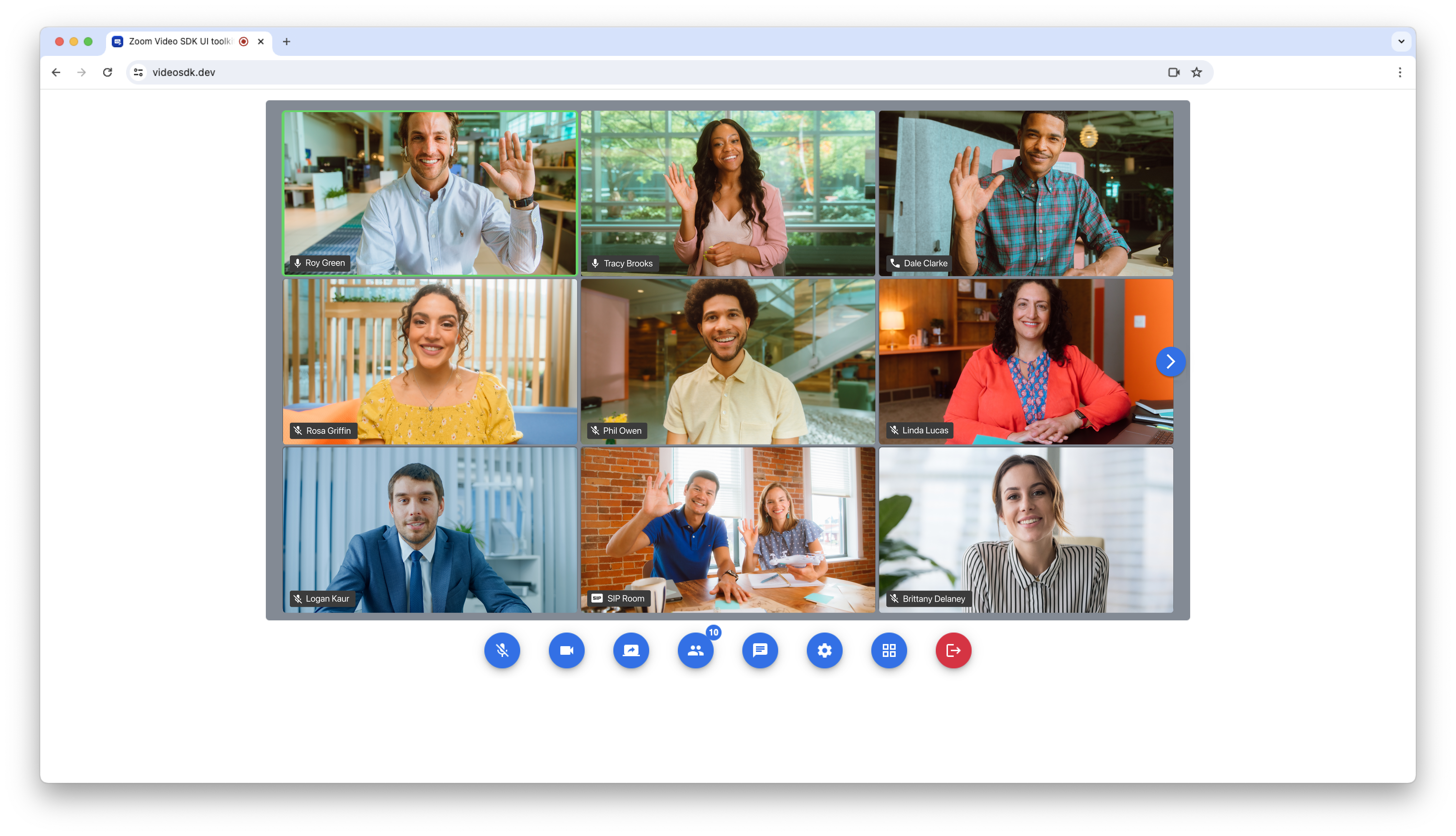
This repo is an [Angular](https://angular.io/) app generated via the [Angular CLI](https://cli.angular.io/) that uses the [Zoom Video SDK UI toolkit](https://developers.zoom.us/docs/video-sdk/web/) to start and joins sessions.

## Installation
To get started, clone the repo:
`$ git clone https://github.com/zoom/videosdk-ui-toolkit-angular-sample.git`
> To setup and run the app you will need the [Angular CLI](https://cli.angular.io).
## Setup
1. Once cloned, navigate to the `videosdk-ui-toolkit-angular-sample` directory:
`$ cd videosdk-ui-toolkit-angular-sample`
1. Then install the dependencies:
`$ npm install`
1. Open the `videosdk-ui-toolkit-angular-sample` directory in your code editor.
1. Open the `src/app/app.component.ts` file, and enter values for the variables:
| Variable | Description |
| -----------------------|-------------|
| authEndpoint | Required, your Video SDK auth endpoint that securely generates a Video SDK JWT. [Get a Video SDK auth endpoint here.](https://github.com/zoom/videosdk-auth-endpoint-sample) |
| config | Your Video SDK [session details](https://developers.zoom.us/docs/video-sdk/web/ui-toolkit/#create-a-configuration-object) and [enabled features](https://developers.zoom.us/docs/video-sdk/web/ui-toolkit/#supported-features). The `videoSDKJWT` will be set from the response of your `authEndpoint`. |
| role | Required, `0` to specify participant, `1` to specify host. |
Example:
```js
authEndpoint = 'http://localhost:4000'
config : CustomizationOptions = {
videoSDKJWT: '',
sessionName: 'test',
userName: 'ZoomDev',
sessionPasscode: '123',
featuresOptions: {
virtualBackground: {
enable: true,
virtualBackgrounds: [{
url: 'https://images.unsplash.com/photo-1715490187538-30a365fa05bd?q=80&w=1945&auto=format&fit=crop'
}]
}
video: {
enable: true
}
audio: {
enable: true
}
share: {
enable: true
}
}
};
role = 1
```
1. Save `app.component.ts`.
1. Run the app:
`$ ng serve --open`
## Usage
1. Navigate to http://localhost:4200 and click "Join Session".
## Deployment
The Angular Sample App can be easily deployed to [GitHub Pages](#github-pages), or [another static web hosting service](#other-static-web-hosting), like an AWS S3 bucket.
### GitHub Pages
1. Create a repo on [GitHub](https://github.com).
1. Add the remote to your project:
`$ git remote add origin GITHUB_URL/GITHUB_USERNAME/GITHUB_REPO_NAME.git`
1. Open the `angular.json` file and replace the value for `"baseHref"` with your GitHub repo name surrounded by slashes like this: `/GITHUB_REPO_NAME/`. Example: `"baseHref": "/GITHUB_REPO_NAME/"`
1. Build your project:
`$ ng build --prod`
1. Git add, commit, and push your project:
`$ git add -A`
`$ git commit -m "deploying to github"`
`$ git push origin master`
1. On GitHub, in your repo, navigate to the "settings" page, scroll down to the "GitHub Pages" section, and choose the "master branch /docs folder" for the source.
1. Now your project will be deployed to https://GITHUB_USERNAME.github.io/GITHUB_REPO_NAME.
### Other Static Web Hosting
1. Build your project:
`$ ng build --prod`
1. Deploy the complied `/docs` directory to a static web hosting service, like an AWS S3 bucket.
### Advanced Deployment
For more advanced instructions on deployment, [see the Angular Deployment docs](https://angular.io/guide/deployment).
## Need help?
If you're looking for help, try [Developer Support](https://devsupport.zoom.us) or our [Developer Forum](https://devforum.zoom.us). Priority support is also available with [Premier Developer Support](https://explore.zoom.us/docs/en-us/developer-support-plans.html) plans.