https://github.com/zortos293/gfnclient
Custom GeForce Now Client
https://github.com/zortos293/gfnclient
cloud-gaming cross-platform game-streaming geforce-now
Last synced: 6 months ago
JSON representation
Custom GeForce Now Client
- Host: GitHub
- URL: https://github.com/zortos293/gfnclient
- Owner: zortos293
- Created: 2023-12-08T18:22:46.000Z (over 2 years ago)
- Default Branch: main
- Last Pushed: 2023-12-13T08:58:31.000Z (over 2 years ago)
- Last Synced: 2025-02-26T05:59:42.962Z (over 1 year ago)
- Topics: cloud-gaming, cross-platform, game-streaming, geforce-now
- Homepage:
- Size: 5.86 KB
- Stars: 11
- Watchers: 7
- Forks: 1
- Open Issues: 0
-
Metadata Files:
- Readme: README.md
- Funding: .github/FUNDING.yml
Awesome Lists containing this project
README
# Custom GeForce NOW Client
A custom GeForce NOW client built with Tauri (Rust + TypeScript) that unlocks premium streaming features and provides a cleaner gaming experience.
## Download
[](https://github.com/zortos293/GFNClient/releases/latest)
**[Download Latest Release](https://github.com/zortos293/GFNClient/releases/latest)**
### Available Platforms
- **Windows**: `.msi` installer or `.exe` setup
- **macOS**: `.dmg` disk image (experimental)
- **Linux**: `.deb` package or `.AppImage` (experimental)
---
## Demo
[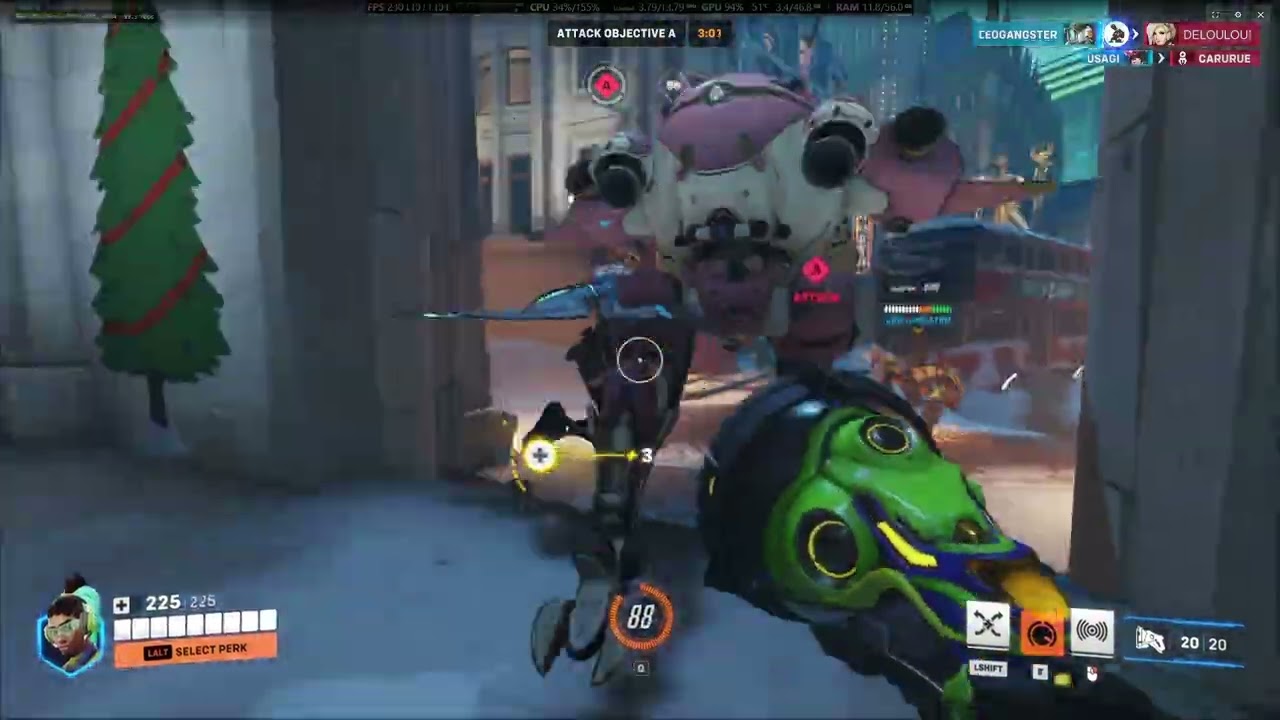](https://www.youtube.com/watch?v=bF84_CKopPQ)
**[Watch Demo on YouTube](https://www.youtube.com/watch?v=bF84_CKopPQ)**
*Settings: 1080p @ 240fps, H.264 codec*
---
## Features
### Implemented
- **NVIDIA OAuth Login** - Sign in with your NVIDIA account (OAuth 2.0 + PKCE)
- **Subscription Tier Display** - Shows your membership tier (Free/Priority/Ultimate) with playtime remaining
- **Discord Rich Presence** - Show what you're playing on Discord
- **Native Client Headers** - Uses `NVIDIA-CLASSIC` streamer headers to unlock premium streaming capabilities
- **High FPS Streaming** - Support for 120fps, 240fps, and 360fps modes
- **Codec Selection** - Choose between H.264, H.265/HEVC, or AV1
- **Unlimited Bitrate** - Configurable from 20 Mbps up to unlimited
- **Stable Resolution** - Disabled adaptive quality/resolution control for consistent streaming
- **Raw Mouse Input** - Uses `getCoalescedEvents()` for 1:1 mouse movement without smoothing
- **Fullscreen Control** - Hold ESC for 1 second to exit fullscreen (ESC still works in-game)
- **No Telemetry** - NVIDIA telemetry disabled by default
- **Persistent Auth** - Login tokens saved locally for convenience
- **Settings Persistence** - Quality, codec, bitrate, and region preferences saved
- **Custom Proxy Support** - Route traffic through your own proxy
### Known Bugs
- **Session cleanup** - You need to close the session via the official GFN client (our client doesn't terminate sessions yet)
- **ESC key broken** - ESC key doesn't work properly during streaming (will be fixed)
### TODO
- [ ] Session termination from client
- [ ] Fix ESC key during streaming
- [ ] Game availability notifications
- [ ] Server queue time display
- [ ] Multi-region ping display
- [x] Linux support (experimental)
- [x] macOS support (experimental)
- [ ] Controller support improvements
- [ ] Stream recording
- [ ] Custom overlay/OSD
---
## Tech Stack
| Component | Technology |
|-----------|------------|
| Frontend | TypeScript, Vite |
| Backend | Rust (Tauri 2.x) |
| Streaming | WebRTC + NVST Protocol |
| UI | Custom CSS |
---
## Building
### Prerequisites
- [Node.js](https://nodejs.org/) (v18+)
- [Rust](https://rustup.rs/) (latest stable)
- [Tauri CLI](https://tauri.app/v1/guides/getting-started/prerequisites)
### Steps
```bash
# Clone the repository
git clone https://github.com/zortos293/GFNClient.git
cd GFNClient
# Install dependencies
npm install
# Development mode
npm run tauri dev
# Build for production
npm run tauri build
```
---
## Configuration
Settings are stored in `%APPDATA%/gfn-client/settings.json`:
| Setting | Options | Default |
|---------|---------|---------|
| Quality | auto, low, medium, high, ultra, high120, ultra120, competitive, extreme | auto |
| Codec | h264, h265, av1 | h264 |
| Max Bitrate | 20-200 Mbps (200 = unlimited) | unlimited |
| Region | auto or specific region | auto |
---
## Disclaimer
This Custom GeForce NOW Client is an **independent project** not affiliated with, authorized, or endorsed by NVIDIA Corporation.
- GeForce NOW and NVIDIA are trademarks of NVIDIA Corporation
- Developed for educational and enhancement purposes
- Users are responsible for compliance with applicable terms of service
- No warranty provided; use at your own risk
---
## Support
If you find this project useful, consider:
- [Sponsoring on GitHub](https://github.com/sponsors/zortos293)
- Starring the repo
- Reporting issues
- Contributing code
---
## License
This project is for educational purposes. See NVIDIA's Terms of Service regarding GeForce NOW usage.