https://github.com/zzedovec/onlinefix-linux
OFLL - Steam/Epic online-fix launcher for Linux. Download, install and play games with online fixes in two clicks
https://github.com/zzedovec/onlinefix-linux
bin binary compiled fix javafx jphp launcher linux online open-source proton spacewar steam steam-games wine
Last synced: 9 months ago
JSON representation
OFLL - Steam/Epic online-fix launcher for Linux. Download, install and play games with online fixes in two clicks
- Host: GitHub
- URL: https://github.com/zzedovec/onlinefix-linux
- Owner: ZzEdovec
- License: other
- Created: 2025-03-21T19:04:42.000Z (over 1 year ago)
- Default Branch: main
- Last Pushed: 2025-09-16T20:44:44.000Z (10 months ago)
- Last Synced: 2025-09-16T23:02:48.512Z (10 months ago)
- Topics: bin, binary, compiled, fix, javafx, jphp, launcher, linux, online, open-source, proton, spacewar, steam, steam-games, wine
- Language: PHP
- Homepage: https://zzedovec.github.io
- Size: 2.1 MB
- Stars: 62
- Watchers: 5
- Forks: 1
- Open Issues: 3
-
Metadata Files:
- Readme: README.md
- License: LICENSE
Awesome Lists containing this project
README
[English](https://github.com/ZzEdovec/onlinefix-linux/blob/main/README.md) | [Русский](https://github.com/ZzEdovec/onlinefix-linux/blob/main/README_ru.md)
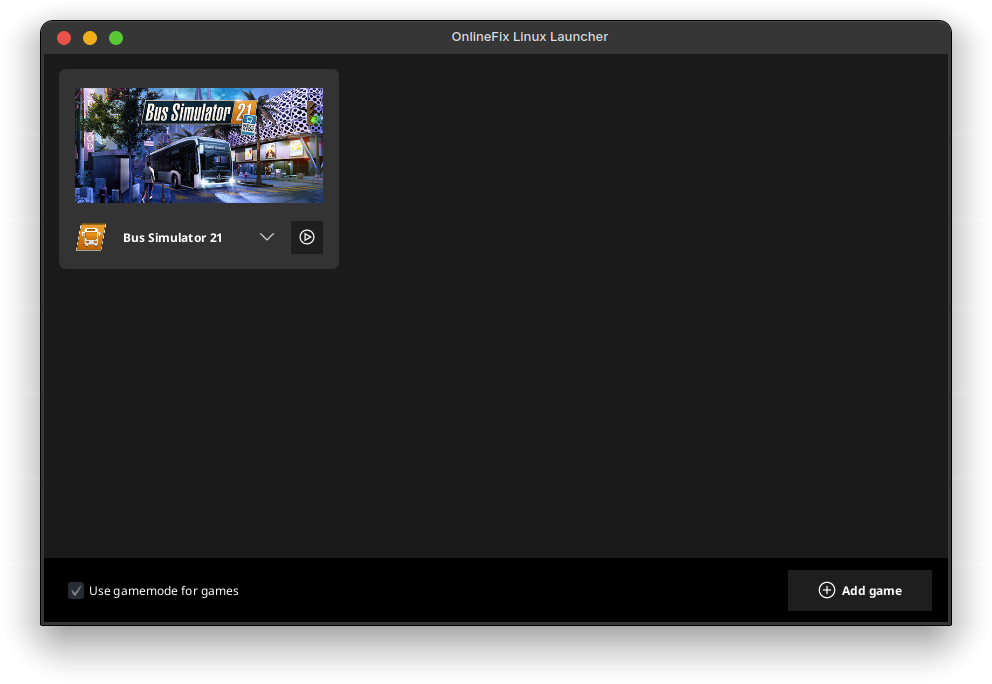
# OnlineFix Linux Launcher
**A simple and convenient launcher for running games with custom multiplayer fixes on Linux**
## ✨ Features
- Launch games without manually configuring `WINEDLLOVERRIDES` and other parameters
- Automatically fetch game covers from Steam
- Steam overlay support
- Specific patches for certain types of fixes
- Automatic extraction of icons from games
- Create desktop and application menu shortcuts for games
- Download games directly from the launcher (requires `aria2` and an OnlineFix source from Hydra Launcher)
## ❕ Compatibility
- SteamFix
- OnlineFix – full support for 64-bit, 32-bit may have issues
- FreeTP – full support
- Custom OnlineFix servers (Photon Launcher)
- Full support
- SteamFix and EOSFix (combined)
- FreeTP – full support
- OnlineFix – full support
- EOSFix
- OnlineFix – with EOSAuthHooker, old type not tested
- FreeTP – not tested
## 📦 Dependencies
Before using the launcher, make sure the following packages are installed:
- `ffmpeg`
- `steam`
- `icoextract` (optional) – for better extraction of icons from .exe files
- `aria2` (optional) – for downloading games
‼️ These must be installed as regular packages. Flatpak and Snap versions **are not supported and will not be!** If you use them, the launcher will not work correctly – and this is not the developer's fault.
## ⬇️ Installation
If you are using Arch Linux or an Arch-based distribution, install the package [onlinefix-linux-launcher-bin](https://aur.archlinux.org/packages/onlinefix-linux-launcher-bin) from the AUR (for example, `yay -S onlinefix-linux-launcher-bin`).
If you are using a different distribution, use the installer from the [Releases](https://github.com/ZzEdovec/onlinefix-linux/releases) section.
## 🏗 Building from Source
To build the launcher, you will need [DevelNext](https://develnext.org):
1. Open DevelNext
2. Clone the repository to any folder on your disk:
```bash
git clone https://github.com/ZzEdovec/onlinefix-linux
```
3. Open the `.dnproject` file in DevelNext
4. A message about missing dependencies will appear, find and install them from GitHub
5. Click the build button at the top of the window
After building, you will get the launcher executable file.