https://posit-dev.github.io/chatlas/
Your friendly guide to building LLM chat apps in Python with less effort and more clarity.
https://posit-dev.github.io/chatlas/
agentic-ai chatbot llm python
Last synced: 23 days ago
JSON representation
Your friendly guide to building LLM chat apps in Python with less effort and more clarity.
- Host: GitHub
- URL: https://posit-dev.github.io/chatlas/
- Owner: posit-dev
- License: mit
- Created: 2024-10-28T22:58:22.000Z (over 1 year ago)
- Default Branch: main
- Last Pushed: 2026-06-12T17:57:53.000Z (about 1 month ago)
- Last Synced: 2026-06-12T18:23:22.209Z (about 1 month ago)
- Topics: agentic-ai, chatbot, llm, python
- Language: Python
- Homepage: https://posit-dev.github.io/chatlas/
- Size: 20.5 MB
- Stars: 162
- Watchers: 6
- Forks: 24
- Open Issues: 35
-
Metadata Files:
- Readme: README.md
- Changelog: CHANGELOG.md
- License: LICENSE
Awesome Lists containing this project
- awesome-ai-for-economists - chatlas - Posit's Python interface for LLMs with streaming, tool calling, and structured output.  (Coding Tools for Economists / AI Agent Frameworks)
README
# chatlas 




Your friendly guide to building LLM chat apps in Python with less effort and more clarity.
## Install
Install the latest stable release [from PyPI](https://pypi.org/project/chatlas/):
```bash
pip install -U chatlas
```
Or, install the latest development version from GitHub:
```bash
pip install -U git+https://github.com/posit-dev/chatlas
```
## Quick start
Get started in 3 simple steps:
1. Choose a model provider, such as [ChatOpenAI](https://posit-dev.github.io/chatlas/reference/ChatOpenAI.html) or [ChatAnthropic](https://posit-dev.github.io/chatlas/reference/ChatAnthropic.html).
2. Visit the provider's [reference](https://posit-dev.github.io/chatlas/reference) page to get setup with necessary credentials.
3. Create the relevant `Chat` client and start chatting!
```python
from chatlas import ChatOpenAI
# Optional (but recommended) model and system_prompt
chat = ChatOpenAI(
model="gpt-4.1-mini",
system_prompt="You are a helpful assistant.",
)
# Optional tool registration
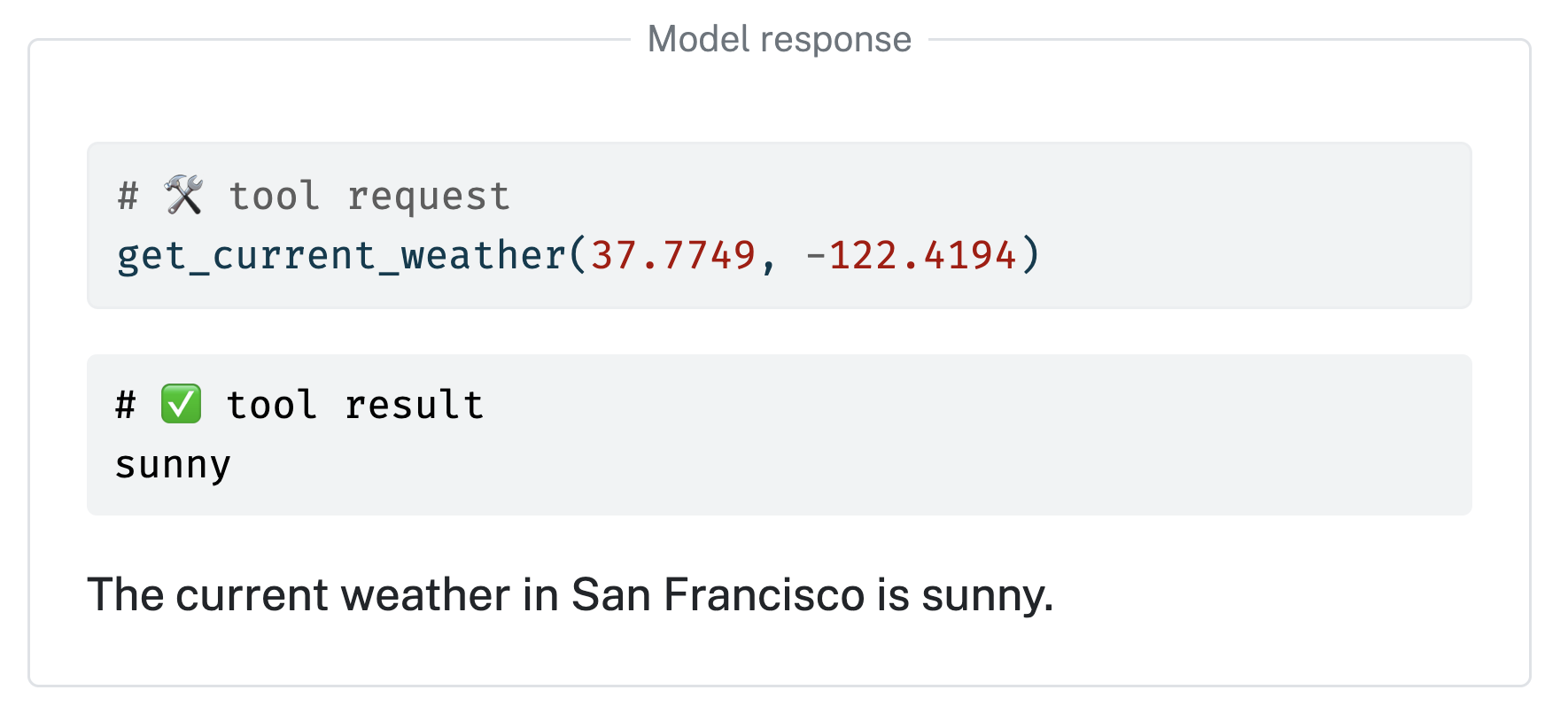
def get_current_weather(lat: float, lng: float):
"Get the current weather for a given location."
return "sunny"
chat.register_tool(get_current_weather)
# Send user prompt to the model for a response.
chat.chat("How's the weather in San Francisco?")
```
Learn more at