https://github.com/a-mhamdi/rover_ctrl
Autonomous Robot Navigation Using ROS2 - Humble Hawksbill
https://github.com/a-mhamdi/rover_ctrl
colcon linux robotics ros2-humble ubuntu
Last synced: 3 months ago
JSON representation
Autonomous Robot Navigation Using ROS2 - Humble Hawksbill
- Host: GitHub
- URL: https://github.com/a-mhamdi/rover_ctrl
- Owner: a-mhamdi
- License: gpl-2.0
- Created: 2023-08-12T22:03:04.000Z (almost 3 years ago)
- Default Branch: main
- Last Pushed: 2024-05-10T16:56:02.000Z (about 2 years ago)
- Last Synced: 2026-01-02T10:38:48.623Z (6 months ago)
- Topics: colcon, linux, robotics, ros2-humble, ubuntu
- Language: Python
- Homepage:
- Size: 64.8 MB
- Stars: 4
- Watchers: 1
- Forks: 2
- Open Issues: 0
-
Metadata Files:
- Readme: README.md
- License: LICENSE
Awesome Lists containing this project
README
# Autonomous navigation of a mobile robot using ROS2 - Humble Hawksbill
- Add this alias to your preferred shell startup script _(`zsh` in my case)_
```zsh
echo "alias humble=\"source /opt/ros/humble/setup.zsh\"" >> ~/.zshrc
```
- Source `ROS2` installation
```zsh
humble
```
- Check that the environment is properly set up
```zsh
printenv | grep -i ros
```
_You should get an output as follows, along with other environment variables:_
> ROS_DISTRO=humble
> ROS_PYTHON_VERSION=3
> ROS_VERSION=2
The official and detailed documentation is accessible through this [link](https://docs.ros.org/en/humble/index.html).
- Build the package using `colcon` tool
```zsh
colcon build --symlink-install
```
- Source the local setup file
```zsh
source install/local_setup.zsh
```
- Launch the `launch` file
```zsh
ros2 launch rover_ctrl rover.launch.py
```
- The launch file `launch_sim.launch.py` displays the robot in `gazebo` and publishes the `/robot_description` and `/scan` topics to `rviz`
```zsh
ros2 launch rover_ctrl launch_sim.launch.py
```
- Mapping using **SLAM** toolbox
```zsh
ros2 launch rover_ctrl launch_slam.launch.py
```
[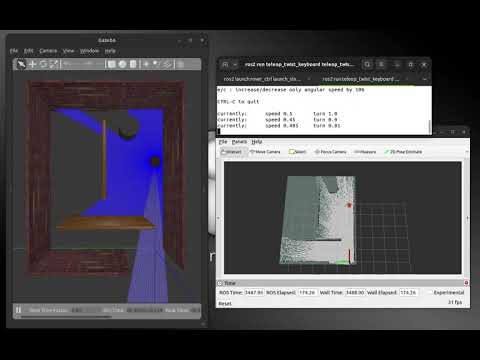](https://www.youtube.com/watch?v=I0WGgt07Tbg)
- Localization and navigation
```zsh
ros2 launch rover_ctrl launch_nav.launch.py
```
[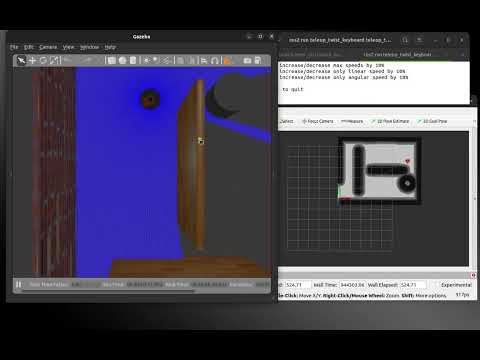](https://www.youtube.com/watch?v=0SOzMY7_PX4)