https://github.com/daniel-e/tetros
Tetris that fits into the boot sector.
https://github.com/daniel-e/tetros
Last synced: 7 months ago
JSON representation
Tetris that fits into the boot sector.
- Host: GitHub
- URL: https://github.com/daniel-e/tetros
- Owner: daniel-e
- License: mit
- Created: 2016-09-22T10:42:55.000Z (almost 10 years ago)
- Default Branch: master
- Last Pushed: 2016-12-18T13:32:27.000Z (over 9 years ago)
- Last Synced: 2025-07-10T19:23:30.348Z (about 1 year ago)
- Language: Assembly
- Homepage:
- Size: 167 KB
- Stars: 778
- Watchers: 20
- Forks: 39
- Open Issues: 0
-
Metadata Files:
- Readme: README.md
- License: LICENSE.md
Awesome Lists containing this project
- Awesome-Embedded - Sample Source: TetrOS is a small feature rich Tetris clone which is written in Assembly.
README
# TetrOS
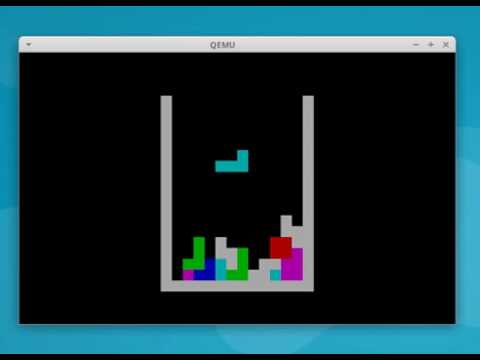
TetrOS is a small *feature rich* Tetris clone which is written in Assembly. It fits completely into a 512 byte boot sector as it requires only 446 bytes (which is the maximum allowed size of the first stage boot loader in the master boot record (MBR) of a drive) and is executed during the boot sequence before any operating system is loaded. Actually, it does not need any existing operating system. TetrOS *is* an operating system, hence the suffix OS in its name.
Video that shows TetrOS in action:
[](https://youtu.be/Hl7M7f-Hh78)
And this is the complete machine code:

## Running TetrOS
There are two options to run TetrOS. Either in an emulator like qemu or via an installation of TetrOS in the boot sector of a real disk, USB stick or some other media.
### Running via qemu
Simply run `make run`. This will execute qemu with the right parameters to run TetrOS. If you're using Ubuntu and qemu is not intalled on your system you can install it via `sudo apt-get install qemu`.
### Running via an USB stick
First, copy the image to an USB stick. For example, if your USB stick is on `/dev/sde` use the following command to overwrite the first sector of the USB stick with the TetrOS image:
`sudo dd if=tetros.img of=/dev/sde`
After that you should be able to boot the stick to play TetrOS.
## Features
* Each brick shape has a unique color.
* Blinking cursor is not visible.
* Left and right arrow to move a brick.
* Up arrow to rotate a brick.
* Down arrow to drop a brick.
* Game over detection. It stops if a new brick could not be placed.
* Selects the next brick at random via a linear congruential generator.
* Nice playing field.
## Features missing due to size limits
* Scores and highscores.
* Intro.
* Game over message and restart without rebooting.
* Show next brick.
* Increase speed.
## Compiling the sources
The repository already contains an image which you can use for testing. However, if you want to compile the image from the sources you need nasm, a general prupose x86 assembler to be installed on your system. On Ubuntu you can can install it via the command `sudo apt-get install nasm`. On macOS you will need [homebrew](http://brew.sh/) to install `nasm` and `binutils`.
If `nasm` is installed you can compile the sources by executing `make`. This will create the image `tetros.img`. After that you can run the image via qemu or you can copy the image via `dd` on an USB disk or a disk (see above).
I have tested it with nasm 2.11.08 on Ubuntu 16.04.
## Similar projects
* https://github.com/dbittman/bootris
* https://github.com/Shikhin/tetranglix
* http://olivier.poudade.free.fr/src/BootChess.asm
* https://github.com/programble/tetrasm - Tetris for x86 in NASM but which does not fit into the boot sector.
## Acknowledgements
I would like to thank the following persons for contributing to TetrOS.
* [DraftYeti5608](https://github.com/DraftYeti5608)
* [Ivoah](https://github.com/Ivoah)