https://github.com/dexterind/gopigo3
The GoPiGo3 is a Raspberry Pi Robot!
https://github.com/dexterind/gopigo3
gopigo gopigo3 raspberry-pi raspberry-pi-library raspbian robot robot-framework robotics robotics-programming
Last synced: about 1 year ago
JSON representation
The GoPiGo3 is a Raspberry Pi Robot!
- Host: GitHub
- URL: https://github.com/dexterind/gopigo3
- Owner: DexterInd
- License: other
- Created: 2017-04-11T19:08:55.000Z (over 9 years ago)
- Default Branch: master
- Last Pushed: 2024-10-29T18:59:10.000Z (over 1 year ago)
- Last Synced: 2025-05-16T11:05:19.014Z (about 1 year ago)
- Topics: gopigo, gopigo3, raspberry-pi, raspberry-pi-library, raspbian, robot, robot-framework, robotics, robotics-programming
- Language: Python
- Homepage: https://gopigo.io
- Size: 55.6 MB
- Stars: 102
- Watchers: 19
- Forks: 85
- Open Issues: 15
-
Metadata Files:
- Readme: README.md
- License: LICENSE.md
Awesome Lists containing this project
README
# GoPiGo3 [](http://gopigo3.readthedocs.io/en/latest/?badge=master)
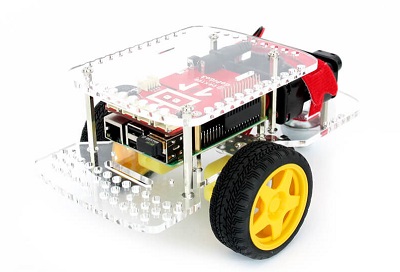
The GoPiGo3 is a delightful and complete robot for the Raspberry Pi that turns your Pi into a fully operating robot. GoPiGo3 is a mobile robotic platform for the Raspberry Pi first developed by Dexter Industries, and acquired by [Modular Robotics](https://modrobotics.com). See [GoPiGo.io.](https://GoPiGo.io)
# GoPiGo OS
GoPiGo OS is an easy to get started with, all packaged OS for the GoPiGo3. It offers Bloxter, and JupyterLab 2. You can [download it](https://gopigo.io/downloads/gopigo_os) and install it on your SD card.
### Note: GoPiGo OS allows you to SSH into the robot and have full access to Linux. You can also use VNC viewer and access the Raspberry Pi Desktop.
# DexterOS
DexterOS is now deprecated and replaced by GoPiGo OS. It offers Bloxter, and JupyterLab 1. You can [download it](https://www.dexterindustries.com/download/dexteros) and install it on your SD card.
### Note: DexterOS does not allow you to SSH into the robot and have full access to Linux. If you want full access, please choose Raspbian for Robots.
# Raspbian for Robots
You can find all software and installation for the GoPiGo3 on an SD Card by using [our operating system Raspbian for Robots](https://www.dexterindustries.com/raspberry-pi-robot-software/). You can [download and install Raspbian for Robots for free with instructions found here](https://www.dexterindustries.com/howto/install-raspbian-for-robots-image-on-an-sd-card/).
You can also [purchase an SD Card with the software on it here](https://www.dexterindustries.com/shop/sd-card-raspbian-wheezy-image-for-raspberry-pi/).
# Quick Install
In order to quick install the `GoPiGo3` repository, open up a terminal and type the following command:
```
curl -kL dexterindustries.com/update_gopigo3 | bash
```
The same command can be used for updating the `GoPiGo3` to the latest version.
If you use any of the Dexter sensors (line follower, distance sensor, THP sensor, IMU), you will also need
```
curl -kL dexterindustries.com/update_sensors | bash
```
# Virtual Environment Installation
```
curl -kL dexterindustries.com/update_gopigo3 | bash -s -- --user-local --bypass-gui-installation
```
# Installation
You can install the GoPiGo3 on your own operating system with the following commands in the command line:
(note that the user `pi` is still required)
1. Clone this repository onto the Raspberry Pi:
git clone http://www.github.com/DexterInd/GoPiGo3.git /home/pi/Dexter/GoPiGo3
2. Run the install script: `bash /home/pi/Dexter/GoPiGo3/Install/update_gopigo3.sh`
3. Reboot the Raspberry Pi to make the settings take effect: `sudo reboot`
### Note: the Pi user must exist while installing the drivers and examples, but you can remove this user afterwards if you want to secure your robot.
# License
Please review the [LICENSE.md] file for license information.
[LICENSE.md]: ./LICENSE.md
# See Also
- [Modular Robotics](https://modrobotics.com)
- [GoPiGo.io](https://gopigo.io)
- [Forum Support](https://forum.dexterindustries.com/c/gopigo)