https://github.com/logandk/instawat
Makes your photos wat using serverless!
https://github.com/logandk/instawat
Last synced: 4 days ago
JSON representation
Makes your photos wat using serverless!
- Host: GitHub
- URL: https://github.com/logandk/instawat
- Owner: logandk
- License: mit
- Created: 2017-06-23T15:46:23.000Z (almost 9 years ago)
- Default Branch: master
- Last Pushed: 2017-06-23T15:59:17.000Z (almost 9 years ago)
- Last Synced: 2025-11-23T05:03:59.069Z (7 months ago)
- Language: Python
- Homepage:
- Size: 1.13 MB
- Stars: 2
- Watchers: 0
- Forks: 1
- Open Issues: 0
-
Metadata Files:
- Readme: README.md
- License: LICENSE
Awesome Lists containing this project
README
# What's this?
When I was preparing to give a talk on Serverless, I remembered
Gary Bernhardt's excellent _Wat_ [talk](https://www.destroyallsoftware.com/talks/wat).
I had [this](http://knowyourmeme.com/memes/the-guy-holding-a-sewing-machine-in-front-of-a-ups-truck-accident-the-unexplainable-picture) particular
photo in mind. The young man in the photo, let's call him _Watathan_,
carries the succint ability to add significant _watness_ to an otherwise
not-particularly-extraordinary photo.
I needed a demo for the talk, but most of all, I wanted to examine whether the unique
ability of young _Watathan_ would translate to other photos equally well.
Thanks to Serverless, I am happy to report that it does!
Built by Logan Raarup ([http://gokyo.dk](http://gokyo.dk)).
# How does it look?
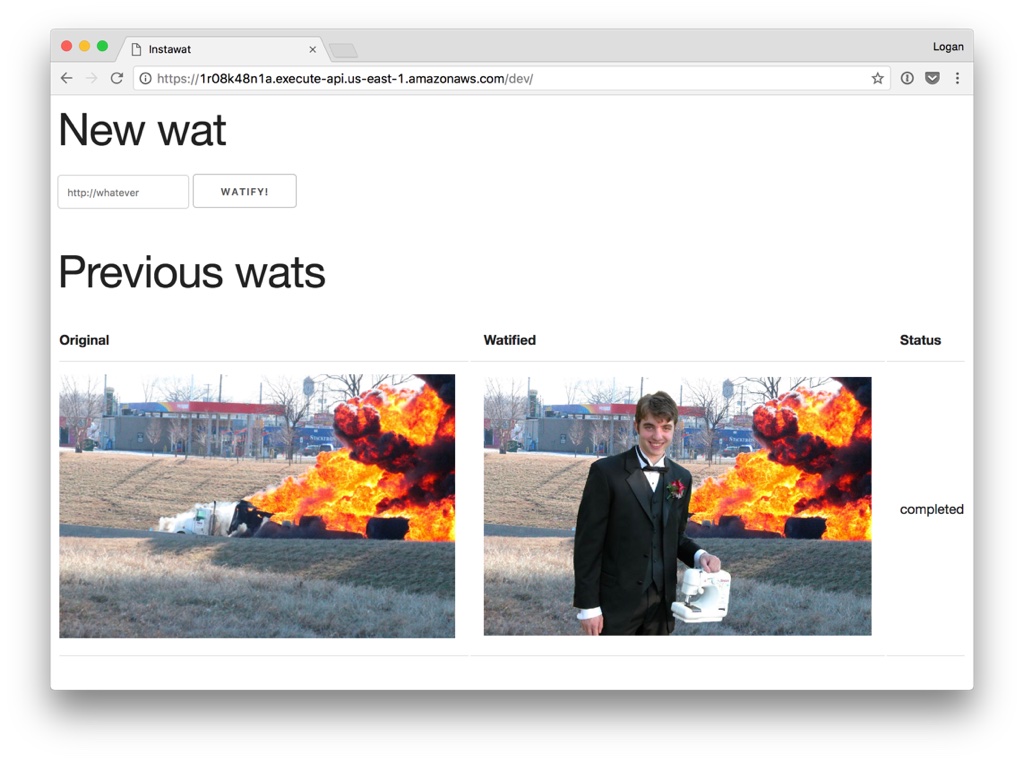
# How does it work?
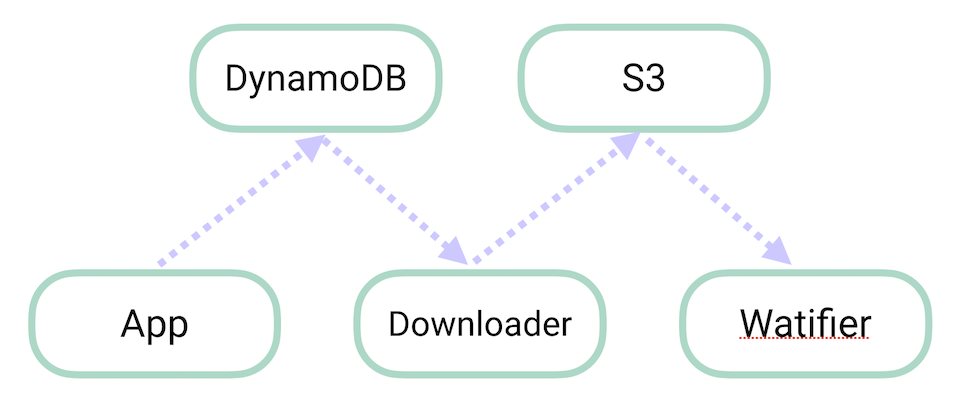
In order to make full use of Serverless and achieve the scalability that this service
obviously needs, it is divided into not one but two asynchronous processing steps:
## PART 1: APP
The UI is built as a simple Flask web application that is backed by DynamoDB.
## PART 2: DOWNLOADER
Triggered by DynamoDB, this event handler downloads the original images onto S3.
## PART 3: THE WATIFIER
Once the original is on S3, an S3 notification triggers **THE WATIFIER**. If you want
to know how it does what it does, look through the source!
# Deploy your own version!
* Get an AWS account.
* Install node, npm and python
* Install [Serverless](http://serverless.com).
* Configure your [AWS credentials](https://serverless.com/framework/docs/providers/aws/guide/credentials/).
* Checkout this repository.
* `npm install`
* `sls deploy --bucket_name use_your_imagination` (You'll need to come up with a name for the S3 bucket since I already took the name *instawat*)