https://github.com/mikeroyal/Self-Hosting-Guide
Self-Hosting Guide. Learn all about locally hosting (on premises & private web servers) and managing software applications by yourself or your organization. Including Cloud, LLMs, WireGuard, Automation, Home Assistant, and Networking.
https://github.com/mikeroyal/Self-Hosting-Guide
List: Self-Hosting-Guide
authentication awesome awesome-list decentralized docker-compose home-assistant home-automation linux oauth observability open-source privacy raspberry-pi reverse-proxy search self-hosted self-hosting selfhosted ssh wireguard
Last synced: about 1 year ago
JSON representation
Self-Hosting Guide. Learn all about locally hosting (on premises & private web servers) and managing software applications by yourself or your organization. Including Cloud, LLMs, WireGuard, Automation, Home Assistant, and Networking.
- Host: GitHub
- URL: https://github.com/mikeroyal/Self-Hosting-Guide
- Owner: mikeroyal
- Created: 2022-02-06T20:03:15.000Z (over 4 years ago)
- Default Branch: main
- Last Pushed: 2024-04-28T23:00:46.000Z (about 2 years ago)
- Last Synced: 2024-05-22T12:19:07.606Z (about 2 years ago)
- Topics: authentication, awesome, awesome-list, decentralized, docker-compose, home-assistant, home-automation, linux, oauth, observability, open-source, privacy, raspberry-pi, reverse-proxy, search, self-hosted, self-hosting, selfhosted, ssh, wireguard
- Language: Dockerfile
- Homepage:
- Size: 1.21 MB
- Stars: 8,931
- Watchers: 126
- Forks: 460
- Open Issues: 12
-
Metadata Files:
- Readme: README.md
- Contributing: CONTRIBUTING.md
Awesome Lists containing this project
- StarryDivineSky - mikeroyal/Self-Hosting-Guide
- ultimate-awesome - Self-Hosting-Guide - Self-Hosting Guide. Learn all about locally hosting (on premises & private web servers) and managing software applications by yourself or your organization. Including Cloud, LLMs, WireGuard, Automation, Home Assistant, and Networking. (Other Lists / TeX Lists)
- stars - mikeroyal/Self-Hosting-Guide - Self-Hosting Guide. Learn all about locally hosting (on premises & private web servers) and managing software applications by yourself or your organization. Including Cloud, LLMs, WireGuard, Automati (Dockerfile)
- awesome-github-projects - Self-Hosting-Guide - Self-Hosting Guide. Learn all about locally hosting (on premises & private web servers) and managing software applications by yourself or your organization. Including Cloud, LLMs, WireGuard, Automation, Home Assistant, and Networking. ⭐21,470 `Dockerfile` (📚 Learning & Resources)
- awesome-starred - mikeroyal/Self-Hosting-Guide - Self-Hosting Guide. Learn all about locally hosting (on premises & private web servers) and managing software applications by yourself or your organization. Including Cloud, LLMs, WireGuard, Automati (Dockerfile)
- awesome - Self-Hosting Guide - A comprehensive guide to locally hosting and managing software applications including Cloud, LLMs, WireGuard, automation, Home Assistant, and networking on your own servers. ([Read more](/details/self-hosting-guide.md)) `Self Hosting` `Homelab` `Privacy` (Self-Hosting)
- jimsghstars - mikeroyal/Self-Hosting-Guide - Self-Hosting Guide. Learn all about locally hosting (on premises & private web servers) and managing software applications by yourself or your organization. Including Cloud, LLMs, WireGuard, Automati (Dockerfile)
README

Self Hosting Guide



#### A guide for getting started with Self Hosting devices including software and hardware that will make you a better and more efficient Self Hosting.
**Note: You can easily convert this markdown file to a PDF in [VSCode](https://code.visualstudio.com/) using this handy extension [Markdown PDF](https://marketplace.visualstudio.com/items?itemName=yzane.markdown-pdf).**
**Note 2: This guide will constantly be updated with new info as becomes available and please feel to make an [issue](https://github.com/mikeroyal/Self-Hosting-Guide/issues) if you think something should be added.**

# Table of Contents
1. [Getting Started with Self-Hosting](https://github.com/mikeroyal/Self-Hosting-Guide#getting-started-with-self-hosting)
- [Tools for Self-Hosting](https://github.com/mikeroyal/Self-Hosting-Guide#tools-for-self-hosting)
* [Containers](https://github.com/mikeroyal/Self-Hosting-Guide#containers)
* [CI/CD](https://github.com/mikeroyal/Self-Hosting-Guide#cicd)
* [Development](https://github.com/mikeroyal/Self-Hosting-Guide#development)
* [Web servers](#web-servers)
* [Large language models (LLMs)](#llms)
* [ChatGPT Chatbots](#chatgpt)
* [Automation](#automation)
* [Configuration Management](#Configuration-Management)
* [Cloud Storage](#cloud-storage)
* [Cloud](https://github.com/mikeroyal/Self-Hosting-Guide#Cloud)
* [Linode](#Linode)
* [Nextcloud](#Nextcloud)
* [DigitalOcean](#DigitalOcean)
* [MinIO Object Storage](#MinIO-Object-Storage)
* [Databases](#Databases)
- [SQL](#SQL)
- [NoSQL](#NoSQL)
* [Remote Access](https://github.com/mikeroyal/Self-Hosting-Guide#Remote-Access)
* [Virtualization](https://github.com/mikeroyal/Self-Hosting-Guide#Virtualization)
* [Password Management](https://github.com/mikeroyal/Self-Hosting-Guide#password-management)
* [SSH](#ssh)
* [VPN](#vpn)
* [LDAP(Lightweight Directory Access Protocol)](#ldap)
* [Log Management](#log-management)
* [DNS](#dns)
* [Network Tools](https://github.com/mikeroyal/Self-Hosting-Guide#network-tools)
* [Service Discovery](#service-discovery)
* [Security](#security)
* [Troubleshooting](#troubleshooting)
* [Monitoring](https://github.com/mikeroyal/Self-Hosting-Guide#monitoring)
* [Dashboards](#Dashboards)
* [Analytics](#Analytics)
* [Search](#Search)
* [Notifications](#Notifications)
* [RSS](#RSS)
* [Websites/Blogs](#WebsitesBlogs)
* [Social](#Social)
* [Nostr](#nostr)
* [iMessage](#imessage)
* [Communications](https://github.com/mikeroyal/Self-Hosting-Guide#communications)
* [Business Management](https://github.com/mikeroyal/Self-Hosting-Guide#business-management)
* [Collaboration & Synchronization](https://github.com/mikeroyal/Self-Hosting-Guide#Collaboration--Synchronization)
* [Encryption](#Encryption)
* [Backups](https://github.com/mikeroyal/Self-Hosting-Guide#backups)
* [Snapshots Management/System Recovery](snapshots-managementsystem-recovery)
* [Archiving](#archiving)
* [Home Server](https://github.com/mikeroyal/Self-Hosting-Guide#home-server)
* [Media Server](https://github.com/mikeroyal/Self-Hosting-Guide#media-server)
* [Smart Home Automation](#Smart-Home-Automation)
* [Voice Assistants](#Voice-Assistants)
* [Video Surveillance](#Video-Surveillance)
* [Text-To-Speech Synthesis (TTS)](#Text-To-Speech-Synthesis-TTS)
* [Video and Audio Processing](#Video-and-Audio-Processing)
* [Podcasting](#Podcasting)
* [Audiobooks](#Audiobooks)
* [Health](#Health)
* [Gardening](#gardening)
* [Maps](https://github.com/mikeroyal/Self-Hosting-Guide#maps)
* [Bookmarks](#Bookmarks)
* [Photos](https://github.com/mikeroyal/Self-Hosting-Guide#photos)
* [Pastebins](#pastebins)
* [Note-Taking](#Note-Taking)
* [Time Monitoring](#time-monitoring)
* [Wikis](#wikis)
* [Gaming](https://github.com/mikeroyal/Self-Hosting-Guide#gaming)
* [Foundations/Projects](https://github.com/mikeroyal/Self-Hosting-Guide#foundationsprojects)
- [System Hardware](#System-Hardware)
- [Operating Systems](#Operating-Systems)
- [Storage](https://github.com/mikeroyal/Self-Hosting-Guide#storage)
- [File systems](https://github.com/mikeroyal/Self-Hosting-Guide#file-systems)
- [Books](https://github.com/mikeroyal/Self-Hosting-Guide#books)
- [Podcasts](https://github.com/mikeroyal/Self-Hosting-Guide#podcasts)
- [YouTube Channels](https://github.com/mikeroyal/Self-Hosting-Guide#youtube-channels)
- [Tutorials & Resources](https://github.com/mikeroyal/Self-Hosting-Guide#tutorials--resources)
- [Useful Subreddits to Follow](https://github.com/mikeroyal/Self-Hosting-Guide#subreddits)
2. [WireGuard](https://github.com/mikeroyal/Self-Hosting-Guide#wireguard)
* [What is WireGuard?](#what-is-wireguard)
* [What is Tailscale?](#what-is-tailscale)
* [What is Netmaker?](#what-is-netmaker)
* [WireGuard Tools](#wireguard-tools)
* [Setting up WireGuard with PiVPN](#setting-up-wireguard-with-pivpn)
* [Setting up WireGuard on Unraid](#setting-up-wireguard-on-unraid)
* [Setting up WireGuard on pfSense](#setting-up-wireguard-on-pfsense)
* [Setting up WireGuard on OpenWRT](#setting-up-wireguard-on-openwrt)
* [Setting up WireGuard on Home Assistant](#setting-up-wireguard-on-home-assistant)
3. [Nextcloud](https://github.com/mikeroyal/Self-Hosting-Guide#nextcloud)
4. [Raspberry Pi](https://github.com/mikeroyal/Self-Hosting-Guide#raspberry-pi)
* [Models of Raspberry Pi boards](#models-of-raspberry-pi-boards)
* [Raspberry Pi Learning Resources](#raspberry-pi-learning-resources)
* [Raspberry Pi Operating Systems](#raspberry-pi-operating-systems)
* [Raspberry Pi Tools](#raspberry-pi-tools)
- [Getting Started with Home Assistant(HA)](#Home-Assistant)
- [Getting Started with Homebridge](#Homebridge)
- [Getting Started with ESPHome](#ESPHome)
- [Turning Raspberry Pi into a Router](#Turning-Raspberry-Pi-into-a-Router)
- [Setting up Watchdog Time (WDT) on Raspberry Pi](#setting-watchdog-timer-wdt-on-raspberry-pi)
* [Raspberry Pi Upgrades](#raspberry-pi-upgrades)
5. [Grafana](https://github.com/mikeroyal/Self-Hosting-Guide#Grafana)
6. [Networking](https://github.com/mikeroyal/Self-Hosting-Guide#networking)
7. [Docker](https://github.com/mikeroyal/Self-Hosting-Guide#docker)
8. [Kubernetes](https://github.com/mikeroyal/Self-Hosting-Guide#kubernetes)
9. [Ansible](https://github.com/mikeroyal/Self-Hosting-Guide#ansible)
10. [Databases](https://github.com/mikeroyal/Self-Hosting-Guide#databases)
11. [Telco 5G](https://github.com/mikeroyal/Self-Hosting-Guide#telco-5g)
12. [Open Source Security](https://github.com/mikeroyal/Self-Hosting-Guide#open-source-security)
13. [Differential Privacy](https://github.com/mikeroyal/Self-Hosting-Guide#differential-privacy)
14. [Machine Learning](https://github.com/mikeroyal/Self-Hosting-Guide#machine-learning)
15. [IoT Protocols](https://github.com/mikeroyal/Self-Hosting-Guide#iot-protocols)
16. [Operating systems (OS)](https://github.com/mikeroyal/Self-Hosting-Guide#operating-systems)
17. [Middleware](https://github.com/mikeroyal/Self-Hosting-Guide#middleware)
18. [Node Flow editors](https://github.com/mikeroyal/Self-Hosting-Guide#node-flow-editors)
19. [Toolkits](https://github.com/mikeroyal/Self-Hosting-Guide#toolkits)
20. [Data visualization](https://github.com/mikeroyal/Self-Hosting-Guide#data-visualization)
21. [Search](https://github.com/mikeroyal/Self-Hosting-Guide#search)
22. [Hardware](https://github.com/mikeroyal/Self-Hosting-Guide#hardware)
23. [In-memory data grids](https://github.com/mikeroyal/Self-Hosting-Guide#in-memory-data-grids)
24. [Home automation](https://github.com/mikeroyal/Self-Hosting-Guide#home-automation)
25. [Robotics](https://github.com/mikeroyal/Self-Hosting-Guide#robotics)
26. [Mesh networks](https://github.com/mikeroyal/Self-Hosting-Guide#mesh-networks)
27. [Blockchain Development](https://github.com/mikeroyal/Self-Hosting-Guide#blockchain-development)
28. [Node.js Development](https://github.com/mikeroyal/Self-Hosting-Guide#nodejs-development)
29. [C/C++ Development](https://github.com/mikeroyal/Self-Hosting-Guide#cc-development)
30. [Java Development](https://github.com/mikeroyal/Self-Hosting-Guide#java-development)
31. [Python Development](https://github.com/mikeroyal/Self-Hosting-Guide#python-development)
32. [Rust Development](https://github.com/mikeroyal/Self-Hosting-Guide#rust-development)
33. [Swift Development](https://github.com/mikeroyal/Self-Hosting-Guide#swift-development)
34. [XML Development](https://github.com/mikeroyal/Self-Hosting-Guide#xml-development)
# Getting Started with Self-Hosting
[Back to the Top](https://github.com/mikeroyal/Self-Hosting-Guide#table-of-contents)
[Self-Hosting](https://www.reddit.com/r/selfhosted/) is the practice of locally hosting(on premises & private web servers) and managing software applications by a person or organization instead of monthly subscriptions from [Software as a service (SaaS) providers](https://azure.microsoft.com/en-us/overview/what-is-saas/).
Most self-hosted software can be installed using [Docker](https://en.wikipedia.org/wiki/Docker_(software)), a packaging system which allows software to bundle their configuration and dependencies and isolate them from your operating system. Software using docker can be installed using the command line or via graphical interfaces such as [Portainer](https://github.com/portainer/portainer). Software is installed with Docker by downloading an image file containing the application, then creating a copy that sets up its own dependencies and configuration within what is called a container. Without containers you would often need to install different versions of the same programming languages or tools to satisfy the dependencies for the software you want to use which can get complicated.

## Tools for Self-Hosting
[Back to the Top](https://github.com/mikeroyal/Self-Hosting-Guide#table-of-contents)
### Containers
[Back to the Top](#table-of-contents)
**Container** is a standard unit of software that packages up code and all its dependencies(including CPU, memory, file storage, and network connections) so the application runs quickly and reliably from one computing environment to another.
* [Application Container Security Guide | NIST (PDF)](https://nvlpubs.nist.gov/nistpubs/SpecialPublications/NIST.SP.800-190.pdf)
**Container Image** is a lightweight, standalone, executable package of software that includes everything needed to run an application such as the code, runtime, system tools, system libraries, and settings.
**Best places to get Container Images:**
* [DockerHub Container Images](https://hub.docker.com/search?image_filter=official&q=&type=image)
* [LinuxServer.io Container Images](https://fleet.linuxserver.io/)
* [Quay Container Images](https://quay.io/search)
[Docker Compose](https://github.com/docker/compose) is a tool that was developed to help define and share multi-container applications. With Compose, we can create a YAML file to define the services and with a single command, can spin everything up or tear it all down.
[Docker Include](https://docs.docker.com/compose/compose-file/14-include/) is a Compose application can declare dependency on another Compose application. This is useful if you want to reuse other Compose files. Also, if you need to factor out parts of your application model into separate Compose files so they can be managed separately or shared with others.
[Kompose](https://kompose.io/) is a conversion tool for Docker Compose to container orchestrators such as [Kubernetes](https://kubernetes.io/) or [OpenShift](https://openshift.com/).
[SwarmKit](https://github.com/moby/swarmkit) is a toolkit for orchestrating distributed systems at any scale. It includes primitives for node discovery, raft-based consensus, task scheduling and more.
[Containerd](https://containerd.io/) is a daemon that manages the complete container lifecycle of its host system, from image transfer and storage to container execution and supervision to low-level storage to network attachments and beyond. It is available for Linux and Windows.
[ContainersSSH](https://containerssh.io/) is an SSH Server that Launches Containers in Kubernetes and Docker on demand.
[Podman](https://podman.io/) is a daemonless, open source, Linux native tool designed to make it easy to find, run, build, share and deploy applications using Open Containers Initiative (OCI) Containers and Container Images. Podman provides a command line interface (CLI) familiar to anyone who has used the Docker Container Engine.
[Lima](https://github.com/lima-vm/lima) is a tool that launches Linux virtual machines with automatic file sharing and port forwarding (similar to WSL2), and [containerd](https://containerd.io/). It's a great free and open-source alternative for [Docker Desktop](https://www.docker.com/products/docker-desktop).
[Colima](https://github.com/abiosoft/colima) is a container runtimes on macOS (and Linux) with minimal setup.
[Portainer Community Edition](https://github.com/portainer/portainer) is a lightweight service delivery platform for containerized applications that can be used to manage Docker, Swarm, Kubernetes and ACI environments. It is designed to be as simple to deploy as it is to use.
[Yacht](https://github.com/SelfhostedPro/Yacht) is a container management UI with a focus on templates and 1-click deployments.
[Kitematic](https://kitematic.com/) is a simple application for managing Docker containers on Mac, Linux and Windows letting you control your app containers from a graphical user interface (GUI).
[HashiCorp Nomad](https://www.nomadproject.io/) is a simple and flexible scheduler and orchestrator to deploy and manage containers and non-containerized applications across on-premises and clouds at scale.
[Open Container Initiative](https://opencontainers.org/about/overview/) is an open governance structure for the express purpose of creating open industry standards around container formats and runtimes.
[OpenNebula](https://opennebula.io/) is an open source platform delivering a simple but feature-rich and flexible solution to build and manage enterprise clouds for virtualized services, containerized applications and serverless computing.
[Buildah](https://buildah.io/) is a command line tool to build Open Container Initiative (OCI) images. It can be used with Docker, Podman, Kubernetes.
[Red Hat Universal Base Images (UBI)](https://developers.redhat.com/products/rhel/ubi) is a tool that offers a way to build your container images on a foundation of Red Hat Enterprise Linux software. They are OCI-compliant, container-based, operating system images with complementary runtime languages and packages that are freely redistributable. Easily find UBI images in the Red Hat container catalog, and they are buildable and deployable anywhere.
[Red Hat Quay](https://quay.io/) is a project that Builds, Stores, and Distributes your Applications and Containers.
[ctop](https://ctop.sh/) is a tool that provides a concise and condensed overview of real-time metrics for multiple containers as well as a [single container view](https://github.com/bcicen/ctop/blob/master/_docs/single.md) for inspecting a specific container. It comes with built-in support for Docker and runC; connectors for other container and cluster systems are planned for future releases.
[runc](https://github.com/opencontainers/runc) is a CLI tool for spawning and running containers on Linux according to the OCI specification.
[container-images](https://github.com/opencontainers/container-images) is a collection of container images used in CI across various opencontainers projects.
[Clair](https://github.com/quay/clair) is an open source project for the static analysis of vulnerabilities in application containers (currently including [OCI](https://github.com/opencontainers/image-spec/blob/master/spec.md) and [Docker](https://github.com/docker/docker/blob/master/image/spec/v1.2.md)).
[Shipwright](https://github.com/SelfhostedPro/Shipwright) is a WebUI to generate templates for Yacht, Portainer, Docker-Compose, and Unraid.
[Alnoda Workspaces](https://docs.alnoda.org/) is an open-source portable containerized browser-based development environments in Docker containers. You can create your own custom workspace or customize any of the workspaces with your preferred stack of applications without knowing much of the Docker.
[Autoheal](https://hub.docker.com/r/willfarrell/autoheal) monitors and restarts unhealthy docker containers.
[Dozzle](https://hub.docker.com/r/amir20/dozzle) is a small lightweight application with a web based interface to monitor Docker logs. It doesn’t store any log files. It is for live monitoring of your container logs only.
[Diun](https://crazymax.dev/diun/) is a tool that receive notifications when a Docker image is updated on a Docker registry.
[WatchTower](https://hub.docker.com/r/containrrr/watchtower) is a process for automating Docker container base image updates.
[Kasm Workspaces](https://www.kasmweb.com/) is a a highly configurable container streaming platform that enables you to stream and deliver containerized applications over the web. It offers tools that you can use to create desktop workspaces and provide access to virtual desktops to end users. It also ensures data loss prevention as well as secure and private web browsing.
[Nginx Proxy](https://github.com/nginx-proxy/nginx-proxy) is an automation tool that sets up a container running nginx and [docker-gen](https://github.com/nginx-proxy/docker-gen). Docker-gen generates reverse proxy configs for nginx and reloads nginx when containers are started and stopped.
[Visual Studio Code Dev Containers](https://github.com/microsoft/vscode-dev-containers) is an extension that lets you use a [Docker container](https://docker.com/) as a full-featured development environment. It allows you to open any folder inside (or mounted into) a container and take advantage of Visual Studio Code's full feature set. A [devcontainer.json file](https://code.visualstudio.com/docs/devcontainers/containers#_create-a-devcontainerjson-file) in your project tells VS Code how to access (or create) a development container with a well-defined tool and runtime stack.
### CI/CD
[Back to the Top](#table-of-contents)
* **CI/CD: Continuous Integration and Continuous Delivery**
[Drone](https://drone.io/) is a Continuous Delivery system built on container technology. Drone uses a simple YAML configuration file, a superset of docker-compose, to define and execute Pipelines inside Docker containers.
[Woodpecker](https://woodpecker-ci.org/) is a CI service, a community fork of Drone.
[Travis CI](https://travis-ci.org/) is a hosted continuous integration service used to build and test software projects hosted at GitHub.
[Circle CI](https://circleci.com/) is a continuous integration and continuous delivery platform that helps software teams work smarter, faster.
[Buddy](https://buddy.works/) is a fully-featured DevOps platform with no learning curve that packs everything you need from a CI/CD tool.
[Buildbot](https://www.buildbot.net/) is a continuous integration tool which automates the compile or test cycle required to validate changes to the project code base. It queues jobs, executes the jobs when the required resources are available, and reports the results.
### Development
[Back to the Top](#table-of-contents)
[Proxmox VE(Virtual Environment)](https://www.proxmox.com/en/proxmox-ve) is an open-source platform for enterprise virtualization. It has a built-in web interface that you can use to easily manage VMs and containers, software-defined storage and networking, high-availability clustering, and multiple out-of-the-box tools on a single solution.
[Terraform provider plugin for Proxmox](https://github.com/Telmate/terraform-provider-proxmox) is a Terraform provider for the [Proxmox virtualization platform](https://pve.proxmox.com/pve-docs/) and exposes Terraform resources to provision QEMU VMs and LXC Containers.
[OTF](https://github.com/leg100/otf) is an open source alternative to Terraform Enterprise. Includes SSO, team management, agents, and as many applies as you can throw hardware at.
[Ansible Semaphore](https://github.com/ansible-semaphore/semaphore) is a modern UI for Ansible. It lets you easily run Ansible playbooks, get notifications about fails, control access to deployment system.
[APITable](https://apitable.com/) is an API-oriented low-code platform for building collaborative apps and better than all other Airtable open-source alternatives.
[Chisel Kubernetes Operator](https://github.com/FyraLabs/chisel-operator/) is a Kubernetes operator for Chisel. It allows you to use Chisel as a LoadBalancer provider for your Kubernetes cluster, similar to [inlets-operator](https://github.com/inlets/inlets-operator).
[Docker-pgautoupgrade](https://github.com/pgautoupgrade/docker-pgautoupgrade) is a PostgreSQL Docker container that automatically upgrades your database. It's whole purpose in life is to automatically detect the version of PostgreSQL used in the existing PostgreSQL data directory, and automatically upgrade it (if needed) to the required version of PostgreSQL.
[IT-Tools](https://it-tools.tech/) is a collection of handy online tools for developers, with great UX.
[Lazygit](https://github.com/jesseduffield/lazygit) is a simple terminal UI for git commands, written in Go with the [gocui](https://github.com/jroimartin/gocui) library.
[LazyDocker](https://github.com/jesseduffield/lazydocker) is a simple terminal UI for both docker and docker-compose, written in Go with the [gocui](https://github.com/jroimartin/gocui) library.
[Code-Server](https://github.com/coder/code-server) is Visual Studio Code running on a remote server, accessible through the browser.
[Turbopilot](https://github.com/ravenscroftj/turbopilot) is an open source large-language-model based code completion engine that runs locally on your CPU.
[Self-Hosted Sentry nightly](https://develop.sentry.dev/self-hosted/) is an official bootstrap for running your own Sentry with Docker. Sentry, feature-complete and packaged up for low-volume deployments and proofs-of-concept.
[Visual Studio Live Share](https://visualstudio.microsoft.com/services/live-share/) is a service/extension that enables you to collaboratively edit and debug with others in real time, regardless of the programming languages you're using or app types you're building. You can instantly and securely share your current project, start a joint debugging session, share terminal instances, forward localhost web apps, have voice calls, and more.
[GistPad](https://marketplace.visualstudio.com/items?itemName=vsls-contrib.gistfs) is a Visual Studio Code extension that allows you to edit GitHub Gists and repositories from the comfort of your favorite editor. You can open, create, delete, fork and star gists and repositories, and then seamlessly begin editing files as if they were local, without ever cloning, pushing or pulling anything.
[Live Server](https://marketplace.visualstudio.com/items?itemName=ritwickdey.LiveServer) is an extension for Visual Studio Code that launches a development local Server with live reload feature for static & dynamic pages.
[Gitea](https://gittea.dev/) is a community managed painless self-hosted Git service.
[Act](https://github.com/nektos/act) is a a tool to run your GitHub Actions locally.
[Act runner](https://gitea.com/gitea/act_runner) is a runner for Gitea based on [act](https://gitea.com/gitea/act).
[GitLab](https://about.gitlab.com/) is an open source end-to-end software development platform with built-in version control, issue tracking, code review, CI/CD, and more. Self-host GitLab on your own servers, in a container, or on a cloud provider.
[Bonobo Git Server](https://bonobogitserver.com/) - Set up your own self hosted git server on IIS for Windows. Manage users and have full control over your repositories with a nice user friendly graphical interface.
[Fossil](https://www.fossil-scm.org/index.html/doc/trunk/www/index.wiki) - Distributed version control system featuring wiki and bug tracker.
[Gerrit](https://www.gerritcodereview.com/) - A code review and project management tool for Git based projects.
[Gitblit](https://www.gitblit.com/) - Pure Java stack for managing, viewing, and serving Git repositories.
[gitbucket](https://gitbucket.github.io/gitbucket-news/) - Easily installable GitHub clone powered by Scala.
[Gitea](https://gitea.io) - Community managed fork of Gogs, lightweight code hosting solution.
[Gitlist](https://gitlist.org/) - Web-based git repository browser - GitList allows you to browse repositories using your favorite browser, viewing files under different revisions, commit history and diffs.
[Gitolite](https://gitolite.com/gitolite/index.html) - Gitolite allows you to setup git hosting on a central server, with fine-grained access control and many more powerful features.
[GitPrep](https://github.com/yuki-kimoto/gitprep) - Portable Github clone.
[Gogs](https://gogs.io/) - Painless self-hosted Git Service written in Go.
[Kallithea](https://kallithea-scm.org/) - Source code management system that supports two leading version control systems, Mercurial and Git, with a web interface.
[Klaus](https://github.com/jonashaag/klaus) - Simple, easy-to-set-up Git web viewer that Just Works.
[Lavagna](https://lavagna.io) - Lavagna is an open-source issue/project management tool designed for small teams. Lightweight, pure Java, easy to install, easy to use.
[Leantime](https://leantime.io) - Leantime is a lean project management system for small teams and startups helping to manage projects from ideation through delivery.
[Taiga](https://taiga.io/) is an open-source project management software for cross-functional teams that work agile across both scrum and kanban frameworks.
[Planka](https://planka.app/) is a realtime kanban board for workgroups built with React and Redux.
[Microgit](https://github.com/microgit-com/microgit) - Git hosting service made in Crystal and Lucky. `MIT` `Crystal`
[OneDev](https://onedev.io/) - All-In-One DevOps Platform. With Git Management, Issue Tracking, and CI/CD. Simple yet Powerful.
[OpenProject](https://www.openproject.org) - OpenProject is a web-based project management system.
[Pagure](https://pagure.io/pagure) - A lightweight, powerful, and flexible git-centric forge with features laying the foundation for federated and decentralized development.
[Phorge](https://we.phorge.it/) - Phorge is an open source, community driven platform for collaborating, managing, organizing and reviewing software development projects.
[Redmine](https://www.redmine.org/) - Redmine is a flexible project management web application. ([Demo](http://demo.redmine.org/),
[RhodeCode](https://rhodecode.com/) - RhodeCode is an open source platform for software development teams. It unifies and simplifies repository management for Git, Subversion, and Mercurial.
[SCM Manager](https://www.scm-manager.org/) - The easiest way to share and manage your Git, Mercurial and Subversion repositories over http.
[Taiga](https://www.taiga.io/) - Agile Project Management Tool based on the Kanban and Scrum methods.
[Titra](https://titra.io/) - Time-tracking solution for freelancers and small teams.
[Traq](https://traq.io/) - Project management and issue tracking system written in PHP.
[Tuleap](https://www.tuleap.org/) - Tuleap is a libre suite to plan, track, code and collaborate on software projects.
[UVDesk](https://www.uvdesk.com/) - UVDesk community is a service oriented, event driven extensible opensource helpdesk system that can be used by your organization to provide efficient support to your clients effortlessly whichever way you imagine.
[ZenTao](https://www.zentao.pm/) - An agile(scrum) project management system/tool.
[k3s-ansible](https://github.com/techno-tim/k3s-ansible) is the easiest way to bootstrap a self-hosted High Availability Kubernetes cluster. A fully automated HA k3s etcd install with [kube-vip](https://kube-vip.chipzoller.dev/), [MetalLB](https://metallb.universe.tf/installation/), and more.
[Soft Serve](https://github.com/charmbracelet/soft-serve) is a tasty, self-hostable Git server for the command line.
[Coolify](https://coolify.io/) is an open-source & self-hostable Heroku/Netlify alternative.
[Corosync Cluster Engine](https://corosync.github.io/corosync/) is a Group Communication System with additional features for implementing high availability within applications.
[Glow](https://github.com/charmbracelet/glow) is a terminal based markdown reader designed from the ground up to bring out the beauty—and power—of the CLI. It's used to discover markdown files, read documentation directly on the command line and stash markdown files to your own private collection, so you can read them anywhere.
[Deep Lake](https://github.com/activeloopai/deeplake) is a data lake for deep learning applications. Our open-source dataset format is optimized for rapid streaming and querying of data while training models at scale, and it includes a simple API for creating, storing, and collaborating on AI datasets of any size. It can be deployed locally or in the cloud, and it enables you to store all of your data in one place, ranging from simple annotations to large videos.
[Node-Red](https://nodered.org/) is a low-code programming for event-driven applications.
[krunvm](https://github.com/containers/krunvm) is a CLI-based utility for creating microVMs from OCI images, using [libkrun](https://github.com/containers/libkrun) and [buildah](https://github.com/containers/buildah).
[Zeal](https://zealdocs.org/) is an offline documentation browser for software developers inspired by [Dash](https://kapeli.com/dash).
### Web servers
[Back to The Top](#table-of-contents)
**Web servers**
[Apache](https://httpd.apache.org/) - Most popular web server.
[Beakon](https://github.com/RealDudePerson/beakon) - A self-host location sharing webserver. Beakon aims to leak as little data as possible and uses mostly self-contained libraries and local database files. Where possible, it will reference local files and not reach out over any network.
[Caddy](https://caddyserver.com/) - The HTTP/2 Web Server with Fully Managed TLS.
[Cherokee](https://cherokee-project.com/) - Lightweight, high-performance web server/reverse proxy.
[Lighttpd](https://www.lighttpd.net/) - Web server more optimized for speed-critical environments.
[Nginx](https://nginx.org/) - Reverse proxy, load balancer, HTTP cache, and web server.
[uWSGI](https://github.com/unbit/uwsgi/) - The uWSGI project aims at developing a full stack for building hosting services.
**Web Performance**
[HAProxy](https://www.haproxy.org/) - Software based load Balancing, SSL offloading and performance optimization, compression, and general web routing.
[Squid](https://www.squid-cache.org/) - Caching proxy for the web supporting HTTP, HTTPS, FTP, and more.
[Traefik](https://traefik.io/) - Taefik is a modern HTTP reverse proxy and load balancer made to deploy microservices with ease.
[Varnish](https://www.varnish-cache.org/) - HTTP based web application accelerator focusing on optimizing caching and compression.
### LLMs
[Back to the Top](#table-of-contents)
**Large Language Models (LLMs)** is a language model that uses artificial neural networks to generate text (AI chatbots/search engines). Some notable ones are GPT-3, GPT-4, BLOOM, and LLaMA.
* [A comprehensive guide to running Llama 2 locally](https://replicate.com/blog/run-llama-locally)
* [Leaderboard by lmsys.org](https://chat.lmsys.org/?leaderboard)
* [LLM-Leaderboard](https://github.com/LudwigStumpp/llm-leaderboard)
* [Open LLM Leaderboard by Hugging Face](https://huggingface.co/spaces/HuggingFaceH4/open_llm_leaderboard)
* [Holistic Evaluation of Language Models (HELM)](https://crfm.stanford.edu/helm/latest/?groups=1)
[llama.cpp](https://github.com/ggerganov/llama.cpp) is a Port of Facebook's LLaMA model in C/C++.
[ollama](https://ollama.ai/) is a tool to get up and running with Llama 2 and other large language models locally.
[LocalAI](https://localai.io/) is a self-hosted, community-driven, local OpenAI-compatible API. Drop-in replacement for OpenAI running LLMs on consumer-grade hardware with no GPU required. It's an API to run ggml compatible models: llama, gpt4all, rwkv, whisper, vicuna, koala, gpt4all-j, cerebras, falcon, dolly, starcoder, and many others.
[Serge](https://github.com/serge-chat/serge) is a web interface for chatting with Alpaca through llama.cpp. Fully self-hosted & dockerized, with an easy to use API.
[OpenLLM](https://github.com/bentoml/OpenLLM) is an open platform for operating large language models (LLMs) in production. Fine-tune, serve, deploy, and monitor any LLMs with ease.
[Llama-gpt](https://github.com/getumbrel/llama-gpt) is a self-hosted, offline, ChatGPT-like chatbot. Powered by Llama 2. 100% private, with no data leaving your device.
[Llama2 webui](https://github.com/liltom-eth/llama2-webui) is a tool to run any Llama 2 locally with gradio UI on GPU or CPU from anywhere (Linux/Windows/Mac). Use `llama2-wrapper` as your local llama2 backend for Generative Agents/Apps.
[Llama2.c](https://github.com/karpathy/llama2.c) is a tool to Train the Llama 2 LLM architecture in PyTorch then inference it with one simple 700-line C file ([run.c](https://github.com/karpathy/llama2.c/blob/master/run.c)).
[Alpaca.cpp](https://github.com/antimatter15/alpaca.cpp) is a fast ChatGPT-like model locally on your device. It combines the [LLaMA foundation model](https://github.com/facebookresearch/llama) with an [open reproduction](https://github.com/tloen/alpaca-lora) of [Stanford Alpaca](https://github.com/tatsu-lab/stanford_alpaca) a fine-tuning of the base model to obey instructions (akin to the [RLHF](https://huggingface.co/blog/rlhf) used to train ChatGPT) and a set of modifications to [llama.cpp](https://github.com/ggerganov/llama.cpp) to add a chat interface.
[GPT4All](https://github.com/nomic-ai/gpt4all) is an ecosystem of open-source chatbots trained on a massive collections of clean assistant data including code, stories and dialogue based on [LLaMa](https://github.com/facebookresearch/llama).
[MiniGPT-4](https://minigpt-4.github.io/) is an enhancing Vision-language Understanding with Advanced Large Language Models
[LoLLMS WebUI](https://github.com/ParisNeo/lollms-webui) is a the hub for LLM (Large Language Model) models. It aims to provide a user-friendly interface to access and utilize various LLM models for a wide range of tasks. Whether you need help with writing, coding, organizing data, generating images, or seeking answers to your questions.
[LM Studio](https://lmstudio.ai/) is a tool to Discover, download, and run local LLMs.
[Ava PLS](https://lmstudio.ai/) small, all-in-one desktop app to run LLMs locally.
[Gradio Web UI](https://github.com/oobabooga/text-generation-webui) is a tool for Large Language Models. Supports transformers, GPTQ, llama.cpp (ggml/gguf), Llama models.
[OpenPlayground](https://github.com/nat/openplayground) is a playfround for running ChatGPT-like models locally on your device.
[Vicuna](https://vicuna.lmsys.org/) is an open source chatbot trained by fine tuning LLaMA. It apparently achieves more than 90% quality of chatgpt and costs $300 to train.
[Yeagar ai](https://github.com/yeagerai/yeagerai-agent) is a Langchain Agent creator designed to help you build, prototype, and deploy AI-powered agents with ease.
[KoboldCpp](https://github.com/LostRuins/koboldcpp) is an easy-to-use AI text-generation software for GGML models. It's a single self contained distributable from Concedo, that builds off llama.cpp, and adds a versatile Kobold API endpoint, additional format support, backward compatibility, as well as a fancy UI with persistent stories, editing tools, save formats, memory, world info, author's note, characters, and scenarios.
### ChatGPT
[Back to the Top](#table-of-contents)
**Chatbot UI for ChatGPT**
[Chatbot UI by mckaywrigley](https://github.com/mckaywrigley/chatbot-ui) is an advanced chatbot kit for OpenAI's chat models built on top of Chatbot UI Lite using Next.js, TypeScript, and Tailwind CSS. This version of ChatBot UI supports both GPT-3.5 and GPT-4 models. Conversations are stored locally within your browser. You can export and import conversations to safeguard against data loss. See a [demo](https://twitter.com/mckaywrigley/status/1636103188733640704).
[Chatbot UI Lite by mckaywrigley](https://github.com/mckaywrigley/chatbot-ui-lite) is a simple chatbot starter kit for OpenAI's chat model using Next.js, TypeScript, and Tailwind CSS. See a [demo](https://twitter.com/mckaywrigley/status/1636103188733640704).
**Build locally with Docker:**
```shell
docker build -t chatgpt-ui .
docker run -e OPENAI_API_KEY=xxxxxxxx -p 3000:3000 chatgpt-ui
```
### Running Locally on Windows, MacOS, and Linux:
**1. Clone Project Repo**
```bash
git clone https://github.com/mckaywrigley/chatbot-ui.git
```
**2. Install Dependencies**
```bash
npm i
```
**3. Provide OpenAI API Key**
Create a .env.local file in the root of the repo with your **[OpenAI API Key](https://platform.openai.com/account/api-keys)**:
```bash
OPENAI_API_KEY=YOUR_KEY
```
* **You can set `OPENAI_API_HOST` where access to the official OpenAI host is restricted or unavailable, allowing users to configure an alternative host for their specific needs.**
* **Additionally, if you have multiple OpenAI Organizations, you can set `OPENAI_ORGANIZATION` to specify one.**
**4. Run App**
```bash
npm run dev
```
**You done you should be able to start chatting with ChatGPT!**

Chatbot UI
[MiniGPT-4](https://minigpt-4.github.io/) is an enhancing Vision-language Understanding with Advanced Large Language Models
**Launching Demo Locally**
Try out the demo [demo.py](https://github.com/Vision-CAIR/MiniGPT-4/blob/main/demo.py) on your local machine by running
```python demo.py --cfg-path eval_configs/minigpt4_eval.yaml --gpu-id 0```
Here, the demo loads Vicuna as 8 bit by default to save some GPU memory usage. Besides, the default beam search width is 1. Under this setting, the **demo cost about 23G GPU memory**. If you have a more powerful GPU with larger GPU memory, you can run the model in 16 bit by setting low_resource to False in the config file [minigpt4_eval.yaml](https://github.com/Vision-CAIR/MiniGPT-4/blob/main/eval_configs/minigpt4_eval.yaml) and use a larger beam search width.

MiniGPT-4 Demo
[GPT4All](https://github.com/nomic-ai/gpt4all) is an ecosystem of open-source chatbots trained on a massive collections of clean assistant data including code, stories and dialogue based on [LLaMa](https://github.com/facebookresearch/llama).

[GPT4All UI](https://github.com/nomic-ai/gpt4all-ui) is a Flask web application that provides a chat UI for interacting with the GPT4All chatbot.
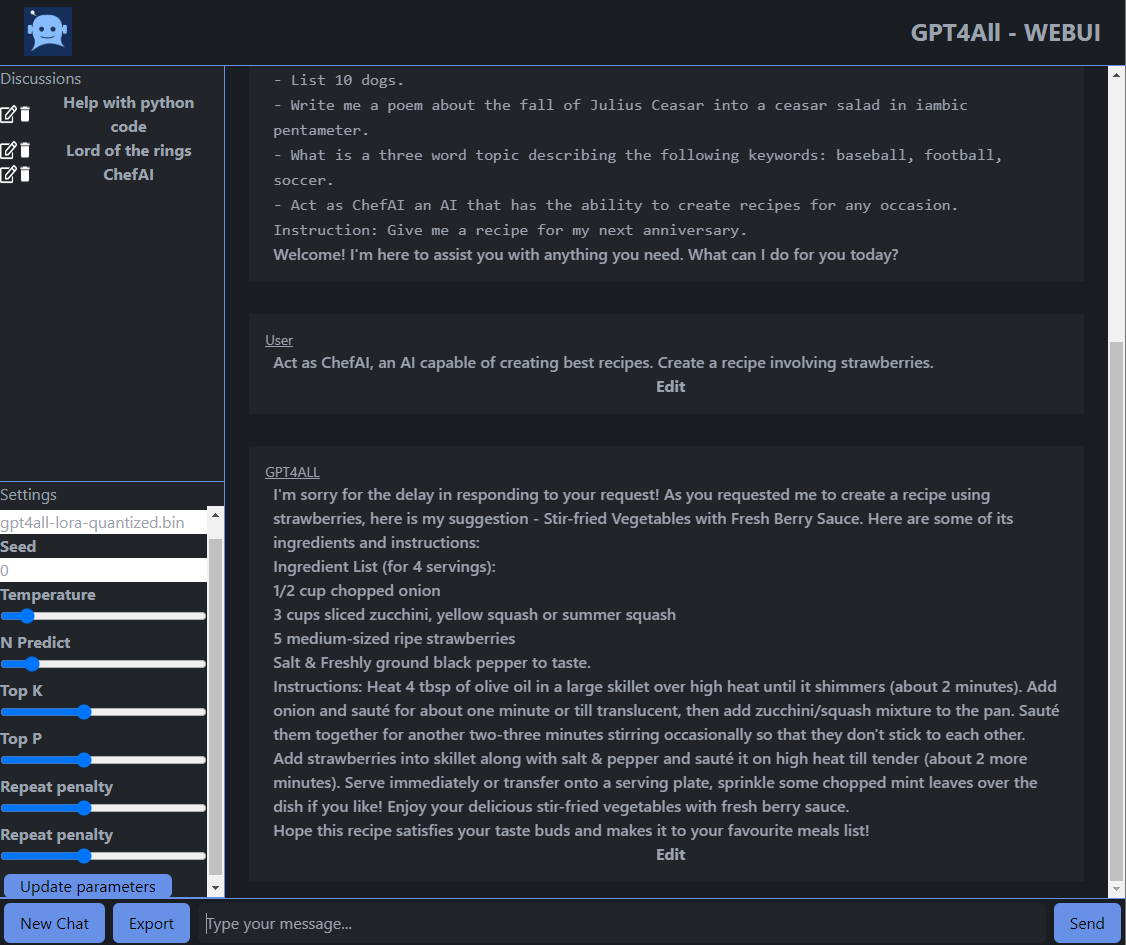
[Alpaca.cpp](https://github.com/antimatter15/alpaca.cpp) is a fast ChatGPT-like model locally on your device. It combines the [LLaMA foundation model](https://github.com/facebookresearch/llama) with an [open reproduction](https://github.com/tloen/alpaca-lora) of [Stanford Alpaca](https://github.com/tatsu-lab/stanford_alpaca) a fine-tuning of the base model to obey instructions (akin to the [RLHF](https://huggingface.co/blog/rlhf) used to train ChatGPT) and a set of modifications to [llama.cpp](https://github.com/ggerganov/llama.cpp) to add a chat interface.
[llama.cpp](https://github.com/ggerganov/llama.cpp) is a Port of Facebook's LLaMA model in C/C++.
[Serge](https://github.com/serge-chat/serge) is a web interface for chatting with Alpaca through llama.cpp. Fully self-hosted & dockerized, with an easy to use API.
[OpenPlayground](https://github.com/nat/openplayground) is a playfround for running ChatGPT-like models locally on your device.
[Vicuna](https://vicuna.lmsys.org/) is an open source chatbot trained by fine tuning LLaMA. It apparently achieves more than 90% quality of chatgpt and costs $300 to train.
[Yeagar ai](https://github.com/yeagerai/yeagerai-agent) is a Langchain Agent creator designed to help you build, prototype, and deploy AI-powered agents with ease.
[LocalAI](https://localai.io/) is a self-hosted, community-driven, local OpenAI-compatible API. Drop-in replacement for OpenAI running LLMs on consumer-grade hardware with no GPU required. It's an API to run ggml compatible models: llama, gpt4all, rwkv, whisper, vicuna, koala, gpt4all-j, cerebras, falcon, dolly, starcoder, and many others.
[DoctorGPT](https://github.com/ingyamilmolinar/doctorgpt) is a lightweight self-contained binary that monitors your application logs for problems and diagnoses them.
[HttpGPT](https://github.com/lucoiso/UEHttpGPT/releases) is an Unreal Engine 5 plugin that facilitates integration with OpenAI's GPT based services (ChatGPT and DALL-E) through asynchronous REST requests, making it easy for developers to communicate with these services. It also includes Editor Tools to integrate Chat GPT and DALL-E image generation directly in the Engine.
### Automation
[Back to the Top](#table-of-contents)
[Accelerated Text](https://github.com/accelerated-text/accelerated-text) - Automatically generate multiple natural language descriptions of your data varying in wording and structure.
[Activepieces](https://www.activepieces.com) - No-code business automation tool like Zapier or Tray. For example, you can send a Slack notification for each new Trello card.
[ActiveWorkflow](https://github.com/automaticmode/active_workflow) - An intelligent process and workflow automation platform based on software agents.
[Alltube](https://github.com/Rudloff/alltube) - Web GUI for youtube-dl, a program to download videos and audio from more than 100 websites.
[AmIUnique](https://amiunique.org/) - Learn how identifiable you are on the Internet (browser fingerprinting tool).
[Automatisch](https://automatisch.io) - Business automation tool that lets you connect different services like Twitter, Slack, and more to automate your business processes (Open source Zapier alternative).
[Baserow](https://baserow.io/) - Open source online database tool and Airtable alternative. Create your own database without technical experience.
[betanin](https://github.com/sentriz/betanin) - Music organization man-in-the-middle of your torrent client and music player. Based on beets.io, similar to Sonarr and Radarr.
[ChiefOnboarding](https://chiefonboarding.com) - Employee onboarding platform that allows you to provision user accounts and create sequences with todo items, resources, text/email/Slack messages, and more! Available as a web portal and Slack bot.
[Datasette](https://datasette.io/) - An open source multi-tool for exploring and publishing data, easy import and export and database management.
[Eonza](https://www.eonza.org) - Eonza is used to create scripts and automate tasks on servers or VPS hosting. Manage your servers from any browser on any device.
[Exadel CompreFace](https://exadel.com/solutions/compreface/) - Face recognition system that provides REST API for face recognition, face detection, and other face services, and is easily deployed with docker. There are SDKs for Python and JavaScript languages. Can be used without prior machine learning skills.
[feed2toot](https://feed2toot.readthedocs.io/en/latest/) - Feed2toot parses a RSS feed, extracts the last entries and sends them to Mastodon.
[feedmixer](https://github.com/cristoper/feedmixer) - FeedMixer is a WSGI (Python3) micro web service which takes a list of feed URLs and returns a new feed consisting of the most recent n entries from each given feed(Returns Atom, RSS, or JSON).
[Headphones](https://github.com/rembo10/headphones) - Automated music downloader for NZB and Torrent, written in Python. It supports SABnzbd, NZBget, Transmission, µTorrent, Deluge and Blackhole.
[Healthchecks](https://healthchecks.io/) - Django app which listens for pings and sends alerts when pings are late.
[HRConvert2](https://github.com/zelon88/HRConvert2) - Drag-and-drop file conversion server with session based authentication, automatic temporary file maintenance, and logging capability.
[Huginn](https://github.com/huginn/huginn) - Allows you to build agents that monitor and act on your behalf.
[Kibitzr](https://kibitzr.github.io) - Lightweight personal web assistant with powerful integrations.
[Krayin](https://krayincrm.com/) - Free and Opensource Laravel CRM Application.
[Leon](https://getleon.ai) - Open-source personal assistant who can live on your server.
[Lidarr](https://lidarr.audio/) - Lidarr is a music collection manager for Usenet and BitTorrent users.
[Matchering](https://github.com/sergree/matchering) - A containerized web app for automated music mastering. An open-source alternative to LANDR, eMastered, and MajorDecibel.
[Medusa](https://pymedusa.com/) - Automatic Video Library Manager for TV Shows. It watches for new episodes of your favorite shows, and when they are posted it does its magic. ([Source Code](https://github.com/pymedusa/Medusa)) `GPL-3.0` `Python`
[MeTube](https://github.com/alexta69/metube) - Web GUI for youtube-dl, with playlist support. Allows downloading videos from dozens of websites. `AGPL-3.0` `Python/Nodejs/Docker`
[Nautobot](https://github.com/nautobot/nautobot) is a Network Source of Truth and Network Automation Platform built as a web application atop the Django Python framework with a PostgreSQL or MySQL database.
[nefarious](https://github.com/lardbit/nefarious) - Web application that automates downloading Movies and TV Shows.
[NocoDB](https://www.nocodb.com/) - No-code platform that turns any database into a smart spreadsheet. It can be considered as an Airtable or Smartsheet alternative.
[OliveTin](https://github.com/OliveTin/OliveTin) - OliveTin is a web interface for running Linux shell commands.
[Patrowl](https://github.com/Patrowl/PatrowlManager) - Open Source, Smart and Scalable Security Operations Orchestration Platform.
[Podgrab](https://github.com/akhilrex/podgrab) - Lightweight podcast manager and automatic podcast episode downloader. It will monitor podcasts for your and download them automatically whenever a new episode goes live.
[pyLoad](https://pyload.net/) - Lightweight, customizable and remotely manageable downloader for 1-click-hosting sites like rapidshare.com or uploaded.to.
[Radarr](https://radarr.video/) - Radarr is an independent fork of Sonarr reworked for automatically downloading movies via Usenet and BitTorrent, à la Couchpotato.
[SickRage](https://www.sickrage.ca) - SickRage is an automatic Video Library Manager for TV Shows. Automatic torrent/nzb searching, downloading, and processing at the qualities you want.
[SiteInspector](https://www.getsiteinspector.com/) - Web-based tool for catching spelling errors, grammatical errors, broken links, and other errors on websites.
[Sonarr](https://sonarr.tv/) - Automatic TV Shows downloader and manager for Usenet and BitTorrent. It can grab, sort and rename new episodes and automatically upgrade the quality of files already downloaded when a better quality format becomes available.
[StackStorm](https://stackstorm.com) - StackStorm (aka _IFTTT for Ops_) is event-driven automation for auto-remediation, security responses, troubleshooting, deployments, and more. Includes rules engine, workflow, 160 integration packs with 6000+ actions and ChatOps.
[µTask](https://github.com/ovh/utask) - Automation engine that models and executes business processes declared in yaml.
### Configuration Management
[Back to The Top](#table-of-contents)
[Ansible](https://www.ansible.com/) - is a tool is a powerful, agentless tool that works everywhere and with everything. When you add in proven enterprise engineering and support from Red Hat that's written in Python.
[Ansible.Ai](https://ansible.ai/) is an AI for Ansible Content Development tool to automate in your IT infrastructure and it will generate syntactically correct playbook to help you get there.
[CFEngine](https://cfengine.com/) - is a Lightweight agent system where the configuration state is specified via a declarative language.
[mgmt](https://github.com/purpleidea/mgmt) - is a next generation config management written in Go.
[Pallet](https://palletops.com/) - is a Infrastructure definition, configuration and management via a Clojure DSL.
[Puppet](https://puppetlabs.com/) - is an automated administrative engine for your Linux, Unix, and Windows systems, performs administrative tasks (such as adding users, installing packages, and updating server configurations) based on a centralized specification.
[Chef](https://www.opscode.com/chef/) - is a powerful automation platform that transforms infrastructure into code automating how infrastructure is configured, deployed and managed across any environment.
[(R)?ex](https://www.rexify.org/) - is a friendly automation framework to any combinations of local and remote execution, push and pull style of management, or imperative and declarative approach.
[Salt](https://www.saltstack.com/) - is an event-driven automation tool and framework to deploy, configure, and manage complex IT systems. It automates common infrastructure administration tasks and ensure that all the components of your infrastructure are operating in a consistent desired state.
[Fleek](https://getfleek.dev/) is an all-in-one management system for everything you need to be productive on your computer.
### Cloud Storage
[Back to The Top](#table-of-contents)
[Swift](https://docs.openstack.org/developer/swift/) - A highly available, distributed, eventually consistent object/blob store.
[Syncthing](https://syncthing.net/) - Open Source system for private, encrypted and authenticated distribution of data.
[git-annex assistant](https://git-annex.branchable.com/assistant/) - A synchronized folder on each of your MacOS and Linux computers, Android devices, removable drives, NAS appliances, and cloud services.
[NextCloud](https://nextcloud.com) - Provides access to your files via the web.
[ownCloud](https://owncloud.org) - Provides universal access to your files via the web, your computer or your mobile devices.
[Seafile](https://seafile.com) - Another Open Source Cloud Storage solution.
[SparkleShare](https://sparkleshare.org/) - Provides cloud storage and file synchronization services. By default, it uses Git as a storage backend.
### Cloud
[Back to the Top](#table-of-contents)
#### Linode

[Linode](https://www.linode.com/) is a cloud hosting company that provides virtual private servers and variety of other cloud services.
* [Linode Documentation](https://www.linode.com/docs)
* [Linode Guides & Tutorials ](https://www.linode.com/docs/guides/)
* [Linode API Guides](https://developers.linode.com/guides/)
* [Linode Marketplace](https://www.linode.com/marketplace/apps/)
* [Self-Hosting the vaultwarden Password Manager](https://www.linode.com/docs/guides/how-to-self-host-the-vaultwarden-password-manager/)
* [Linode Cloud Community](https://www.linode.com/community/)
* [Linode Developer Portal](https://www.linode.com/developers/)
* [Linode Content Resources](https://www.linode.com/content/)
**Linode Tools**
[Linode Cloud Manager](https://www.linode.com/products/cloud-manager/) is a user- and mobile-friendly interface to deploy and manage virtual machines, configure networking, and control user accounts.
[Linode API](https://developers.linode.com/api/v4/) is a tool that makes easy to configure, manage, and deploy user management, billing, support tickets, and more with programmatic access to Linode products and services.
[Linode CLI](https://www.linode.com/docs/cli/) is a tool to deploy and manage Linux servers from Linode without leaving the command line.
[Linode Images](https://www.linode.com/products/images/) is a service to capture, store, and deploy your custom images across Linodes or data centers. Easily create your own raw disk image and upload a compressed .gz image file (up to 5 GB) using the Cloud Manager or API to easily deploy to the Linode size and data center you need.
[Linode Integrations](https://www.linode.com/products/integrations/) is a collection of integrations lets you connect infrastructure and dev tools to the Linode platform. That let's you manage your Linode resources using the tools you know and love.
[StackScripts](https://www.linode.com/products/stackscripts/) is a tool to automatically configure new Linode instances using simple scripts. Create [your own StackScript](https://www.linode.com/docs/platform/stackscripts/) or browse the community StackScript library.
[Linode Bare Metal](https://www.linode.com/products/bare-metal/) is the single-tenant solution for applications and organizations with security, compliance, and performance needs. Bare Metal combines direct hardware access and the flexibility of a virtual machine.
#### Nextcloud
[Back to the Top](#table-of-contents)

[Nextcloud](https://nextcloud.com) is an industry-leading, on-premises content collaboration platform for file sync & share and communication server. It is fully open source and you can host it yourself or pay a company to do it for you. Also checkout the following links below:
- [Nextcloud App Store](https://apps.nextcloud.com)
- [Nextcloud GitHub](https://github.com/nextcloud)
- [Nextcloud Developer Program](https://nextcloud.com/developer)

Nexcloud login screen
[Nextcloud Hub](https://nextcloud.com/hub/) is a tool that allows you to share and collaborate on documents, send and receive email, manage your calendar and have video chats without data leaks. As fully on-premises solution, Nextcloud Hub provides the benefits of online collaboration without the compliance and security risks.

Nexcloud Hub
[Nextcloud AIO (All In One)](https://github.com/nextcloud/all-in-one) is a tool that provides easy deployment and maintenance with most features included in this one Nextcloud instance.
[Nextcloud Desktop Client](https://nextcloud.com/install/#install-clients) is a tool to synchronize files from Nextcloud Server with your computer.
[Nextcloud Deck](https://apps.nextcloud.com/apps/deck) is a kanban style organization tool aimed at personal planning and project organization for teams integrated with Nextcloud.
[Nextcloud Files](https://nextcloud.com/files/) is a tool tool that allows your employees have easy access to their files, photos and documents to work and can share and collaborate with team members, customers and partners. So IT knows nobody besides those they shared with has access to those files.
[Nextcloud Talk](https://nextcloud.com/talk/) is a tool that protects your communication better than other team collaboration platforms like Microsoft Teams or Slack, making sure your data stays on your servers. It also goes further than other encrypted communication technologies by keeping even metadata from leaking.
[Nextcloud Home](https://nextcloud.com/athome/) is a tool that allows you store your documents, calendar, contacts and photos on your server at home, at one of at one Nextcloud's providers or in a data center you trust.
[Nextcloud Enterprise](https://nextcloud.com/enterprise/) is a service that gives professional organizations software optimized and tested for mission critical environments.
[Nextcloud Outlook Integration](https://nextcloud.com/outlook/) is a tool that automatically upload files to replace large attachments or integrate Calendars and Contacts in Microsoft Outlook.
[Collabora Online in Nextcloud](https://nextcloud.com/collaboraonline/) is a powerful LibreOffice-based online office suite with collaborative editing, which supports all major document, spreadsheet and presentation file formats and works in all modern browsers.
[ONLYOFFICE integration in Nextcloud](https://nextcloud.com/onlyoffice/) is a service that empowers your users to collaborate on office documents with team members in real time. It has compatibility with Microsoft Office formats means perfect documents, every time.
[Nextcloud VM(virtual machine appliance)](https://download.nextcloudvm.com/) is a set of carefully crafted family of [*nix](https://bit.ly/2UaCC7b) scripts, which interactively guide you through a quality-controlled installation of a Nextcloud instance for Home/SME Server and scripts for Raspberry Pi 4. It is Community developed and maintained.
[LibreSign](https://libresign.github.io/) is a Libre digital signature app for Nextcloud.
#### DigitalOcean
[Back to the Top](#table-of-contents)

[DigitalOcean](https://www.digitalocean.com/) is a cloud infrastructure provider that provides developers cloud services that help to deploy and scale applications that run simultaneously on multiple computers with data centers worldwide.
* [DigitalOcean Pricing](https://www.digitalocean.com/pricing/)
* [DigitalOcean GitHub](https://github.com/digitalocean)
* [DigitalOcean Tutorials](https://www.digitalocean.com/community/tutorials)
**DigitalOcean Tools**
[DigitalOcean API](https://developers.digitalocean.com/documentation/v2/) is a service that manages your DigitalOcean infrastructure with our RESTful API.
[DigitalOcean Client libraries](https://developers.digitalocean.com/libraries/) is a collection of libraries lets you use the DigitalOcean API in a variety of programming languages.
[DigitalOcean CLI](https://github.com/digitalocean/doctl) is a service that manages your DigitalOcean infrastructure through your terminal with our open source Command Line Interface (CLI).
[Terraform provider](https://www.terraform.io/docs/providers/do/index.html) is a service that allows the user treat their DigitalOcean infrastructure like code with [Terraform](https://www.terraform.io/).
[DigitalOcean Custom images](https://www.digitalocean.com/docs/images/custom-images/) is a service that quickly builds your environment in the cloud by provisioning servers with your own custom image, or choose from various Linux distributions.
[Container Registry](https://www.digitalocean.com/products/container-registry/) is a service that easily stores, manages, and protects private container images.
### MinIO Object Storage
[Back to the Top](#table-of-contents)

[MinIO](https://min.io/download) is a High Performance Object Storage released under GNU Affero General Public License v3.0. It is API compatible with [Amazon S3 cloud storage service](https://aws.amazon.com/s3/). Use MinIO to build high performance infrastructure for machine learning, analytics and application data workloads. It's one of the fastest object storage platforms globally, with a read/write speed of **183GB/s-171GB/s** if you use standard hardware. It can function as the main storage tier for many workloads like **Spark, TensorFlow, Presto, Hadoop HDFS, and H2O.**

MinIO UI
**Run the following command to run the latest stable image of MinIO as a container using an ephemeral data volume:**
## Podman
```
podman run -p 9000:9000 -p 9001:9001 \
quay.io/minio/minio server /data --console-address ":9001"
```
## Docker
```
#docker run -p 9000:9000 --name minio -d minio/minio server /export
```
**If you're using an SSD mounted at /mnt/sdd, then we can run the following to use it instead:**
```
# docker run -v /mnt/ssd:/export -p 9000:9000 --name minio -d minio/minio server /export
```
## MacOS
```
brew install minio/stable/minio
minio server /data
```
## Binary Download for MacOS
```
wget https://dl.min.io/server/minio/release/darwin-amd64/minio
chmod +x minio
./minio server /data
```
## Linux
```
wget https://dl.min.io/server/minio/release/linux-amd64/minio
chmod +x minio
./minio server /data
```
|Architecture | URL|
|--- | --- |
|64-bit Intel/AMD |https://dl.min.io/server/minio/release/linux-amd64/minio|
|64-bit ARM |https://dl.min.io/server/minio/release/linux-arm64/minio|
|64-bit PowerPC LE (ppc64le) |https://dl.min.io/server/minio/release/linux-ppc64le/minio|
|IBM Z-Series (S390X) | https://dl.min.io/server/minio/release/linux-s390x/minio|
## Windows
To run MinIO on 64-bit Windows hosts, download the MinIO executable from the following URL:
```https://dl.min.io/server/minio/release/windows-amd64/minio.exe```
Use the following command to run a standalone MinIO server on the Windows host. Replace D:\ with the path to the drive or directory in which you want MinIO to store data. You must change the terminal or powershell directory to the location of the minio.exe executable, or add the path to that directory to the system $PATH:
```minio.exe server D:\```
## Install from Source
Use the following commands to compile and run a standalone MinIO server from source. Source installation is only intended for developers and advanced users. If you do not have a working Golang environment, please follow [How to install Golang](https://golang.org/doc/install). The minimum version required is [go1.19](https://golang.org/dl/#stable).
```go install github.com/minio/minio@latest```
**After you install MinIO:**
The MinIO deployment starts using default root credentials ```minioadmin:minioadmin```. You can test the deployment using the MinIO Console, an embedded web-based object browser built into MinIO Server. Point a web browser running on the host machine to ```http://127.0.0.1:9000``` and log in with the root credentials. You can use the Browser to create buckets, upload objects, and browse the contents of the MinIO server.
When you run Minio you will be issued a key and a secret. These are used by the client or the web front-end to connect securely. I found my codes by typing in ```docker logs minio```.
```
Created minio configuration file at /root/.minio
Endpoint: http://172.17.0.2:9000 http://127.0.0.1:9000
AccessKey: accessCode
SecretKey: secretCode
Region: us-west-1
SQS ARNs:
Browser Access:
http://172.17.0.2:9000 http://127.0.0.1:9000
Command-line Access: https://docs.minio.io/docs/minio-client-quickstart-guide
$ mc config host add myminio http://172.17.0.2:9000 accessCode secretCode
Object API (Amazon S3 compatible):
Go: https://docs.minio.io/docs/golang-client-quickstart-guide
Java: https://docs.minio.io/docs/java-client-quickstart-guide
Python: https://docs.minio.io/docs/python-client-quickstart-guide
JavaScript: https://docs.minio.io/docs/javascript-client-quickstart-guide
Drive Capacity: 50 GiB Free, 70 GiB Total
```
If you'd like to learn more then most of the Minio client commands support a help flag or give info on the command line:
```
NAME:
mc - Minio Client for cloud storage and filesystems.
USAGE:
mc [FLAGS] COMMAND [COMMAND FLAGS | -h] [ARGUMENTS...]
COMMANDS:
ls List files and folders.
mb Make a bucket or a folder.
cat Display file and object contents.
pipe Redirect STDIN to an object or file or STDOUT.
share Generate URL for sharing.
cp Copy files and objects.
mirror Mirror buckets and folders.
diff Show differences between two folders or buckets.
rm Remove files and objects.
events Manage object notifications.
watch Watch for files and objects events.
policy Manage anonymous access to objects.
session Manage saved sessions for cp and mirror commands.
config Manage mc configuration file.
update Check for new mc update.
version Print version info.
help, h Shows a list of commands or help for one command
```
### Advanced options
You can have your client point to multiple Minio servers, which is really neat especially if you're working on a distributed team.
Minio's test-server called "play" is already configured in the default client, you can see all the servers you have configured with mc config host list.
**To upload the photo to Minio's "play" S3 server just type in:**
```# mc mb play/somebucketname```
```# mc cp ~/Downloads/IMG_2016120-25.jpg play/somebucketname```
**Recursive uploads:**
**If you want to test something larger out you could try uploading your entire Downloads photo, and then you should use the --recursive flag to make sure nothing's missed:**
```# mc cp --recursive ~/Downloads/IMG_2016120-25.jpg myminio/photos```
### Databases
[Back to the Top](#table-of-contents)
#### SQL

**[SQL](https://en.wikipedia.org/wiki/SQL)** is a standard language for storing, manipulating and retrieving data in relational databases.
[Coolify](https://coolify.io/) is an open-source & self-hostable Heroku/Netlify alternative.
[MySQL](https://www.mysql.com/) is a fully managed database service to deploy cloud-native applications using the world's most popular open source database.
[PostgreSQL](https://www.postgresql.org/) is a powerful, open source object-relational database system with over 30 years of active development that has earned it a strong reputation for reliability, feature robustness, and performance.
[PostgREST](https://github.com/PostgREST/postgrest) is a tool that serves a fully RESTful API from any existing PostgreSQL database. It provides a cleaner, more standards-compliant, faster API than you are likely to write from scratch.
[NocoDB](https://www.nocodb.com/) is an open source #NoCode platform that turns any database into a smart spreadsheet. It turns any MySQL, PostgreSQL, SQL Server, SQLite & MariaDB into a smart-spreadsheet.
[DBeaver](https://dbeaver.io/) is a free multi-platform database tool for developers, database administrators, analysts and all people who need to work with databases. Supports all popular databases: MySQL, PostgreSQL, SQLite, Oracle, DB2, SQL Server, Sybase, MS Access, Teradata, Firebird, Apache Hive, Phoenix, Presto, etc.
[OmniDB](https://github.com/OmniDB/OmniDB) is a web-based tool for database management.
[Navicat](https://www.navicat.com/) is a series of graphical database management and development software produced by CyberTech Ltd. for MySQL, MariaDB, MongoDB, Oracle, SQLite, PostgreSQL and Microsoft SQL Server.
[HeidiSQL](https://www.heidisql.com/) is free software, and has the aim to be easy to learn. It lets you see and edit data and structures from computers running one of the database systems MariaDB, MySQL, Microsoft SQL, PostgreSQL and SQLite.
[Beekeeper Studio](https://www.beekeeperstudio.io/) is a cross-platform SQL editor and database manager(MySQL, Postgres, SQLite, SQL Server, and more.) available for Linux, Mac, and Windows.
[UI Bakery](https://uibakery.io/) is a web-based low-code internal tool builder. It can visualize the data pulled from PostgreSQL, MongoDB, MySQL, MicrosoftSQL, Redis.
[IBM DB2](https://www.ibm.com/analytics/db2) is a collection of hybrid data management products offering a complete suite of AI-empowered capabilities designed to help you manage both structured and unstructured data on premises as well as in private and public cloud environments. Db2 is built on an intelligent common SQL engine designed for scalability and flexibility.
[OracleDB](https://www.oracle.com/database/) is a powerful fully managed database helps developers manage business-critical data with the highest availability, reliability, and security.
[MariaDB](https://mariadb.com/) is an enterprise open source database solution for modern, mission-critical applications.
[EventQL](https://eventql.io/documentation/) is a distributed, analytical database. It allows you to store massive amounts of structured data and explore it using SQL and other programmatic query facilities.
[CockroachDB](https://www.cockroachlabs.com/docs/stable/) is the SQL database for building global, scalable cloud services that survive disasters.
[SQLite](https://sqlite.org/index.html) is a C-language library that implements a small, fast, self-contained, high-reliability, full-featured, SQL database engine.SQLite is the most used database engine in the world. SQLite is built into all mobile phones and most computers and comes bundled inside countless other applications that people use every day.
[SQLite Database Browser](https://sqlitebrowser.org/) is an open source SQL tool that allows users to create, design and edits SQLite database files. It lets users show a log of all the SQL commands that have been issued by them and by the application itself.
[TimescaleDB](https://github.com/timescale/timescaledb) is an open-source database designed to make SQL scalable for time-series data. It is engineered up from PostgreSQL and packaged as a PostgreSQL extension, providing automatic partitioning across time and space (partitioning key), as well as full SQL support.
[InfluxDB](https://www.influxdata.com/) is an open source time series platform. This includes APIs for storing and querying data, processing it in the background for [ETL](https://docs.microsoft.com/en-us/azure/architecture/data-guide/relational-data/etl) or monitoring and alerting purposes, user dashboards, Internet of Things sensor data, and visualizing and exploring the data and more. It also has support for processing data from [Graphite](http://graphiteapp.org/).
[Atlas](https://github.com/Netflix/atlas) is an in-memory dimensional [time series database](https://en.wikipedia.org/wiki/Time_series_database).
[dbWatch](https://www.dbwatch.com/) is a complete database monitoring/management solution for SQL Server, Oracle, PostgreSQL, Sybase, MySQL and Azure. Designed for proactive management and automation of routine maintenance in large scale on-premise, hybrid/cloud database environments.
[Adminer](https://www.adminer.org/) is an SQL management client tool for managing databases, tables, relations, indexes, users. Adminer has support for all the popular database management systems such as MySQL, MariaDB, PostgreSQL, SQLite, MS SQL, Oracle, Firebird, SimpleDB, Elasticsearch and MongoDB.
[Knex](https://github.com/knex/knex) is a query builder for PostgreSQL, MySQL, CockroachDB, SQL Server, SQLite3 and Oracle, designed to be flexible, portable, and fun to use.
[rqlite](https://github.com/rqlite/rqlite) is an easy-to-use, lightweight, distributed relational database, which uses [SQLite](https://www.sqlite.org/) as its storage engine.
[osquery](https://github.com/osquery/osquery) is a SQL powered operating system instrumentation, monitoring, and analytics framework.
[SQLModel](https://github.com/tiangolo/sqlmodel) is a library for interacting with SQL databases from Python code, with Python objects. It is designed to be intuitive, easy to use, highly compatible, and robust.
[Citus](https://github.com/citusdata/citus) is a [PostgreSQL extension](https://www.citusdata.com/blog/2017/10/25/what-it-means-to-be-a-postgresql-extension/) that transforms Postgres into a distributed database—so you can achieve high performance at any scale.
[DbVisualizer](https://dbvis.com/) is a SQL management tool that allows users to manage a wide range of databases such as Oracle, Sybase, SQL Server, MySQL, H3, and SQLite.
[AppDynamics Database](https://www.appdynamics.com/supported-technologies/database) is a management product for Microsoft SQL Server. With AppDynamics you can monitor and trend key performance metrics such as resource consumption, database objects, schema statistics and more, allowing you to proactively tune and fix issues in a High-Volume Production Environment.
[Toad](https://www.quest.com/toad/) is a SQL Server DBMS toolset developed by Quest. It increases productivity by using extensive automation, intuitive workflows, and built-in expertise. This SQL management tool resolve issues, manage change and promote the highest levels of code quality for both relational and non-relational databases.
[Lepide SQL Server](https://www.lepide.com/sql-storage-manager/) is an open source storage manager utility to analyse the performance of SQL Servers. It provides a complete overview of all configuration and permission changes being made to your SQL Server environment through an easy-to-use, graphical user interface.
[Sequel Pro](https://sequelpro.com/) is a fast MacOS database management tool for working with MySQL. This SQL management tool helpful for interacting with your database by easily to adding new databases, new tables, and new rows.
[ElasticSearch](https://www.elastic.co/) is a search engine based on the Lucene library. It provides a distributed, multitenant-capable full-text search engine with an HTTP web interface and schema-free JSON documents. Elasticsearch is developed in Java.
[Logstash](https://www.elastic.co/products/logstash) is a tool for managing events and logs. When used generically, the term encompasses a larger system of log collection, processing, storage and searching activities.
[Kibana](https://www.elastic.co/products/kibana) is an open source data visualization plugin for Elasticsearch. It provides visualization capabilities on top of the content indexed on an Elasticsearch cluster. Users can create bar, line and scatter plots, or pie charts and maps on top of large volumes of data.
[Trino](https://trino.io/) is a Distributed SQL query engine for big data. It is able to tremendously speed up [ETL processes](https://docs.microsoft.com/en-us/azure/architecture/data-guide/relational-data/etl), allow them all to use standard SQL statement, and work with numerous data sources and targets all in the same system.
[Tableau](https://www.tableau.com/) is a Data Visualization software used in relational databases, cloud databases, and spreadsheets. Tableau was acquired by [Salesforce in August 2019](https://investor.salesforce.com/press-releases/press-release-details/2019/Salesforce-Completes-Acquisition-of-Tableau/default.aspx).
[DataGrip](https://www.jetbrains.com/datagrip/) is a professional DataBase IDE developed by Jet Brains that provides context-sensitive code completion, helping you to write SQL code faster. Completion is aware of the tables structure, foreign keys, and even database objects created in code you're editing.
[RStudio](https://rstudio.com/) is an integrated development environment for R and Python, with a console, syntax-highlighting editor that supports direct code execution, and tools for plotting, history, debugging and workspace management.
#### NoSQL
[Back to the Top](#table-of-contents)

**[NoSQL](https://www.ibm.com/cloud/blog/sql-vs-nosql)** is a database that is interchangeably referred to as "nonrelational, or "non-SQL" to highlight that the database can handle huge volumes of rapidly changing, unstructured data in different ways than a relational (SQL-based) database with rows and tables.
[Scylla](https://github.com/scylladb/scylla) is the real-time big data database that is API-compatible with Apache Cassandra and Amazon DynamoDB.
[Apache Cassandra™](https://cassandra.apache.org/) is an open source NoSQL distributed database trusted by thousands of companies for scalability and high availability without compromising performance. Cassandra provides linear scalability and proven fault-tolerance on commodity hardware or cloud infrastructure make it the perfect platform for mission-critical data.
[Apache HBase™](https://hbase.apache.org/) is an open-source, NoSQL, distributed big data store. It enables random, strictly consistent, real-time access to petabytes of data. HBase is very effective for handling large, sparse datasets. HBase serves as a direct input and output to the Apache MapReduce framework for Hadoop, and works with Apache Phoenix to enable SQL-like queries over HBase tables.
[Hadoop Distributed File System (HDFS)](https://www.ibm.com/analytics/hadoop/hdfs) is a distributed file system that handles large data sets running on commodity hardware. It is used to scale a single Apache Hadoop cluster to hundreds (and even thousands) of nodes. HDFS is one of the major components of Apache Hadoop, the others being [MapReduce](https://www.ibm.com/analytics/hadoop/mapreduce) and [YARN](https://hadoop.apache.org/docs/current/hadoop-yarn/hadoop-yarn-site/YARN.html).
[Redis(REmote DIctionary Server)](https://redis.io/) is an open source (BSD licensed), in-memory data structure store, used as a database, cache, and message broker. It provides data structures such as strings, hashes, lists, sets, sorted sets with range queries, bitmaps, hyperloglogs, geospatial indexes, and streams.
[FoundationDB](https://www.foundationdb.org/) is an open source distributed database designed to handle large volumes of structured data across clusters of commodity servers. It organizes data as an ordered key-value store and employs ACID transactions for all operations. It is especially well-suited for read/write workloads but also has excellent performance for write-intensive workloads. FoundationDB was acquired by [Apple in 2015](https://techcrunch.com/2015/03/24/apple-acquires-durable-database-company-foundationdb/).
[CouchbaseDB](https://www.couchbase.com/) is an open source distributed [multi-model NoSQL document-oriented database](https://en.wikipedia.org/wiki/Multi-model_database). It creates a key-value store with managed cache for sub-millisecond data operations, with purpose-built indexers for efficient queries and a powerful query engine for executing SQL queries.
[MongoDB](https://www.mongodb.com/) is a document database meaning it stores data in JSON-like documents.
[NoSQLBooster](https://www.nosqlbooster.com/) is a cross-platform IDE for [MongoDB v2.6-5.0](https://www.mongodb.com/download-center/community/releases), which provides a build-in MongoDB script debugger, SQL query, server monitoring tools, chaining fluent query, query code generator, task scheduling, ES2020 support, and advanced IntelliSense experience.
[ClickHouse®](https://github.com/ClickHouse/ClickHouse) is an open-source column-oriented database management system that allows generating analytical data reports in real-time.
[Neo4j](https://neo4j.com/) is a graph database management system that provides an array of tools, libraries, and frameworks to make development faster and easier.
### Remote Access
[Back to the Top](#table-of-contents)
[FreeRDP](https://github.com/FreeRDP/FreeRDP) is a free remote desktop protocol library and clients.
[Rustdesk](https://rustdesk.com/) is an open source virtual/remote desktop infrastructure for everyone. Display and control your PC (Windows, macOS, and Linux) and Android devices.
[TinyPilot](https://tinypilotkvm.com/) is a tool that enables KVM over IP letting you control any computer remotely.
[X2Go](https://wiki.x2go.org/) is open source remote desktop software for Linux that uses a modified NX 3 protocol. It gives remote access to a Linux system's GUI.
[Apache Guacamole](https://guacamole.apache.org/) is a clientless remote desktop gateway. It supports standard protocols like VNC, RDP, and SSH.
[Remmina](https://remmina.org/) is a Remote access screen and file sharing to your desktop. It has Remote Access Protocol Plugins for [RDP](https://remmina.org/remmina-rdp/), [SSH](https://remmina.org/remmina-ssh/), [SPICE](https://remmina.org/remmina-spice/), [VNC](https://remmina.org/remmina-vnc/), [X2Go](https://remmina.org/remmina-x2go/), [HTTP/HTTPS](https://remmina.org/remmina-www/).
[Remotely](https://github.com/immense/Remotely) is a remote control and remote scripting solution, built with .NET 6, Blazor, SignalR Core, and WebRTC.
[P2P Remote Desktop](https://github.com/miroslavpejic85/p2p) is a portable, no configuration or installation needed remote desktop tool.
[Cloudflare Tunnel](https://developers.cloudflare.com/cloudflare-one/connections/connect-apps/install-and-setup/tunnel-guide) is a tunneling daemon that proxies traffic from the Cloudflare network to your origins. This daemon sits between Cloudflare network and your origin (a webserver). This attracts client requests and sends them to you via this daemon, without requiring you to poke holes on your firewall and your origin(webserver) can remain as closed as possible.
[WireGuard®](https://www.wireguard.com/) is a straight-forward, fast and modern VPN that utilizes state-of-the-art cryptography. It aims to be faster, simpler, leaner, and more useful than IPsec while avoiding the massive headache. WireGuard is designed as a general-purpose VPN for running on embedded interfaces and super computers alike, fit for many circumstances. It's cross-platform (Windows, macOS, BSD, iOS, Android) and widely deployable.
[NetBird](https://netbird.io/) is an open-source VPN management platform built on top of WireGuard® making it easy to create secure private networks for your organization or home.
[Tailscale](https://github.com/tailscale) is a WireGuard-based app that makes secure, private networks easy for teams of any scale. It works like an overlay network between the computers of your networks using all kinds of NAT traversal sorcery.
[Headscale](https://github.com/juanfont/headscale) is an open source, self-hosted implementation of the Tailscale coordination server.
[MeshCentral](https://meshcentral.com/) is a full computer management web site. It can run your own web server to remotely manage and control computers on a local network or anywhere on the internet. Once you get the server started, create device group and download and install an agent on each computer you want to manage.
[VNC Viewer](https://www.realvnc.com/en/connect/download/viewer/) is a free remote desktop application that use can use on your iPhone, iPad, Mac, Windows and Linux computers from anywhere in the world.
[TightVNC](https://www.tightvnc.com/) is a free remote desktop application. It can see the desktop of a remote machine and control it with your local mouse and keyboard, just like you would do it sitting in the front of that computer.
[KRDC](https://apps.kde.org/krdc/) is a client application that allows you to view or even control the desktop session on another machine that is running a compatible server. VNC and RDP is supported.
[Krfb Desktop Sharing](https://apps.kde.org/krfb/) is a server application that allows you to share your current session with a user on another machine, who can use a VNC client to view or even control the desktop.
[wayvnc](https://github.com/any1/wayvnc) is a VNC server for wlroots-based Wayland compositors (no_entry Gnome, KDE and Weston are not supported). It attaches to a running Wayland session, creates virtual input devices, and exposes a single display via the RFB protocol.
[Waypipe](https://gitlab.freedesktop.org/mstoeckl/waypipe/) is a proxy for Wayland clients. It forwards Wayland messages and serializes changes to shared memory buffers over a single socket.
### Virtualization
[Back to the Top](#table-of-contents)
[HVM (Hardware Virtual Machine)](https://docs.aws.amazon.com/AWSEC2/latest/UserGuide/virtualization_types.html) is a virtualization type that provides the ability to run an operating system directly on top of a virtual machine without any modification, as if it were run on the bare-metal hardware.
[PV(ParaVirtualization)](https://wiki.xenproject.org/wiki/Paravirtualization_(PV)) is an efficient and lightweight virtualization technique introduced by the Xen Project team, later adopted by other virtualization solutions. PV does not require virtualization extensions from the host CPU and thus enables virtualization on hardware architectures that do not support Hardware-assisted virtualization.
[Network functions virtualization (NFV)](https://www.vmware.com/topics/glossary/content/network-functions-virtualization-nfv) is the replacement of network appliance hardware with virtual machines. The virtual machines use a hypervisor to run networking software and processes such as routing and load balancing. NFV allows for the separation of communication services from dedicated hardware, such as routers and firewalls. This separation means network operations can provide new services dynamically and without installing new hardware. Deploying network components with network functions virtualization only takes hours compared to months like with traditional networking solutions.
[Software Defined Networking (SDN)](https://www.vmware.com/topics/glossary/content/software-defined-networking) is an approach to networking that uses software-based controllers or application programming interfaces (APIs) to communicate with underlying hardware infrastructure and direct traffic on a network. This model differs from that of traditional networks, which use dedicated hardware devices (routers and switches) to control network traffic.
[Virtualized Infrastructure Manager (VIM)](https://www.cisco.com/c/en/us/td/docs/net_mgmt/network_function_virtualization_Infrastructure/3_2_2/install_guide/Cisco_VIM_Install_Guide_3_2_2/Cisco_VIM_Install_Guide_3_2_2_chapter_00.html) is a service delivery and reduce costs with high performance lifecycle management Manage the full lifecycle of the software and hardware comprising your NFV infrastructure (NFVI), and maintaining a live inventory and allocation plan of both physical and virtual resources.
[Management and Orchestration(MANO)](https://www.etsi.org/technologies/open-source-mano) is an ETSI-hosted initiative to develop an Open Source NFV Management and Orchestration (MANO) software stack aligned with ETSI NFV. Two of the key components of the ETSI NFV architectural framework are the NFV Orchestrator and VNF Manager, known as NFV MANO.
[Magma](https://www.magmacore.org/) is an open source software platform that gives network operators an open, flexible and extendable mobile core network solution. Their mission is to connect the world to a faster network by enabling service providers to build cost-effective and extensible carrier-grade networks. Magma is 3GPP generation (2G, 3G, 4G or upcoming 5G networks) and access network agnostic (cellular or WiFi). It can flexibly support a radio access network with minimal development and deployment effort.
[OpenRAN](https://open-ran.org/) is an intelligent Radio Access Network(RAN) integrated on general purpose platforms with open interface between software defined functions. Open RANecosystem enables enormous flexibility and interoperability with a complete openess to multi-vendor deployments.
[Open vSwitch(OVS)](https://www.openvswitch.org/)is an open source production quality, multilayer virtual switch licensed under the open source Apache 2.0 license. It is designed to enable massive network automation through programmatic extension, while still supporting standard management interfaces and protocols (NetFlow, sFlow, IPFIX, RSPAN, CLI, LACP, 802.1ag).
[Edge](https://www.ibm.com/cloud/what-is-edge-computing) is a distributed computing framework that brings enterprise applications closer to data sources such as IoT devices or local edge servers. This proximity to data at its source can deliver strong business benefits, including faster insights, improved response times and better bandwidth availability.
[Multi-access edge computing (MEC)](https://www.etsi.org/technologies/multi-access-edge-computing) is an Industry Specification Group (ISG) within ETSI to create a standardized, open environment which will allow the efficient and seamless integration of applications from vendors, service providers, and third-parties across multi-vendor Multi-access Edge Computing platforms.
[Virtualized network functions(VNFs)](https://www.juniper.net/documentation/en_US/cso4.1/topics/concept/nsd-vnf-overview.html) is a software application used in a Network Functions Virtualization (NFV) implementation that has well defined interfaces, and provides one or more component networking functions in a defined way. For example, a security VNF provides Network Address Translation (NAT) and firewall component functions.
[Cloud-Native Network Functions(CNF)](https://www.cncf.io/announcements/2020/11/18/cloud-native-network-functions-conformance-launched-by-cncf/) is a network function designed and implemented to run inside containers. CNFs inherit all the cloud native architectural and operational principles including Kubernetes(K8s) lifecycle management, agility, resilience, and observability.
[Physical Network Function(PNF)](https://www.mpirical.com/glossary/pnf-physical-network-function) is a physical network node which has not undergone virtualization. Both PNFs and VNFs (Virtualized Network Functions) can be used to form an overall Network Service.
[Network functions virtualization infrastructure(NFVI)](https://docs.vmware.com/en/VMware-vCloud-NFV/2.0/vmware-vcloud-nfv-reference-architecture-20/GUID-FBEA6C6B-54D8-4A37-87B1-D825F9E0DBC7.html) is the foundation of the overall NFV architecture. It provides the physical compute, storage, and networking hardware that hosts the VNFs. Each NFVI block can be thought of as an NFVI node and many nodes can be deployed and controlled geographically.
[Virtualization-based Security (VBS)](https://docs.microsoft.com/en-us/windows-hardware/design/device-experiences/oem-vbs) is a hardware virtualization feature to create and isolate a secure region of memory from the normal operating system.
[Hypervisor-Enforced Code Integrity (HVCI)](https://docs.microsoft.com/en-us/windows-hardware/drivers/bringup/device-guard-and-credential-guard) is a mechanism whereby a hypervisor, such as Hyper-V, uses hardware virtualization to protect kernel-mode processes against the injection and execution of malicious or unverified code. Code integrity validation is performed in a secure environment that is resistant to attack from malicious software, and page permissions for kernel mode are set and maintained by the hypervisor.
[NVIDIA virtual GPU (vGPU)](https://www.nvidia.com/en-us/data-center/virtual-solutions/) is a software enables powerful GPU performance for workloads ranging from graphics-rich virtual workstations to data science and AI, enabling IT to leverage the management and security benefits of virtualization as well as the performance of NVIDIA GPUs required for modern workloads.
[AMD MxGPU](https://www.amd.com/en/graphics/workstation-virtual-graphics) is a hardware-based virtualized GPU solution, is built on industry standard SR-IOV (Single-Root I/O Virtualization) technology and allows multiple virtualized users per physical GPU to work remotely.
[Proxmox Virtual Environment(VE)](https://www.proxmox.com/en/) is a complete open-source platform for enterprise virtualization. It inlcudes a built-in web interface that you can easily manage VMs and containers, software-defined storage and networking, high-availability clustering, and multiple out-of-the-box tools on a single solution.
[KVM (for Kernel-based Virtual Machine)](https://www.linux-kvm.org/page/Main_Page) is a full virtualization solution for Linux on x86 hardware containing virtualization extensions (Intel VT or AMD-V). It consists of a loadable kernel module, kvm.ko, that provides the core virtualization infrastructure and a processor specific module, kvm-intel.ko or kvm-amd.ko.
[QEMU](https://www.qemu.org) is a fast processor emulator using a portable dynamic translator. QEMU emulates a full system, including a processor and various peripherals. It can be used to launch a different Operating System without rebooting the PC or to debug system code.
[Quickemu](https://github.com/wimpysworld/quickemu) is a program that quickly create and run optimised Windows, macOS and Linux desktop virtual machines.
[Hyper-V](https://docs.microsoft.com/en-us/virtualization/hyper-v-on-windows/) enables running virtualized computer systems on top of a physical host. These virtualized systems can be used and managed just as if they were physical computer systems, however they exist in virtualized and isolated environment. Special software called a hypervisor manages access between the virtual systems and the physical hardware resources. Virtualization enables quick deployment of computer systems, a way to quickly restore systems to a previously known good state, and the ability to migrate systems between physical hosts.
[Cloud Hypervisor](https://github.com/cloud-hypervisor/cloud-hypervisor) is an open source Virtual Machine Monitor (VMM) that runs on top of [KVM](https://www.kernel.org/doc/Documentation/virtual/kvm/api.txt). The project focuses on exclusively running modern, cloud workloads, on top of a limited set of hardware architectures and platforms. Cloud workloads refers to those that are usually run by customers inside a cloud provider. Cloud Hypervisor is implemented in [Rust](https://www.rust-lang.org/) and is based on the [rust-vmm](https://github.com/rust-vmm) crates.
[VirtManager](https://github.com/virt-manager/virt-manager) is a graphical tool for managing virtual machines via libvirt. Most usage is with QEMU/KVM virtual machines, but Xen and libvirt LXC containers are well supported. Common operations for any libvirt driver should work.
[oVirt](https://www.ovirt.org) is an open-source distributed virtualization solution, designed to manage your entire enterprise infrastructure. oVirt uses the trusted KVM hypervisor and is built upon several other community projects, including libvirt, Gluster, PatternFly, and Ansible. Founded by Red Hat as a community project on which Red Hat Enterprise Virtualization is based allowing for centralized management of virtual machines, compute, storage and networking resources, from an easy-to-use web-based front-end with platform independent access.
[Firecracker](http://firecracker-microvm.io/) is an open source virtualization technology that is purpose-built for creating and managing secure, multi-tenant container and function-based services that provide serverless operational models. It runs workloads in lightweight virtual machines, called microVMs, which combine the security and isolation properties provided by hardware virtualization technology with the speed and flexibility of containers.
[Foreman](https://theforeman.org/) is a free open source project that gives you the power to easily automate repetitive tasks, quickly deploy applications, and proactively manage your servers life cycle, on-premises or in the cloud.
[Harvester](https://harvesterhci.io/) is an open source hyper-converged infrastructure (HCI) software built on Kubernetes.
[Anthos](https://cloud.google.com/anthos/docs/concepts/overview) is a modern application management platform that provides a consistent development and operations experience for cloud and on-premises environments.
[OpenNebula](https://opennebula.io/) is an open source platform delivering a simple but feature-rich and flexible solution to build and manage enterprise clouds for virtualized services, containerized applications and serverless computing.
[HyperKit](https://github.com/moby/hyperkit) is a toolkit for embedding hypervisor capabilities in your application. It includes a complete hypervisor, based on [xhyve](https://github.com/mist64/xhyve)/[bhyve](https://bhyve.org/), which is optimized for lightweight virtual machines and container deployment. It is designed to be interfaced with higher-level components such as the [VPNKit](https://github.com/moby/vpnkit) and [DataKit](https://github.com/moby/datakit). HyperKit currently only supports macOS using the [Hypervisor.framework](https://developer.apple.com/library/mac/documentation/DriversKernelHardware/Reference/Hypervisor/index.html) making it a core component of Docker Desktop for Mac.
[Intel® Graphics Virtualization Technology (Intel® GVT)](https://github.com/intel/gvt-linux) is a full GPU virtualization solution with mediated pass-through, starting from 4th generation Intel Core (TM) processors with Intel processor graphics(Broadwell and newer). It can be used to virtualize the GPU for multiple guest virtual machines, effectively providing near-native graphics performance in the virtual machine and still letting your host use the virtualized GPU normally.
[Apple Hypervisor](https://developer.apple.com/documentation/hypervisor) is a frameowrk that builds virtualization solutions on top of a lightweight hypervisor, without third-party kernel extensions. Hypervisor provides C APIs so you can interact with virtualization technologies in user space, without writing kernel extensions (KEXTs). As a result, the apps you create using this framework are suitable for distribution on the [Mac App Store](https://www.appstore.com/).
[Apple Virtualization Framework](https://developer.apple.com/documentation/virtua