https://github.com/ryanjon2040/ue4-map-editor
Map Editor template for your game.
https://github.com/ryanjon2040/ue4-map-editor
Last synced: 4 months ago
JSON representation
Map Editor template for your game.
- Host: GitHub
- URL: https://github.com/ryanjon2040/ue4-map-editor
- Owner: ryanjon2040
- License: unlicense
- Created: 2015-02-11T08:35:05.000Z (over 11 years ago)
- Default Branch: master
- Last Pushed: 2017-11-09T05:31:01.000Z (over 8 years ago)
- Last Synced: 2025-03-09T17:37:37.163Z (over 1 year ago)
- Size: 44.2 MB
- Stars: 85
- Watchers: 18
- Forks: 44
- Open Issues: 0
-
Metadata Files:
- Readme: README.md
- License: LICENSE
Awesome Lists containing this project
README
Welcome to UE4 Map Editor
======================
This is a template on how to create an In-Game Map Editor for end-users using Blueprints and UMG.
[Click here](https://forums.unrealengine.com/showthread.php?58602-Map-Editor-using-Blueprints-and-UMG) to visit UE4 Community thread about Map Editor.
######Features:
* Placeable buildings
* Foliage painting
* Placeable spawn point
* Posses and Eject player
* 2 Camera modes: RTS and Free Cam
Video:
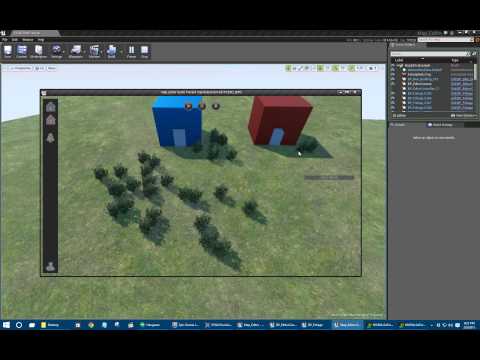
How to get started
-------------------
The current __Map Editor__ is based on Unreal Engine version _4.7.0 Preview 4 Build_. You can always get this version (or higher) of the engine using the [Unreal Engine Launcher](https://www.unrealengine.com/dashboard), or you can grab the [full engine source](https://github.com/EpicGames/UnrealEngine/releases/tag/4.4.0-preview) from GitHub and compile it yourself.
**Without Git Client:**
- Download the project by clicking the **Download Source** button on this page.
- Unzip the files to a folder on your computer.
- Load up [Unreal Editor](https://www.unrealengine.com/dashboard)
- On the Project Browser screen, click **Browse** and navigate to the folder where unzipped the files.
- Choose the **Map_Editor.uproject** file.
_NOTE: It's better to use a Git Client to fork this project so you can submit your contributions back to your fork._
**With Git Client:**
- You'll want to create your own Map Editor **fork** by clicking the __Fork button__ in the top right of this page.
- Next, [install a Git client](http://help.github.com/articles/set-up-git) on your computer.
- Use the GitHub program to **Sync** the project's files to a folder on your machine.
- You can now open up **Map_Editor.uproject** in the editor!
- Using the GitHub program, you can easily **submit contributions** back up to your **fork**.
You can contribute changes using [Pull Request](https://help.github.com/articles/using-pull-requests).
###Git Clients:
[Git Client for Windows](https://windows.github.com/)
[Git Client for Mac](https://mac.github.com/)
[Atlassian SourceTree](http://sourcetreeapp.com/)
[Git Extensions](https://code.google.com/p/gitextensions/)
[GitEye](http://www.collab.net/products/giteye)
[Giggle](https://wiki.gnome.org/Apps/giggle/) (Linux)
[Gitg](https://wiki.gnome.org/Apps/Gitg/) (Linux)
###NOTE: This Readme file will be updated in future.