https://github.com/shiburagi/locale-editor
an application to convert multi-language Android/ Swift strings file to excel file, and otherwise
https://github.com/shiburagi/locale-editor
android android-localization localization swift
Last synced: 11 months ago
JSON representation
an application to convert multi-language Android/ Swift strings file to excel file, and otherwise
- Host: GitHub
- URL: https://github.com/shiburagi/locale-editor
- Owner: shiburagi
- License: mit
- Created: 2018-02-10T13:31:18.000Z (over 8 years ago)
- Default Branch: master
- Last Pushed: 2018-02-13T12:11:46.000Z (over 8 years ago)
- Last Synced: 2025-06-15T00:06:42.461Z (about 1 year ago)
- Topics: android, android-localization, localization, swift
- Language: Java
- Homepage:
- Size: 53.8 MB
- Stars: 6
- Watchers: 0
- Forks: 1
- Open Issues: 0
-
Metadata Files:
- Readme: README.md
- License: LICENSE.md
Awesome Lists containing this project
README
# Locale Editor
Is an application to make Android / Swift translation process easier by help developer **generate Excel file from project resources** and **convert Excel file to project resources**. Plus, the application also can help the developer **convert Android resources to Swift resources**, or otherwise.
## Features
- Convert **Android/Swift Multi-language strings resources file to Excel**.
- Convert **Excel to Android/Swift Multi-language strings resources file**.
- Support **multiple Excel sheet** (Convert to **multiple XML/Strings** base on **sheet name**)
## Download
You can **download** the app here : [Locale Editor Version 1.1.2](https://github.com/shiburagi/Locale-Editor/blob/master/jar/Locale%20Editor%20v1.1.2.jar?raw=true)
or, view **all version** via this link :
https://github.com/shiburagi/Locale-Editor/tree/master/jar
## Preview
### Windows

### MAC

## How to Use
### Generate Excel file
First, you must select the folder contains string resourse file, which,
- **Android** : **\app\src\main\res**
- **Swift** : \
And then, **before start generating excel file** make sure you **choose right folder**.
The are two options :
- "To Excel (All)" : **write all text** into Excel File

- "To Excel (Untranslate)" : **write only untranslate text** into Excel File

### Generate XML
Just click on button **"To XML (Android)"**, the file will **directly write to your Android Project**

### Generate Strings
Just click on button **"To Strings (Swift)"**, the file will **directly write to your Swift Project**

## Results
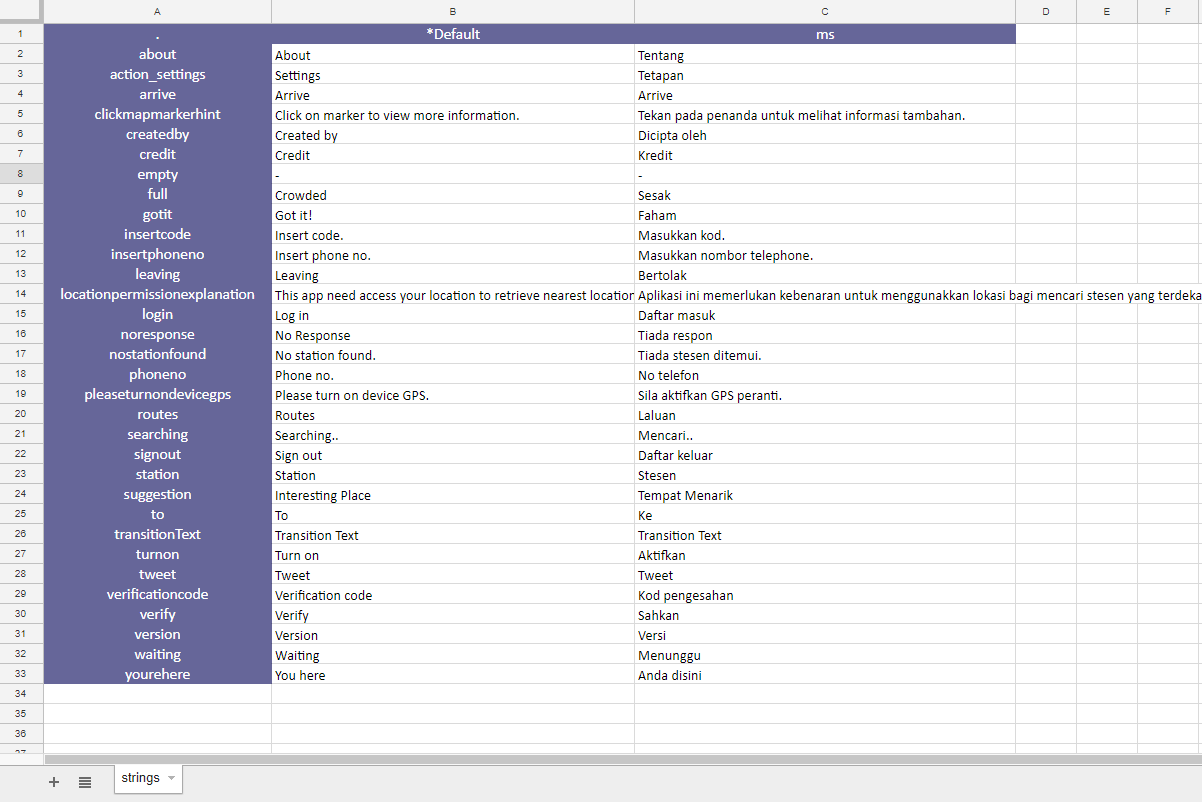
### Excel
### XML

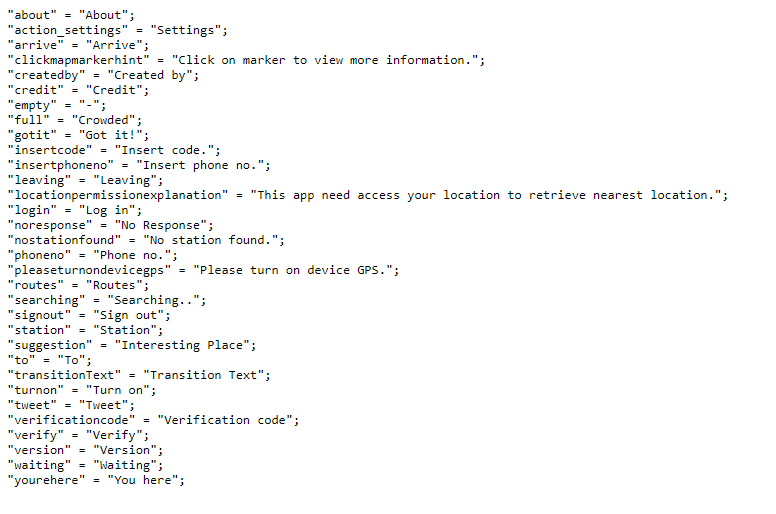
### Strings File
## Contact
For any enquiries, please send an email to tr32010@gmail.com.